New vs Used CNC: Which One Makes Sense?.
A CNC purchase usually looks straightforward until the numbers hit the desk. The sticker price says one thing, but production risk, service access, operator confidence and downtime tell a different story. That is why the new vs used CNC decision matters so much for Australian workshops – especially when the machine is expected to earn its keep from day one.
For fabrication shops, signmakers, cabinetmakers and industrial manufacturers, this is rarely a simple question of budget. A lower upfront price can be the right move, but only if the machine can hold tolerance, run reliably and be supported properly. If it cannot, the saving disappears quickly in missed jobs, troubleshooting and production delays.
New vs used CNC: start with the job, not the price
The biggest mistake buyers make is comparing machines only by purchase cost. A CNC system should be judged by what it needs to do in your workshop, how often it will run, what materials it will cut and how much downtime your business can realistically absorb.
If your operation is running tight lead times, repeat production and customer deadlines that cannot move, reliability usually carries more value than the cheapest capital outlay. If the machine is for overflow work, lower-volume production or a secondary process, a good used machine may be perfectly sensible.
This is where honest assessment matters. A business cutting plate every day on a production schedule has very different needs from a shop adding CNC capability for the first time. One may need maximum uptime and current software integration. The other may need a practical entry point that still delivers sound results.
When a new CNC is the better business decision
A new machine generally offers the clearest path to predictable output. You know the condition of the frame, drive system, control hardware and software from the start. You also know the machine has not been pushed beyond its intended duty cycle, modified poorly or neglected by a previous owner.
That matters more than many buyers expect. In industrial production, consistency is money. If you are quoting jobs based on cutting speed, edge quality and repeatability, uncertainty in machine condition creates risk all the way through the workshop.
A new CNC also makes sense when support is critical. Installation, commissioning, operator training and local technical backup can shorten the learning curve and prevent expensive mistakes. This is particularly important for businesses moving into a new process such as fibre laser cutting, industrial routing or automated plasma production. Good support does not just help at startup. It protects output over the life of the machine.
There is also the question of software and controls. Newer systems typically offer stronger nesting, better motion control, easier diagnostics and improved safety integration. These are not cosmetic upgrades. They affect cut quality, material yield, changeover time and fault finding.
Finance can also change the picture. While a new machine costs more upfront, repayments may be easier to justify if the equipment improves throughput, reduces labour input and lowers rework. For many workshops, the real comparison is not purchase price alone but monthly cost against production gain.
When used CNC equipment can be the smart move
A used CNC can absolutely be a good buy, but only when the machine has been assessed properly and matched to the job. There are strong reasons businesses choose used equipment. It can reduce upfront capital pressure, bring automation into the workshop faster and provide a practical option where a top-spec new machine is not necessary.
If the machine comes from a known source, has a clear service history and has been maintained correctly, the value can be very good. This is especially true where the buyer understands the machine’s duty cycle and accepts some limitations around age, software generation or cosmetic condition.
Used equipment can work well for businesses that already have internal technical capability. If your team can inspect mechanical wear, assess control condition and manage minor repairs, the risk profile changes. A workshop with experienced maintenance staff may be comfortable taking on a machine that would be unsuitable for a business without that support.
The key point is this – used only works when the machine is genuinely fit for purpose. A machine that is merely available is not the same as a machine that is suitable.
The hidden costs that change the comparison
Most problems with used machinery do not appear in the sales listing. They show up later in lost time, operator frustration and parts delays. Backlash, worn bearings, outdated drives, unsupported control systems, damaged cable tracks, poor calibration and safety issues can all turn a supposed bargain into a workshop problem.
Even if the machine runs, you need to ask harder questions. Can you still get spare parts? Is the software current enough for your workflow? Will the controller integrate with your file preparation process? Can local technicians support it without spending days chasing legacy faults?
For a new machine, hidden costs are usually lower, but they still exist if the specification is wrong. Overspending on capacity you will never use is one problem. Underspecifying the machine for material thickness, workload or production speed is worse. The result is a new asset that still creates a bottleneck.
That is why the right decision depends less on whether the machine is new or used and more on whether it has been selected properly.
How to assess a used CNC properly
If you are considering used equipment, caution is not pessimism. It is just good buying practice. You need to know what the machine has done, how it has been maintained and whether its current performance matches your production needs.
Start with machine history. Ask what materials it has processed, how many hours it has run and whether it was used lightly or in full production. A machine that spent years in heavy industrial cutting may have far more wear than one used intermittently, even if both look similar on inspection.
Then look at serviceability. Consumables are one thing, but long-term ownership depends on access to technical support, replacement parts and control knowledge. If a fault stops production, who will fix it, how quickly and at what cost? If there is no clear answer, the risk is high.
A practical inspection should go beyond surface presentation. Check axis movement, drive response, cut quality, table condition, electrical cabinet cleanliness, software operation and safety systems. If possible, see the machine cutting actual material relevant to your work. A powered-up machine is not enough. It needs to perform.
New vs used CNC for different workshop situations
A growing fabrication business with committed contracts usually benefits from new equipment because downtime risk is too expensive. The machine must be dependable, supportable and ready to integrate into daily production without guesswork.
A smaller operation bringing work in-house may find a quality used CNC makes financial sense, provided expectations are realistic and support is available. The goal in that case is not to buy the newest machine. It is to buy one that can deliver stable output without becoming a constant distraction.
For businesses replacing an ageing machine, the decision often comes down to lost opportunity. If the old process is already slowing quoting, limiting material range or creating rework, stepping into a new machine can have a stronger return than stretching the life of older technology again.
The support question matters more than most buyers think
In the Australian market, support is not a bonus. It is part of the machine. Local service access, training and spare parts availability can make the difference between a minor issue and a week of interrupted production.
That is why buyers should look beyond the machine itself and assess the supplier. Are they giving technical advice based on your workload, or just moving stock? Can they support installation, commissioning and operator training? Do they understand the process well enough to help you avoid a poor-fit machine?
This is where dealing with a company that actually understands industrial CNC in real production conditions becomes valuable. Businesses such as ART CNC work with buyers across plasma, router, fibre laser and automated cutting applications, so the advice can be based on output, not sales pressure.
The better question is not new or used – it is right or wrong
There is no universal winner in the new vs used CNC debate. A well-chosen used machine can be a solid commercial decision. A poorly chosen one can cost more than buying new. The same is true in reverse – a new machine is only a good investment if it suits the work, the volume and the support expectations of the business.
The smart approach is to judge the machine by total production value. Look at reliability, service access, software suitability, operator readiness and real output over time. When you buy with those factors in view, the right answer usually becomes clear.
A CNC machine should make your workshop more capable, more efficient and less exposed to downtime. If the purchase does that, the age of the machine matters a lot less than the confidence you have in it once the work starts.
Fibre Laser Cutters for Australian Industry.
If you are quoting stainless jobs that need clean edges, tight tolerances and less time on secondary finishing, fibre laser cutters tend to get your attention quickly. They are not the right answer for every workshop, but for many Australian fabrication and manufacturing businesses, they can remove bottlenecks that plasma and manual processing simply cannot.
The real question is not whether fibre laser technology is impressive. It is whether it suits your material mix, your workload, your staffing and your production targets. That is where a lot of buyers either make a solid long-term decision or end up with an expensive machine that does not match the work coming through the door.
What fibre laser cutters do well
Fibre laser cutters are built for fast, precise cutting of sheet metal, particularly mild steel, stainless steel, aluminium, brass and copper. The beam quality allows for fine detail, sharp internal corners and cleaner edge quality than many other cutting processes. If your business produces parts that need to move straight to folding, welding or assembly, that cut quality matters because it reduces handling and rework.
Speed is a major part of the value. On thinner materials especially, fibre laser systems can process parts at rates that make older cutting methods look slow and labour-heavy. That changes quoting, scheduling and throughput. A job that used to tie up a process for hours can often be turned around faster, with more consistency and less operator intervention.
Running costs are another reason these machines are widely adopted. Fibre laser systems are generally more efficient than older laser technologies, with fewer consumable-related headaches. That does not mean operating costs disappear. Gas supply, power use, maintenance, optics care, extraction and servicing still matter. But for the right application, the cost per part can be very competitive.
Where fibre laser cutters fit best
For workshops cutting a steady volume of sheet metal parts, fibre laser cutters make the most sense when precision and repeatability are commercially important. Sign manufacturers, general fabricators, enclosure builders, HVAC component producers, engineering firms and production-focused metal processors often see strong value because the machine supports both quality and output.
They also suit businesses that want to bring more work in-house. If you are outsourcing detailed sheet cutting because your existing process cannot hold tolerance or finish quality, a fibre laser can give you more control over lead times and job scheduling. That can improve margins, but only if the machine is properly matched to your actual workload.
This is where some realism is needed. If your work is mostly thick plate, heavily scaled material or rough structural fabrication where edge finish is less critical, other cutting processes may still be the better fit. Fibre laser is not automatically the best option because it is newer. It depends on the jobs you cut every week, not the machine spec sheet alone.
Comparing fibre laser cutters with plasma
A lot of buyers are really deciding between fibre laser and plasma rather than choosing a laser in isolation. Both have clear strengths, and the right choice depends on the type of work your business does.
Cut quality and accuracy
Fibre laser cutters generally produce finer detail and cleaner edges, particularly on thin to medium sheet. Hole quality is usually better, small parts are handled more cleanly and heat affected zones are narrower. That can reduce grinding and improve fit-up downstream.
Plasma remains a very capable process, especially for thicker materials and applications where slight edge taper or a rougher finish is acceptable. For many fabrication shops, plasma is still the practical workhorse. The wrong move is assuming one process replaces the other in every situation.
Speed and material range
On thin material, fibre laser often has the advantage for speed and finished part quality. On thicker plate, the comparison becomes more application-specific. Material type matters too. If you are regularly cutting reflective materials such as brass or copper, a properly specified fibre laser system can handle them effectively.
Cost and investment
The entry cost for fibre laser is usually higher, so the business case needs to be based on production gain, labour savings, reduced finishing and improved consistency. Plasma may involve a lower upfront investment, which can make it the smarter option for workshops with broader tolerance bands or heavier plate work.
The key is not chasing the most advanced machine. It is understanding which process makes your jobs more profitable.
What to look for when buying fibre laser cutters
Machine power attracts attention, but power alone does not tell you whether a system will perform well in production. The better buying decision comes from looking at the whole package.
Machine frame and drive quality
A fibre laser cutter needs a rigid frame, stable gantry movement and accurate motion control. If the mechanics are poor, the laser source will not save it. Consistent acceleration, repeatability and long-term accuracy depend on build quality, not marketing claims.
Control software and nesting
Software has a direct impact on throughput. Good nesting reduces waste, improves sheet usage and helps operators move efficiently from one job to the next. The control system also needs to be practical for your team to use. Fast cutting is wasted if programming is clumsy or training is inadequate.
Loading, unloading and workflow
Some businesses need a standalone machine. Others need exchange tables, material handling integration or a more automated production flow. The right level of automation depends on labour availability, batch size and how often the machine will run. Higher automation can improve output, but only when the workload justifies it.
Local service and parts support
This is where many purchasing decisions are won or lost over time. A machine can look good on paper, but if support is slow, parts are hard to source or operators are left to figure things out themselves, downtime becomes expensive very quickly.
For Australian manufacturers, local technical support is not a nice extra. It is part of the machine value. Training, commissioning, service response and access to spare parts all affect how much productive time you actually get from the equipment.
The practical questions buyers should ask
Before choosing between fibre laser cutters, it helps to step back from brand names and headline specifications. Start with your own production reality.
What materials are you cutting most often, and in what thickness range? Are your jobs mostly repeat production or one-off fabrication? How much labour is currently tied up in deburring, sorting, handling and rework? Do you need better cut quality to win work, or do you mainly need more output? Will the machine be run by experienced operators, or do you need a supplier who can provide proper training and ongoing support?
These questions sound basic, but they usually expose whether a machine will solve a real production problem or simply add another layer of complexity.
Common mistakes when choosing a fibre laser system
One of the biggest mistakes is overbuying power for the sake of it. More power is useful when the application requires it, but if most of your work is in thinner sheet, a larger source may not deliver the return you expect. You need the machine that suits your parts profile, not the biggest number available.
Another common issue is underestimating the support requirement. Fibre laser cutters are advanced production systems. They need proper installation, operator training and preventive maintenance. Workshops that treat them as plug-and-play equipment often run into avoidable performance issues.
It is also easy to focus heavily on purchase price and ignore total ownership cost. Extraction, gas usage, floor space, operator skill, software capability and service access all affect the real return on investment.
Why the supplier matters as much as the machine
A good supplier should help you compare technologies honestly, not push fibre laser cutters into applications where another process would serve you better. That kind of advice matters because industrial equipment decisions are long-term decisions. Once the machine is on the floor, your production schedule depends on it.
The best outcomes usually come from working with a supplier that understands fabrication, commissioning, training and service support as one connected job. ART CNC works in that practical space – helping businesses choose machinery based on throughput, material type, workflow and long-term support needs rather than sales pressure.
If you are assessing fibre laser cutters seriously, the right next step is to look hard at your production mix, your quality requirements and the support you will need after installation. The machine should fit your business as it operates now, while giving you room to grow without adding unnecessary complexity.
A Practical Guide to CNC Maintenance.
When a CNC machine starts missing height, cutting out of square, losing edge quality or throwing avoidable faults, the problem is often not the control or the program. More often, it comes back to maintenance that has slipped under production pressure. This guide to CNC maintenance is written for workshops that rely on uptime, consistent cut quality and machines that earn their keep every day.
For fabrication shops, sign manufacturers, cabinet makers and industrial processors, maintenance is not a housekeeping task. It is part of production control. A machine that is mechanically sound, properly cleaned and routinely checked will generally cut more accurately, run more safely and cost less to own over time.
Why a guide to CNC maintenance matters
There is a direct link between maintenance discipline and profitability. Poor maintenance rarely shows up as one dramatic failure at first. It usually starts as slower cycle times, rougher edges, inconsistent pierce performance, vibration, tracking issues, nuisance alarms or consumables wearing out too quickly. Shops often absorb those losses without realising how much margin they are giving away.
That is why maintenance should be treated as a planned operating requirement, not something left until a fault stops the machine. Whether you are running a CNC plasma cutter, CNC router, fibre laser cutter or a larger automated cutting system, the principle is the same. Small checks done consistently are cheaper than emergency repairs and rushed parts orders.
Start with the machine maker’s schedule
Every maintenance plan should begin with the manufacturer’s service intervals and procedures. That sounds obvious, but plenty of machines are maintained by habit rather than by specification. Greasing the wrong point too often can be as harmful as ignoring it. Cleaning methods that are fine for one machine can create problems on another.
The right schedule depends on machine type, operating environment and production intensity. A router processing timber products will face dust-related issues that differ from a fibre laser in a cleaner sheet processing environment. A plasma table in heavy fabrication will see different wear patterns again, especially around fume extraction, rails, slats and motion components.
If your workshop runs long shifts, abrasive materials or high volumes, standard intervals may need to be shortened. If the machine sits idle for periods, that creates a different set of risks, including moisture, corrosion and seals drying out. Good maintenance is never one-size-fits-all.
Daily maintenance keeps small issues small
The highest-value maintenance tasks are often the simplest. Daily attention to cleanliness, consumable condition and obvious wear can prevent a large share of avoidable downtime.
At the start or end of each shift, operators should check the machine for build-up, loose fittings, unusual noise, hose or cable damage, air or gas issues, and signs of mechanical drag. They should also watch for changes in cut quality or movement that suggest something is drifting out of tolerance. Operators are the first line of defence because they see the machine working under load.
Clean-down matters, but it needs to be done properly. Dust, metal fines, slag, offcuts and residue all interfere with sensors, bearings, drives and cable management. The method matters just as much as the intent. Blasting contamination deeper into sensitive areas with inappropriate air pressure can create more trouble than it solves.
For plasma systems, daily checks often include torch condition, consumables, air or gas quality, table cleanliness and slat condition. For routers, spindle condition, dust extraction performance, collet cleanliness and tool wear deserve close attention. For fibre laser systems, lens protection, nozzle condition, assist gas supply and cleanliness around critical optical areas are central.
Weekly and monthly checks are where accuracy is protected
A machine can still move and cut while gradually losing accuracy. That is why weekly and monthly inspections are so important. They are less about visible mess and more about underlying condition.
Motion systems need careful attention. Rails, bearings, linear guides, drive racks, ball screws, gearboxes and couplings all wear differently depending on machine design and application. If lubrication is inadequate, contamination is allowed to build up or alignment starts to drift, the first sign may be inconsistent edge quality or dimensional error rather than a complete stoppage.
This is also the time to check cable chains, plugs, earth connections, pneumatic components, extraction systems, water table condition where applicable, and guarding or interlocks. Loose fasteners and minor alignment changes can become expensive if left alone. The longer they run, the more secondary damage they can create.
Calibration should not be ignored either. Height control, sensor response, axis referencing and machine squareness all affect finished quality. If parts are repeatedly being adjusted downstream to compensate for cutting variation, the maintenance issue may already be costing more than a scheduled service would.
Consumables are not just a purchasing issue
Many workshops look at consumables purely as an operating cost, but they are also a maintenance signal. If tips, nozzles, electrodes, tools or protective components are wearing faster than expected, that usually points to another problem.
The root cause might be moisture or oil in the air supply, incorrect gas settings, poor material grounding, dirty collets, unstable height control, worn slats causing tip-ups, or simple operator handling. Replacing consumables without addressing the reason for premature wear only hides the issue for another shift or two.
Good recordkeeping helps here. If one operator, one material type or one shift is burning through consumables faster than the rest, there is useful information in that pattern. Maintenance works best when it is tied to evidence, not guesswork.
The workshop environment has a bigger impact than many realise
Machine condition is shaped by the shop around it. Heat, dust, humidity, power quality, extraction performance and material handling all influence service life.
In Australian conditions, environmental load can be significant. Fine dust, high ambient temperatures and inconsistent housekeeping will shorten the life of electrical and mechanical components. If extraction is poor, debris gets where it should not. If compressed air quality is poor, valves and cutting performance suffer. If sheets are loaded roughly and strike machine components, alignment problems can start long before anyone notices them in a report.
Maintenance therefore has to include the support systems around the machine. Compressors, dryers, extraction units, gas supply, coolant where applicable and even the condition of the floor can affect machine reliability. Looking only at the cutting head or gantry misses half the picture.
Training is maintenance protection
A surprising amount of machine wear comes from preventable operating habits. That is why maintenance is not just a service technician’s job. It starts with training.
Operators should know what normal sounds, movements and cut results look like. They should also know when to stop and report a problem instead of pushing on. Running through chatter, persistent collisions, height errors or repeated alarms to finish a job often turns a minor service issue into a major repair.
Workshops that get the best life from their equipment usually have clear responsibilities. Operators handle routine checks and cleaning. Supervisors track recurring faults and production trends. Qualified technicians manage scheduled servicing, diagnostics and calibration. That division keeps maintenance practical without expecting untrained staff to make technical calls they are not equipped to make.
Reactive maintenance is always more expensive
Some businesses try to minimise maintenance costs by delaying service until something fails. On paper that can look efficient. In reality it usually leads to rushed downtime, compromised cut quality, lost jobs and avoidable parts replacement.
There are trade-offs, of course. Not every machine needs the same service frequency, and there is no value in replacing sound components prematurely. But waiting for failure is rarely the economical option in production environments. Planned maintenance gives you control over timing, labour and parts availability. Reactive maintenance hands that control to the fault.
This is where local technical support becomes especially valuable. Workshops need more than a box of spare parts. They need access to people who can diagnose the real cause, advise whether a machine can keep running safely, and help plan service work around production.
Build a maintenance system your team will actually use
The best maintenance plan is the one your team can follow consistently. If the process is too vague, it will be ignored. If it is too complicated, it will be bypassed.
Keep it practical. Use machine-specific check sheets. Record faults, consumable life, service dates and recurring adjustments. Review that information monthly. If the same issue keeps returning, the answer is not another quick fix. It is finding the source.
For many Australian workshops, that also means knowing when to bring in specialist support. Internal teams can manage routine care, but scheduled servicing, alignment, software checks, electrical diagnosis and performance optimisation are often best handled by experienced CNC technicians. ART CNC works with businesses that need that kind of long-term support because keeping a machine running well is just as important as supplying it in the first place.
A well-maintained CNC machine does not just avoid breakdowns. It cuts cleaner, holds tolerance better, uses consumables more efficiently and gives your operators more confidence on the floor. That kind of reliability is not luck. It is built through disciplined maintenance, sensible training and support from people who understand how production really works.
Used CNC Machine Checklist for Buyers.
A used cnc machine checklist matters most when the machine looks fine at first glance, powers up cleanly, and still turns into a downtime problem six weeks after it lands in your workshop. Second-hand equipment can represent real value, but only if you assess it like a production asset rather than a bargain purchase. For Australian fabrication and manufacturing businesses, the right used CNC can lift capacity quickly. The wrong one can tie up cash, floor space and operator time.
The key is to look past the asking price. You are buying remaining service life, reliability, supportability and fit for your workflow. That means inspecting the machine itself, but also the software, electrics, consumables, service history and the supplier behind it.
Start your used CNC machine checklist with the job
Before you inspect any machine, get clear on what it needs to do in your business. A machine that is technically in good condition can still be the wrong buy if it does not suit your material range, sheet sizes, cut quality requirements or production volume.
If you are running heavier plate, a plasma system needs different capability from a machine intended for lighter production work. If you are processing timber, ACM or plastics, router configuration, vacuum hold-down, spindle condition and dust management matter far more. If your workload is varied and urgent, ease of programming and local support may be more valuable than headline cutting speed.
This first step sounds basic, but it prevents one of the most common mistakes in used equipment buying – purchasing what is available rather than what is suitable.
Used CNC machine checklist: what to inspect on the machine
Physical condition tells a story. A machine does not need to be cosmetically perfect, but visible wear should line up with its age, hours and claimed history. Excessive corrosion, crash damage, patched repairs or poorly routed cables usually indicate a harder life than the seller is admitting.
Look closely at the frame, gantry and bed. You want signs of solid construction and stable geometry, not twisting, cracking or ad hoc reinforcement. On a plasma cutter, inspect the slat bed, water table or extraction setup and check whether replacement parts are standard or difficult to source. On a router, inspect the spoilboard, vacuum zones, spindle mount and any evidence of chatter or repeated tool strikes.
Motion components deserve careful attention. Check rails, bearings, rack and pinion or drive screws for wear, contamination and backlash. Machines used in dusty or abrasive environments often show accelerated wear if maintenance has been neglected. Listen during movement. Rough travel, knocking, hunting or inconsistent acceleration can point to worn drive components or tuning issues.
The cutting head, height control and torch or spindle assembly also need close inspection. Look for slop in the Z-axis, damaged torch mounts, overheating marks, spindle noise or evidence that operators have been compensating for poor machine condition with workarounds. A machine that only cuts acceptably after constant manual adjustment is not giving you much value.
Control system, software and electronics
The control is where many used machine purchases become risky. A mechanically sound machine with obsolete or unsupported controls can be harder to keep running than an older machine with current, well-supported electronics.
Check the controller brand, software version, HMI condition and how the machine starts, references and runs jobs. Does it boot consistently? Are there alarm histories? Are screen prompts clear and logical? Can your operators learn it without relying on one person who knows all the quirks?
You also need to ask whether software licences transfer with the sale and whether post-processors, nesting software or machine-specific settings are included. Missing software can turn a decent deal into an expensive recovery exercise. The same applies to electrical documentation, wiring diagrams and parameter backups. If these are unavailable, troubleshooting later becomes far more difficult.
Open the electrical cabinet if appropriate and safe to do so. A tidy cabinet with labelled components, clean wiring and quality hardware usually reflects better ownership. Burn marks, non-standard modifications, loose terminals or a mix of mismatched components should raise questions.
Service history matters more than promises
A proper service record carries more weight than verbal assurances. Ask what maintenance has been done, who performed it and how often wear parts were replaced. If the machine has been serviced by a reputable provider and there is a clear paper trail, your risk drops significantly.
Consumable-heavy processes like plasma cutting can hide bad operating habits. Poor petrol quality, neglected torch maintenance or incorrect settings can shorten component life and affect cut quality long before major faults appear. On router systems, neglected spindle maintenance, poor dust extraction and toolholder issues can cause similar hidden damage.
Operating hours are useful, but not decisive on their own. A well-maintained machine with higher hours can be a better buy than a low-hour machine that has sat idle, been poorly stored or seen inconsistent care.
Insist on a live cutting test
If a seller will not demonstrate the machine under load, treat that as a warning sign. A static inspection is not enough. You need to see the machine cut material relevant to your work and do it consistently.
Watch for acceleration smoothness, pierce behaviour, edge quality, repeatability and general operator confidence. The test should show more than one simple shape. Ideally, it includes typical production moves, internal features and work that reveals any control lag or mechanical instability.
Pay attention to what happens around the cut as well. Does the extraction system work properly? Is fume or dust control adequate? Are the consumables wearing normally? Is the nesting and job setup process straightforward, or dependent on shortcuts and manual intervention?
A machine can produce one acceptable sample part and still be the wrong choice for day-to-day production. What you are looking for is predictable performance, not a staged demo.
Check parts, consumables and local support
One of the biggest differences between a sensible used purchase and an expensive headache is support after the sale. Spare parts availability, consumables access and local technical backup matter just as much as the machine’s sticker price.
Ask which components are standard and which are proprietary. Motors, drives, height control hardware, torches, spindle components and safety devices should be identifiable and realistically obtainable in Australia. If critical parts come from overseas with long lead times, a small breakdown can become a major production delay.
Training is part of support too. If the machine uses a control your operators have never touched, factor that into the purchase decision. A used machine is only productive if your team can set it up, cut reliably and diagnose basic issues without losing half a shift.
This is where buying through a supplier that understands installation, commissioning, service and software support makes a real difference. For many businesses, that support is worth more than shaving a few dollars off the purchase price.
Look at site requirements before you commit
Used equipment buyers often focus so heavily on the machine that they forget the installation realities. Check floor space, access, power requirements, extraction, compressed air, petrol supply where relevant, and material handling around the machine.
You should also consider whether the machine will integrate into your current workflow. Will it create bottlenecks upstream or downstream? Does it need different file preparation, operator skills or maintenance routines than your team is used to? The machine may be sound, but if it does not fit your process, you will feel that mismatch every day.
Transport and reinstallation deserve proper planning as well. A machine can be damaged during removal or recommissioning if it is not handled by people who understand CNC systems. Alignment, calibration and testing after install are not optional steps.
Price the risk, not just the machine
A used CNC machine checklist should always finish with whole-of-ownership thinking. Compare the purchase price against likely spend on transport, installation, replacement consumables, immediate repairs, software, training and any electrical or extraction upgrades.
Then compare that total with the value of uptime. If a lower-priced machine carries higher failure risk, limited support and uncertain parts availability, it may cost you more in lost production than a better-supported machine with a higher ticket price.
That does not mean used equipment is the wrong move. Far from it. A well-selected second-hand machine can be a smart way to expand capacity, bring work in-house or bridge a production gap. But the buying decision needs to be disciplined.
If you want a practical rule, it is this: buy the machine you can support, not just the machine you can afford. For serious production businesses, that is usually the difference between a good investment and a lesson you only want to pay for once.
Choosing CAD CAM Software for CNC Plasma.
A plasma table can cut fast, but fast cutting means very little if the drawing is messy, the toolpath is wrong, or the operator has to fight the software every job. That is why cad cam software for cnc plasma matters more than many buyers expect. In a production workshop, the software is not a nice extra – it is what turns sheet, plate and deadlines into usable output.
For most fabrication businesses, the real question is not whether they need CAD/CAM. They do. The real question is which software suits their workload, operator skill level, machine control, and production targets without creating headaches six months after installation.
What CAD CAM software for CNC plasma actually needs to do
In plain terms, the software has to bridge the gap between design and cut production. That means creating or importing part geometry, applying cut parameters, setting lead-ins and lead-outs, managing kerf compensation, nesting parts efficiently, and outputting code the machine control can use properly.
On paper, plenty of software packages tick those boxes. In practice, the difference is in how reliably they do it and how much operator intervention is needed. A workshop cutting simple brackets all day has different needs from a business processing varied jobs with holes, slots, etch marking, bevel requirements or mixed material thicknesses.
Good software should reduce decisions, not create more of them. If an operator has to manually correct pierce points, chain cuts, cut order or nesting on every second job, the software is costing time even if the licence price looked reasonable at the start.
The biggest mistake buyers make
The most common mistake is choosing software as if it were separate from the machine. It is not. CAD CAM software for CNC plasma has to work properly with the table mechanics, height control, torch setup, controller and post-processor. If those pieces are not aligned, you end up with avoidable cut quality issues, wasted consumables and frustrated operators.
This is where honest advice matters. Some software is powerful but overcomplicated for certain shops. Some is simple enough to learn quickly but starts to show limits once production volume grows. Neither option is automatically wrong. It depends on what the business is trying to achieve.
A small fabrication shop with steady repeat work may value quick job setup and straightforward nesting more than advanced drawing tools. A larger operation running multiple material types and urgent custom jobs may need stronger design capability, more control over cutting rules and better integration with existing production workflows.
Key features worth paying attention to
Nesting is one of the first areas to assess properly. Material costs are not getting any softer, and poor nesting can quietly drain margin from every sheet. Effective nesting software should do more than just fit shapes onto a plate. It should respect grain direction if required, allow sensible part spacing, reduce scrap, and avoid awkward torch movement that slows production.
Toolpath control is another area where quality software earns its keep. Plasma cutting is sensitive to pierce location, cut direction, lead style and cut sequence. If software handles internal features first, manages heat better and produces cleaner pathing, it helps improve edge quality and reduces rework.
Then there is post-processing. This gets ignored far too often during the buying stage. A strong post-processor is what converts software intent into machine action. If it is not tuned correctly for the control and machine setup, the best drawing in the world will still produce poor results on the table.
Material libraries are also important, particularly for workshops with more than one regular material thickness. Operators should be able to select tested settings rather than entering values from scratch. Consistent cut charts help standardise output between shifts and reduce reliance on one experienced operator carrying the whole process.
Ease of use matters more than brochure claims
A lot of software looks impressive in a demo because a trained presenter is driving it. The real test is what happens on a busy Tuesday afternoon when an operator has three urgent jobs, one customer revision and a sheet that needs to be used carefully.
If menus are cluttered, routine actions take too many clicks, or error messages are vague, productivity suffers. Training can solve part of that, but software should still feel logical for day-to-day work. In an industrial setting, ease of use is not about making things basic. It is about making repeatable production straightforward.
There is also a staffing reality here. Many businesses cannot afford software that only one person understands. If that operator is away, job flow should not stop. Practical software with solid training and support usually delivers better long-term value than a feature-heavy package nobody uses properly.
CAD first, CAM first, or all-in-one?
This depends on the type of work coming through the workshop. Some businesses already receive clean customer files and mainly need efficient CAM preparation, nesting and machine output. Others are redrawing parts from sketches, PDFs or worn physical samples, so stronger CAD capability becomes more important.
An all-in-one package can make sense when it keeps the workflow tighter and reduces file handling issues. It can also simplify training because staff are learning one environment rather than switching between multiple programs.
That said, separate CAD and CAM systems are not always a problem. If a business already has established design software and the team is confident with it, the better move may be to focus on CAM software that integrates well and produces reliable machine code. The right answer comes down to workflow, not just software branding.
Why local support should be part of the software decision
Software problems rarely appear at convenient times. They show up when a machine is booked, labour is committed and delivery dates are close. That is why support should be treated as part of the product, not an optional extra.
For Australian workshops, local support has practical value. Time zones matter. Clear communication matters. Having access to people who understand both the software and the machine matters even more. If support teams only know the software in theory but not how plasma tables behave in production, troubleshooting gets slow very quickly.
This is one reason many buyers prefer to work with a supplier that can advise on the full system rather than selling software in isolation. When the machine, controller and software are considered together, setup is generally smoother and problem solving is faster. ART CNC takes that whole-system view because production businesses do not need finger-pointing between vendors – they need the table cutting parts properly.
Questions to ask before committing
Before selecting any cad cam software for cnc plasma, it is worth asking a few direct questions. How well does it handle the type of work you actually cut? Is the post-processor proven on your intended machine and control? How much training is included, and who provides it? Can common jobs be programmed quickly by ordinary workshop staff, not just software specialists?
Also ask what happens after installation. Are updates available? Is technical support responsive? Can cut parameter libraries be refined over time? These details affect uptime and output far more than glossy feature lists.
If possible, review sample workflows using your kind of parts. Not generic demo files – real components with holes, external contours, text, repeated production quantities or awkward remnants. That will show whether the software fits your operation or just performs well in a sales presentation.
The software should match the business stage
A growing workshop does not need to buy the most complex system on the market just to look future-ready. But it also should not choose a package that will be outgrown within a year. The balance is in selecting software that covers current production reliably while allowing sensible room for expansion.
That might mean better nesting capability, stronger library management, improved automation or support for more advanced machine functions later on. It does not always mean paying for every available module from day one.
The right software should help a business cut more accurately, quote with more confidence, use materials more efficiently and keep operators productive. If it cannot do those things in a practical workshop environment, it is not the right fit regardless of how many functions sit on the brochure.
When you are assessing software for a CNC plasma system, treat it as part of the machine investment, not a separate add-on. A good table with poor software will never give you the result it should. A well-matched software and machine package gives you something far more valuable than features – it gives your workshop a more dependable way to get work out the door.
CNC Router Buyer’s Guide.
– Choosing the Right CNC Router for Your Business
Choosing a CNC router is a major investment. The right machine can increase production output, improve accuracy, reduce waste, reduce manual labour, and open up new opportunities for your business. This guide answers common questions from Australian manufacturers, cabinet makers, sign makers, aluminium fabricators, plastics companies, boat builders, composite manufacturers, and industrial workshops looking to invest in a CNC router.
What should I consider before buying a CNC router?
Before buying a CNC router, it is important to look beyond the advertised price and consider the full production value of the machine. A CNC router becomes part of your business workflow, so the right choice should be based on the type of work you do, the materials you cut, the accuracy you require, and the level of support you need after installation.
Important points to consider include machine rigidity, spindle power, bed size, usable cutting area, vacuum hold-down strength, automatic tool changer requirements, dust extraction, software, controller performance, operator training, spare parts availability, service response time, and whether the machine can grow with your business.
Which ART CNC router is right for me?
ART CNC offers different router platforms depending on your production needs, material types, budget, and required machine capability.
The XT Router is designed as a cost-effective general-purpose CNC router for businesses wanting reliable CNC capability with a streamlined set of standard options.
The XR Router is suited to businesses needing higher production capability, automatic tool changing, flexible configuration options, and strong performance across timber, plastics, signage, cabinetmaking, and general routing applications.
The RT Router is ART CNC’s heavy-duty industrial router platform, designed for demanding applications such as aluminium machining, composites, large-format work, pattern making, advanced tooling, and high-volume production environments.
What is the difference between the XT Router, XR Router and RT Router?
| Model | Best suited for |
| XT Router | General-purpose routing, entry-level industrial use, affordable production, standard machine configurations |
| XR Router | Cabinetmaking, signage, plastics, timber, nested sheet processing, automatic tool changing, flexible production |
| RT Router | Aluminium, composites, large-format machining, heavy-duty industrial work, advanced tooling, demanding production |
How do I know if a CNC router will pay for itself?
A CNC router should be evaluated by looking at the value it can create in your business. Start by calculating how many hours are currently spent cutting, drilling, shaping, trimming, engraving, or reworking parts manually. Then consider the labour saving, reduction in mistakes, improved material yield, faster turnaround times, and extra work the machine could allow you to take on.
For many businesses, the return is not only in labour saving. A CNC router can improve repeatability, reduce waste, help standardise production, increase quoting confidence, reduce bottlenecks, and allow your business to produce work that was previously too difficult, slow, or inconsistent by hand.
Not sure what machine size or configuration you need? ART CNC can help you assess your materials, sheet sizes, production volume, budget, and future growth plans.
Can a CNC router cut aluminium?
Yes, the right CNC router can machine aluminium, but the machine must be designed and configured correctly. Aluminium cutting requires strong machine construction, suitable spindle power, correct tooling, appropriate feeds and speeds, effective chip evacuation, and reliable material hold-down.
For businesses cutting aluminium regularly, it is important to choose a machine with the rigidity and control performance needed to produce clean, accurate results. ART CNC can recommend a suitable router platform depending on whether you are cutting aluminium sheet, plate, profiles, signs, marine components, or industrial parts.
Can a CNC router cut ACM or aluminium composite panel?
Yes. CNC routers are commonly used to cut and machine aluminium composite panel, also known as ACM or ACP. They can be used for profile cutting, V-grooving, folding lines, signage, architectural panels, and cladding applications.
For ACM work, good vacuum hold-down, correct tooling, and accurate depth control are important for clean edges and consistent results.
Can a CNC router cut acrylic, Perspex and plastics?
Yes. CNC routers are widely used for acrylic, Perspex, polycarbonate, PVC, HDPE, engineering plastics, and other plastic materials. The correct cutter, spindle speed, feed rate, and chip evacuation method are important to achieve a clean edge and avoid melting or poor surface finish.
ART CNC routers are used in signage, display manufacturing, plastics fabrication, industrial component production, and general manufacturing applications.
Can a CNC router cut MDF, plywood and timber?
Yes. CNC routers are ideal for MDF, plywood, hardwood, softwood, particle board, laminated board, and other timber products. Common applications include cabinetmaking, joinery, shopfitting, furniture manufacturing, signage, pattern making, decorative panels, and nested sheet processing.
For timber and board processing, vacuum hold-down, dust extraction, cutter selection, and machine speed are all important considerations.
Can a CNC router cut carbon fibre, fibreglass and composites?
Yes, CNC routers can machine many composite materials, including carbon fibre and fibreglass, but these materials require special care. Composite machining usually requires suitable cutters, controlled dust extraction, good work holding, and safe operating procedures.
If you are cutting abrasive or dust-producing materials, it is important to choose a machine and extraction system that suits the application.
What CNC router is best for cabinetmaking?
For cabinetmaking, a CNC router should provide reliable nested sheet processing, strong vacuum hold-down, accurate drilling, clean profile cutting, and efficient tool changing. An automatic tool changer is often valuable because cabinet jobs may require different tools for drilling, cutting, pocketing, rebates, and finishing passes.
A good cabinetmaking router should help reduce manual labour, improve repeatability, and allow parts to be produced accurately from job to job.
What CNC router is best for sign making?
Sign makers often need a CNC router that can cut acrylic, aluminium composite panel, PVC, timber, foam, aluminium, and other signage materials. Important features may include accurate profile cutting, engraving capability, V-carving, smooth motion, good vacuum hold-down, and the ability to use different tools for different materials.
ART CNC routers are well suited to sign making businesses that need versatility and local support.
What CNC router is best for aluminium boat building and marine work?
For aluminium boat building and marine fabrication, a CNC router may be used to process aluminium sheet, panels, profiles, templates, and production parts. Important considerations include machine size, rigidity, accuracy, chip management, marking capability, and the ability to handle large sheets or long parts.
ART CNC can help recommend a router configuration for marine and aluminium fabrication applications.
What CNC router is best for plastics fabrication?
Plastics fabrication requires a CNC router that can produce clean edges, accurate parts, and consistent results across materials such as acrylic, polycarbonate, PVC, HDPE and engineering plastics. Correct tooling, feed rates, spindle speed, chip extraction, and material hold-down are essential.
A suitable CNC router can help plastics businesses produce panels, guards, displays, machine components, tanks, templates, and custom fabricated parts.
What is vacuum hold-down on a CNC router?
Vacuum hold-down uses suction through the machine bed to hold sheet material in place during cutting. It is especially useful for nested sheet processing, cabinetmaking, signage, plastics, aluminium sheet work, and general production cutting.
The effectiveness of vacuum hold-down depends on the vacuum pump size, bed design, spoilboard condition, material porosity, cut-out size, and how much surface area is available to hold each part. For small parts, extra care may be needed to maintain hold-down during cutting.
Do I need vacuum hold-down, pods, clamps or fixtures?
The best work-holding method depends on the material and the type of job. Vacuum hold-down is ideal for many sheet materials. Pods may be useful for certain joinery and shaped components. Clamps and fixtures may be required for unusual parts, thicker materials, smaller pieces, or more demanding machining operations.
ART CNC can advise on the most suitable hold-down method for your application.
Do I need an automatic tool changer on a CNC router?
An automatic tool changer is valuable when a job requires multiple tools. For example, one job may require drilling, profile cutting, pocketing, engraving, V-carving, trimming, and finishing. Instead of stopping the machine for manual tool changes, the router automatically selects the correct tool from the tool magazine.
This improves productivity, reduces operator error, and makes complex jobs easier to run. For production environments, an automatic tool changer can be a major advantage.
What software do I need for a CNC router?
A CNC router generally uses three types of software: CAD software for designing parts, CAM software for creating toolpaths, and machine control software for running the machine. Some businesses already have preferred CAD/CAM software, while others need guidance on the best workflow for their products.
The controller and machine software are important because they affect how easy the machine is to operate, how jobs are loaded, how toolpaths are previewed, how operators interact with the machine, and how reliably the router performs in production.
Why does the CNC controller matter?
The CNC controller is one of the most important parts of the machine. It controls motion, job execution, operator interaction, safety functions, toolpath handling, and machine behaviour. A good controller makes the machine easier to use, smoother, more accurate, and more reliable in daily production.
ART CNC machines are backed by Australian-made control systems, installation, training, and after-sales support.
Why does local CNC router support matter?
When a CNC router becomes part of your daily production, downtime is expensive. Local support means access to people who understand the machine, can provide training, supply parts, assist with tooling and software, and help solve production issues.
Buying a CNC router is not just buying a machine. It is choosing the company that will support your business after installation. ART CNC provides installation, operator training, local service, spare parts support, and ongoing after-sales assistance.
Is a CNC router safe to use?
CNC routers are powerful industrial machines and must be operated correctly. Safety depends on correct training, suitable guarding, emergency stop systems, dust extraction, tooling choice, material hold-down, and safe operating procedures.
ART CNC provides installation and operator training so customers understand how to operate the machine confidently and safely.
Can I finance or lease a CNC router?
Many businesses choose to finance or lease CNC machinery so the machine can begin generating production value while payments are spread over time. Finance can help businesses invest in the right machine sooner, rather than delaying production improvements.
ART CNC can discuss machine options and direct customers to available finance and leasing information.
Why buy a CNC router from ART CNC?
ART CNC is an Australian CNC machinery manufacturer with decades of experience designing, building, installing, and supporting CNC cutting systems. ART CNC is not simply a reseller. The company understands machine design, motion control, software, production requirements, installation, training, servicing, and long-term customer support.
With ART CNC, customers receive more than a machine. They receive local knowledge, Australian-made control systems, practical advice, training, service support, and a team that understands the needs of Australian manufacturing businesses.
Talk to ART CNC about your CNC router requirements
If you are comparing CNC routers, upgrading from manual processes, expanding production, or trying to decide between the XT Router, XR Router and RT Router, ART CNC can help you choose a machine that suits your materials, workload, budget, and future plans.
Contact ART CNC today to discuss the right CNC router for your business.
CNC Plasma Tables for Australian Fabricators.
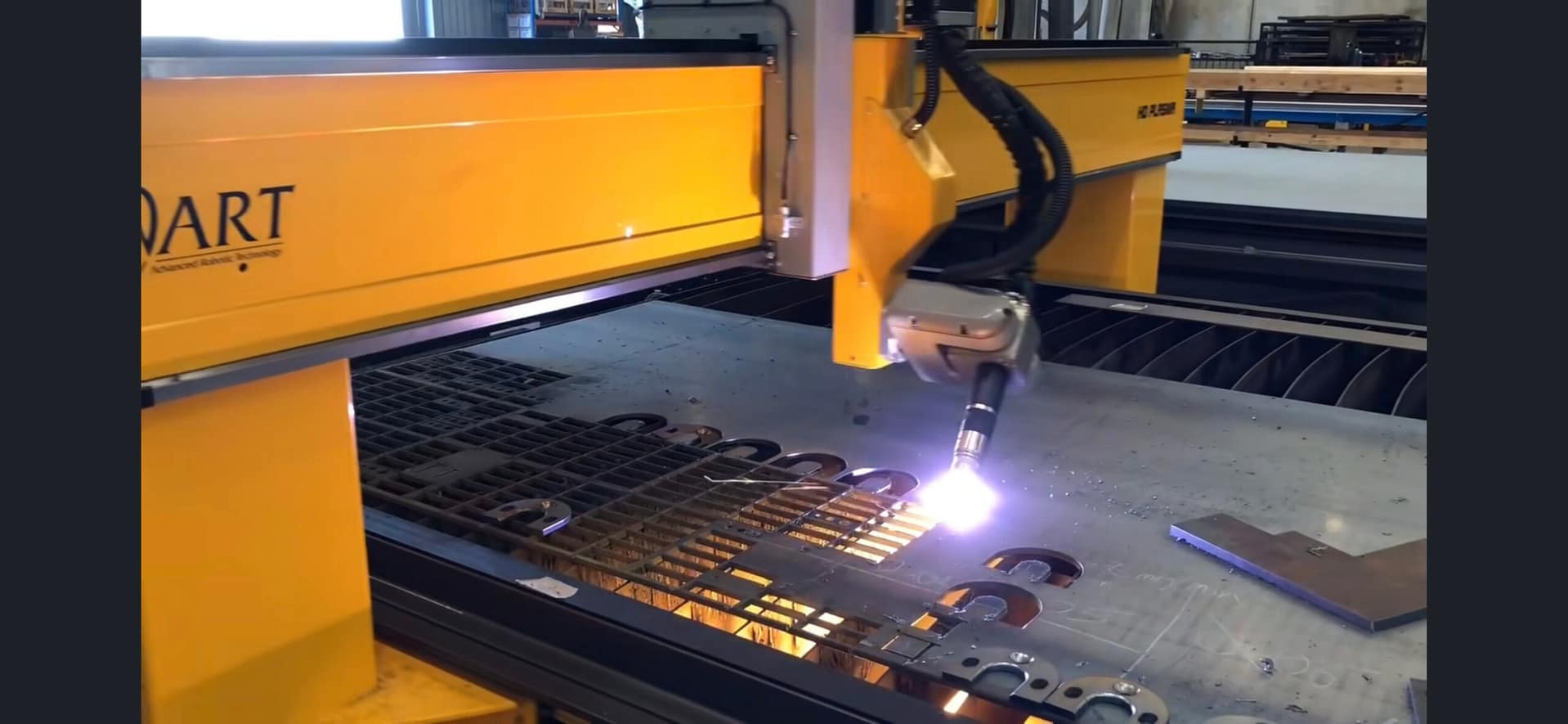
If your workshop is still losing time on manual marking, rework, or waiting on outsourced profiles, cnc plasma tables start to look less like a capital expense and more like a production fix. For Australian fabricators, the real question is not whether plasma cutting works – it does – but whether the table, power source, software and support package are right for the workload you run every day.
That distinction matters. A machine can look impressive on paper and still become a bottleneck on the floor if it is undersized, poorly supported, or mismatched to your material mix. A well-specified plasma table, on the other hand, can change how a business handles turnaround times, quoting confidence, labour allocation and finished part consistency.
What cnc plasma tables actually need to deliver
In a production environment, nobody buys a plasma table just to say they have automation. It needs to cut accurately, handle the material thicknesses you process most often, and keep doing that without constant intervention. It also needs to fit the way your team works, from drawing preparation through to nesting, cutting and part removal.
For many fabrication shops, the biggest gain is not simply cut speed. It is workflow control. Bringing profile cutting in-house can reduce lead times, improve schedule certainty and give you more flexibility when jobs change halfway through the week. That is especially valuable in industries where customer deadlines move quickly, including structural steel, general engineering, mining support work and production fabrication.
Good cnc plasma tables also reduce dependence on highly manual processes. Operators still matter, of course, but the machine should make quality repeatable rather than relying on one person getting every setting right every time. Height control, stable motion, sensible software and reliable consumable performance all play a part.
Why machine specification matters more than headline speed
A common mistake is to focus on advertised cutting speed without looking at the whole machine. Speed figures by themselves do not tell you much if the gantry lacks rigidity, the table struggles with plate handling, or the control system is awkward to use. In practice, productive throughput comes from a combination of motion quality, arc stability, nesting efficiency and how little downtime the machine creates.
Table size is the obvious starting point. If you regularly process full sheets, the machine needs to suit that format without forcing unnecessary handling or trimming before the job even begins. If your work includes larger fabricated components or frequent long parts, the bed dimensions become even more critical.
Then there is thickness range. Plasma is highly effective across a broad spread of conductive metals, but there is a difference between a machine that occasionally cuts thicker plate and one that is set up to do it routinely with acceptable edge quality and productivity. If most of your work is in thinner mild steel, your priorities may lean towards speed and nesting volume. If you are processing heavier plate, duty cycle, power source capability and cut quality at thickness become more important.
Pierce capacity should also be considered separately from maximum severance. Plenty of buyers focus on the biggest number in the brochure, but daily production is shaped by clean piercing, stable cut initiation and reliable consumable life.
The software side is not optional
A plasma table is only part of the system. If the programming and nesting software is clunky, production slows before the torch even fires. Good software shortens setup, reduces material waste and makes repeat work easier to standardise.
For workshops with varied job sizes, nesting can make a serious difference to sheet utilisation. Over time, that affects margin just as much as cycle time. If your operation runs mixed work, from one-off repair components to regular batch production, software usability becomes a practical issue rather than a feature list item.
Operator training matters here too. The best machine in the workshop will not deliver properly if the team is unsure how to prepare jobs, choose cut parameters or manage maintenance routines.
Where cnc plasma tables fit best
Plasma tables make the most sense where businesses need fast, repeatable cutting of conductive metals and where outsourced profiling is causing delays, cost creep or quality inconsistency. That can include fabrication shops producing brackets, gussets, base plates, wear parts, cleats, frames, structural components and general production parts.
They are also well suited to businesses trying to improve quoting accuracy. Once profile cutting is brought in-house and machine times are understood, quoting becomes more predictable. That can help protect margin, particularly when a workshop is juggling a mix of custom jobs and ongoing production work.
Sign manufacturers and industrial processors can also benefit, provided the machine is configured around their actual materials, tolerances and output requirements. The best result comes when the equipment is selected around the workflow, not the other way around.
When plasma may not be the only answer
It is worth being honest about trade-offs. Plasma is extremely capable, but it is not the right answer for every application. If your work demands very fine edge detail, minimal heat affected zone, or premium finish quality on thinner material, another cutting technology may be a better fit.
That is why serious buyers should compare process options before committing. A plasma table can be the correct solution for one workshop and only part of the solution for another. Some businesses need plasma for heavier or general-purpose cutting, while other precision work is better handled elsewhere. The key is matching process capability to actual production needs rather than trying to force one machine to do everything.
What Australian buyers should look for before signing off
Local support is not a minor detail. It is one of the most important parts of the purchase. When a machine goes down, delayed service and hard-to-source parts can quickly erase any apparent savings made at the buying stage. For production businesses, uptime has a direct cost.
That means buyers should look beyond the machine itself and assess the supplier’s ability to install, commission, train and support it properly. Can they help with process selection? Do they understand fabrication workflows? Can they provide spare parts, consumables and technical advice without long delays? Do they have the practical experience to troubleshoot real workshop issues, not just recite specifications?
This is where many businesses choose to work with ART CNC – not because they need a sales pitch, but because they need straight answers, local expertise and support that continues after installation.
Machine construction matters as well. Australian workshops are not showroom environments. They are busy, demanding spaces where equipment needs to cope with plate loading, dust, heat, repetitive use and production pressure. A machine built for industrial service should reflect that in its frame, drive system, cable management, torch control and overall design.
You should also think about future capacity. Buying too small can create another bottleneck within a year or two. Buying too large or too complex can tie up capital in capability you do not actually use. The right specification is usually the one that fits current demand well and allows sensible room for growth.
The real return on investment
Return on investment is often framed too narrowly. Yes, labour savings and faster cutting matter, but the broader value of cnc plasma tables often shows up elsewhere. You may reduce outsourcing, shorten lead times, improve repeatability, use material more efficiently and increase confidence when taking on urgent work.
There is also a less obvious gain in production planning. When profile cutting is under your own roof, jobs become easier to sequence and changes are easier to absorb. That can improve overall workshop flow, particularly in businesses where downstream welding, forming or assembly work depends on cut parts arriving on time.
Of course, the payback period depends on utilisation. A busy fabrication operation cutting plate daily will see value very differently from a business with occasional demand. That is why honest sizing and honest workload assessment are so important. The goal is not to justify a machine at any cost. It is to choose one that genuinely improves the operation.
Buying with fewer surprises
The best plasma table purchases usually come from asking practical questions early. What materials do you cut most often? What thicknesses are common, not just occasional? How many sheets move through the workshop each week? What tolerances matter? How confident is your team with software and machine operation? What happens if the machine stops unexpectedly?
Those questions are not there to complicate the sale. They are there to avoid expensive mismatches. A plasma table should strengthen production, not introduce a new set of headaches.
For Australian businesses that need reliable metal cutting, cnc plasma tables can be a strong investment when the machine, software and support are aligned with real production demands. The right system does more than cut plate – it gives your workshop more control over time, quality and output, which is usually where the real gains begin.
Best CNC Software for Fabrication Shops.
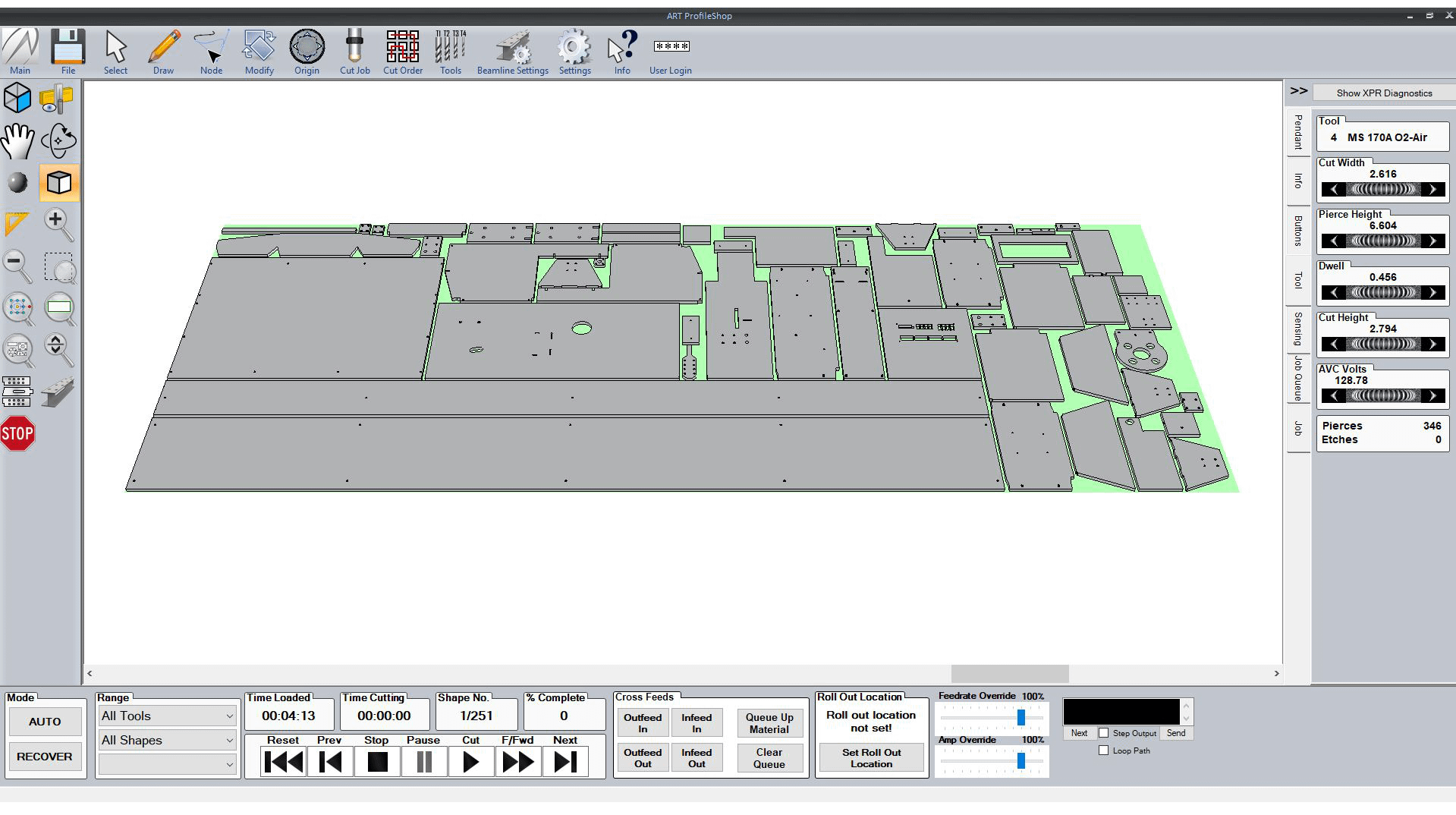
A fabrication shop can buy a solid machine and still lose time every day if the software is wrong. That is why choosing the best CNC software for fabrication shops is not really about flashy features – it is about faster quoting, cleaner cut files, less operator confusion, better material yield and fewer production stoppages.
For most Australian workshops, software decisions are made too late in the buying process. The machine gets the attention, while the software is treated as an add-on. In practice, the software stack often determines how smoothly work moves from drawing to nesting to cutting to finished parts. If that workflow is clunky, even a good machine becomes harder to run profitably.
What fabrication shops actually need from CNC software
The best software for a fabrication business is rarely the one with the longest feature list. It is the one that fits the type of work coming through the door, the skill level of the operators and the way jobs are scheduled on the floor.
A shop cutting structural plate, brackets and production components has different needs from a signmaker or cabinet manufacturer. A heavy industrial workshop may care most about reliable post-processing, bevel support, common line cutting and plate utilisation. A lighter fabrication business may be more focused on ease of drawing, repeat jobs, quoting speed and training new staff without turning every software task into an engineering exercise.
That is the first reality to accept. There is no universal winner. The best CNC software for fabrication shops depends on your process, your materials and how much control you need over programming.
The core software categories that matter
When buyers talk about CNC software, they often lump everything into one bucket. That causes confusion. In a working fabrication environment, software usually falls into three practical categories.
CAD and job preparation software
This is where parts are drawn, edited or imported. If your customers send clean files every time, your needs here may be modest. If you regularly receive inconsistent DXF files, PDF drawings or hand-marked revisions, you need software that helps staff clean geometry quickly and prepare parts without wasting half the day.
Good CAD-oriented software for fabrication should make common workshop tasks easy. That includes adding holes, tabs, lead-ins, etching, part arrays and simple dimensional changes without forcing operators into a high-end design package.
CAM and nesting software
This is where profitability often rises or falls. CAM software converts parts into machine-ready cutting paths, while nesting software determines how efficiently those parts fit on a sheet or plate. In shops processing expensive material, poor nesting can quietly erode margin on every job.
A strong CAM and nesting platform should handle cut order, kerf compensation, toolpath quality, pierce strategy, common line cutting where suitable and machine-specific settings. It should also be practical to use under production pressure. If the software is technically powerful but slow to program, the gain on paper may disappear on the floor.
Machine control software
This is the operator-facing layer at the machine. It needs to be stable, readable and easy to manage during a real production shift. Shops do not benefit from complex control screens that look impressive in a demo but create uncertainty during setup, restart or fault finding.
Control software should help operators load jobs, check offsets, manage consumables, monitor cut progress and recover from interruptions with as little risk as possible. Reliability matters more than visual polish.
Best CNC software for fabrication shops – what to compare
If you are comparing software for a plasma cutter, fibre laser, router or beamline system, start with workflow rather than brand names. Ask how the software handles the jobs you run every week, not the rare jobs that look good in a sales presentation.
File compatibility is an obvious starting point. Your software should accept the file types your customers, draftspeople and estimators already use. If every second job requires manual rework before programming can even begin, that is a bottleneck built into your system.
The next issue is nesting efficiency. Better nesting reduces waste, but the software also needs to consider practical cutting behaviour. Saving a small amount of material is not always worth it if the nest creates unstable cut sequences, excessive heat distortion or operator headaches.
Post-processor quality is another major factor. A well-matched post translates toolpaths accurately for the specific machine and controller. A poor one can create erratic motion, unnecessary edits and avoidable downtime. This is one reason local support matters. If the machine supplier understands both hardware and software, problems get solved faster.
Training time should also be part of the comparison. Some software is powerful in experienced hands but difficult for average workshop staff to learn. That may still be the right choice for a larger engineering operation with dedicated programmers. For many fabrication shops, though, the better option is software that a capable operator can become productive with quickly.
Where software choice changes by cutting process
The best CNC software for fabrication shops is also process-specific. Plasma software needs strong control over lead-ins, pierce height, cut height and consumable-aware settings. It should help manage dross, edge quality and cut sequence in a way that suits production plate work.
Fibre laser software places more weight on speed, nesting density, micro-joints, motion efficiency and handling thin to medium gauge material at volume. If your shop runs production nests all day, the wrong software can leave machine capacity unused.
Router-based fabrication software often needs to manage a wider variety of materials and tool types. That makes tool library management, sheet setup and part holding strategy more important.
Beamline and structural processing software is a different conversation again. Here, integration with structural design data, section handling and automated processing logic become central. If your shop works with beams, channels or large structural members, general-purpose software may not be enough.
The trade-off between advanced features and shop-floor usability
Some fabrication businesses overbuy software. Others underbuy it. Both mistakes are expensive.
Overbuying usually happens when a business selects a highly advanced package because it appears future-proof. The problem is that future capability only matters if the team can use it. If programmers avoid half the features and operators rely on workarounds, the software becomes an expensive source of friction.
Underbuying is just as common. A shop may choose a basic package because it is easy to learn, then outgrow it once job complexity increases, nesting demands rise or machine output improves. What looked affordable at the start becomes limiting once production picks up.
The right decision usually sits in the middle. Choose software that covers your real workload today, allows sensible growth and does not require a full-time specialist for ordinary programming tasks.
Why support matters as much as the software itself
Software is never just software in a fabrication shop. It affects machine uptime, operator confidence and delivery performance. When something goes wrong, you do not need a ticket number and a delayed email response from the other side of the world. You need someone who understands cutting processes, machine behaviour and workshop realities.
This is where many buying decisions go wrong. Businesses compare software by feature lists but ignore implementation and support. Yet the value of the software depends heavily on setup, post-processor tuning, training and ongoing technical backup.
Local support is especially important for Australian workshops. If your team needs help with a cut file, machine settings, consumable performance or controller behaviour, practical assistance saves far more money than a theoretical software advantage. That is why serious buyers should look beyond the brochure and ask who actually helps after installation.
A supplier such as ART CNC, which works across machinery, software, commissioning and service, can usually give more useful advice than a software reseller working in isolation. That joined-up support model often prevents problems before they start.
How to choose without slowing down the business
The safest approach is to map your current workflow first. Look at where time is lost now. It may be in drawing cleanup, nesting, post-processing, machine setup or operator uncertainty. Once you know the real bottleneck, software selection becomes more straightforward.
Then test the software against typical jobs. Not ideal sample files – real jobs with revisions, mixed part counts, awkward geometry and delivery pressure. If the software handles those cleanly, it is worth serious consideration.
Also think about who will use it every day. Owner-operators, workshop supervisors and production staff need software that supports consistent output, not just technical capability. The best system is one your team will actually use properly on a busy Wednesday afternoon.
A good software decision should reduce rework, shorten setup time and make your machine easier to run at full value. If it does not improve those things, it is probably the wrong fit no matter how advanced it sounds.
The right software will not fix every workshop problem, but it will remove a surprising number of avoidable ones. When your programming, nesting and machine control work together properly, production feels less like firefighting and more like a controlled process – which is exactly where a profitable fabrication shop needs to be.
CNC Machine Servicing Australia: What Matters.

A CNC machine rarely fails at a convenient time. It stops halfway through a production run, throws accuracy out on a critical job, or starts showing signs of wear just when delivery dates are tight. That is why CNC machine servicing Australian businesses rely on is not simply a maintenance task. It is a production decision that affects output, quality, labour efficiency and customer confidence.
For fabrication shops, cabinet makers, sign manufacturers and industrial processors, servicing needs to do more than tick a box. A technician should understand how the machine is used in the real world, what materials it processes, what tolerances matter, and how downtime affects the workshop. There is a big difference between generic machinery support and service built around industrial CNC production.
Why CNC machine servicing Australia businesses need is different
Australia is not an easy service environment. Workshops can be spread across metro, regional and remote locations. Conditions vary from clean indoor production floors to heavy industrial sites dealing with dust, heat and long operating hours. Machines often work hard, and they are expected to keep working with minimal interruption.
That changes what good servicing looks like. It is not only about replacing worn parts when something breaks. It is about understanding duty cycles, environmental conditions, software behaviour, consumable wear, motion performance and operator habits. A service provider needs enough technical depth to diagnose the real cause of a problem, not just the visible symptom.
A rough cut edge, for example, may not be a simple consumables issue. It could be air quality, torch height calibration, gantry movement, table condition, software settings or deferred maintenance. Likewise, poor repeatability on a router might come from worn drive components, spindle issues, vacuum performance or machine setup drift over time. Servicing needs to connect those dots.
Preventive servicing beats reactive repairs
Most workshops already know unplanned downtime is expensive. What is often underestimated is how much money is lost before the machine actually stops. Slower cut speeds, more rework, inconsistent edge quality, premature consumable use and operator workarounds all erode productivity.
Preventive servicing helps catch that decline early. A planned inspection can identify wear in motion systems, cable carriers, bearings, drives, lubrication points, extraction performance and critical electrical components before failure shuts the machine down. Software checks and calibration reviews also matter, especially where cut quality and repeat accuracy directly affect finished job value.
Reactive repairs still have their place. Components fail, accidents happen and electrical faults do not always give much warning. But relying on breakdown support alone usually means higher service costs, longer disruption and more pressure on production. In most industrial settings, planned servicing is the cheaper option over the life of the machine.
What a proper service should include
A useful CNC service visit is never just a quick visual check. It should involve structured mechanical, electrical and operational assessment based on the machine type and application. Plasma cutters, routers, fibre laser systems and robotic cutting solutions all have different service priorities, but the principle is the same. The machine should be inspected as a working production system.
Mechanical condition comes first. Linear rails, racks, bearings, drive systems, gantry alignment and moving assemblies need to be checked for wear, backlash, contamination and correct adjustment. If movement is not right, cut quality will not be right either.
Electrical and control systems are just as important. Servicing should review cable integrity, connectors, control hardware, sensors, safety circuits and any signs of heat stress or component fatigue. Intermittent faults often start small. Catching them early can save a major stoppage later.
Then there is process-specific performance. On a plasma cutter, that includes torch setup, petrol delivery, height control and consumable condition. On a router, spindle health, tool holding, dust extraction and table hold-down are central. On a fibre laser, optics condition, chiller performance and assist petrol stability can directly affect cut consistency. Good service work is never one-size-fits-all.
The value of local technical support
One of the biggest differences in CNC machine servicing Australia-wide is response capability. When a workshop is under pressure, waiting days for a diagnosis or trying to explain a fault to someone with limited product knowledge is frustrating and costly.
Local support matters because it reduces time between problem and solution. It also improves accuracy of diagnosis. A team that installs, commissions, services and supports machines over the long term will usually identify patterns faster than a third-party technician seeing the equipment for the first time.
That matters even more when servicing is tied to software, machine configuration and the original application. A support provider with real product knowledge can often determine whether the issue sits in hardware, setup, consumables, operating practice or programming. That saves wasted callouts and avoids replacing parts that were never the cause.
For Australian manufacturers, there is also peace of mind in dealing with a partner who understands local production expectations. You want straight answers, realistic timeframes and service advice that makes operational sense, not vague promises.
Signs your machine needs attention before a breakdown
Some service issues are obvious. Others creep in slowly enough that operators adapt without realising how much performance has slipped. That is where many businesses lose money.
Watch for declining cut quality, variation between jobs, unusual vibration, changes in sound, position errors, inconsistent pierce or cut behaviour, reduced throughput or higher consumable use. Repeated minor alarms can also point to a larger underlying issue. If operators are adjusting settings more often just to get acceptable results, servicing is overdue.
Another warning sign is when maintenance becomes informal. If cleaning, checks and inspections depend on who is on shift rather than a structured routine, problems tend to build quietly. The machine may still be running, but not efficiently.
Servicing is also about operator confidence
A well-serviced CNC machine is easier to run properly. Operators trust it, spend less time second-guessing settings and can focus on output instead of nursing the equipment through the day. That has real value in busy workshops where labour efficiency matters as much as machine speed.
Training and servicing work best together. Operators should know what normal performance looks like, what early warning signs to report and which daily checks help preserve machine condition. Service technicians, in turn, should explain findings clearly and give practical advice, not just a list of parts replaced.
This is where an end-to-end support model stands out. A company that understands machine design, installation, software, training and after-sales service can usually provide better long-term outcomes than a supplier focused only on the initial sale. ART CNC works in that space because industrial buyers do not just need a machine delivered. They need ongoing production support.
Choosing the right CNC machine servicing Australia provider
Not every service provider is suited to every operation. The right fit depends on your machine type, production pressure, location and need for technical depth. If you run industrial equipment in a demanding environment, broad claims are not enough.
Ask practical questions. Can they support your specific cutting process? Do they handle repairs as well as preventive servicing? Can they assist with software and control issues, not only mechanical faults? Do they supply spare parts and consumables? Can they train operators and help improve performance after the immediate fault is fixed?
It also pays to look at how they communicate. Good service support is direct and honest. If a component is worn out, they should say so. If a fault is being caused by setup, maintenance practices or unsuitable application settings, that should be addressed clearly as well. The goal is not to sell a service visit. The goal is to keep your operation productive.
Service should protect the full investment
Industrial CNC equipment is a serious capital purchase, but the machine price is only one part of the equation. The bigger cost over time often comes from lost output, late jobs, poor cut quality and avoidable repairs. Proper servicing protects against all of those.
It also extends the useful life of the machine. Not forever, and not without sensible upgrades along the way, but long enough to improve return on investment and maintain reliable production. That is particularly important for businesses planning growth, adding shifts or taking on more complex work.
When servicing is done well, the benefits show up across the workshop. Jobs run more predictably. Operators work with more confidence. Consumables last as they should. Management gets fewer nasty surprises. That is what good support is meant to achieve.
If your CNC equipment is central to production, servicing should be treated the same way. Not as an afterthought, and not as a panic response when something finally stops, but as part of running a professional operation that expects its machinery to perform when it counts.
Fibre Laser Buying Checklist for Workshops.

If you’re looking at a fibre laser for production, the wrong question is often the first one asked. Too many buyers start with wattage and price, when the better starting point is this fibre laser buying checklist: what do you cut, how often do you cut it, what level of throughput do you need, and what support will keep the machine earning for years rather than months.
That shift matters because a fibre laser is not just a machine purchase. It is a production decision. Get it right and you reduce bottlenecks, improve edge quality, shorten lead times and lower secondary handling. Get it wrong and you end up paying for unused capacity, struggling with material limitations, or chasing service when the machine should be working.
Start your fibre laser buying checklist with the work itself
Before comparing brands, specifications or finance options, look closely at your actual workload. Material type, thickness range, sheet sizes, nesting style, shift patterns and output targets should drive the decision.
A workshop cutting mostly thin mild steel, stainless and aluminium for general fabrication will not need the same machine configuration as a business processing thicker plate all day. Likewise, a sign manufacturer cutting fine detail in thin sheet has different priorities from a structural supplier chasing throughput and material handling efficiency.
This is where buyers can go off track. A machine that looks impressive on paper may be oversized for the work, while a lower-cost option may fall short once production ramps up. Real buying decisions should be based on your common job mix, not your biggest once-a-month sheet.
Power is important, but only in context
Power gets a lot of attention because it is easy to compare. More kilowatts often means faster cutting, broader material capability and better performance in thicker material. But higher power also affects capital cost, operating costs and sometimes the overall machine configuration required to make that power worthwhile.
If most of your work is in thinner material, buying excessive power may not give you the return you expect. On the other hand, if your production regularly includes thicker mild steel or stainless, underestimating power can create a bottleneck from day one.
The right question is not simply, “What is the biggest power available?” It is, “What power level suits our material range, cut quality expectations and daily production targets?” An honest supplier should be prepared to answer that without pushing you into more machine than you need.
Match cutting bed size to your workflow
Bed size sounds straightforward, but it affects more than sheet capacity. It shapes how material enters the process, how operators load and unload, and how efficiently jobs move through the workshop.
If you regularly process full sheets, the machine should suit the formats you actually buy and store. If your work includes oversize material, multiple part nests or production batching, table size becomes even more important. A machine that is too small creates handling inefficiencies. A machine that is too large can consume floor space and budget without improving throughput.
Look at the full cell layout, not just the cutting table. Access around the machine, forklift movement, extraction placement and sheet loading all matter in a real production environment.
Don’t ignore loading, unloading and automation
Many fibre laser buyers focus heavily on cut speed and forget that material handling often decides actual output. A fast machine still loses money if operators spend too much time waiting, repositioning sheets or sorting parts manually.
For some businesses, a shuttle table is enough. For others, automatic loading and unloading, tower storage integration or more advanced material handling can make a major difference to labour efficiency and spindle-up time. The right level depends on volume, staffing, shift structure and how much non-cutting time is built into your current process.
Automation is not always about replacing people. In many Australian workshops, it is about making the best use of skilled labour that is already hard to find. If your operators are spending too much time on sheet movement rather than production tasks, automation deserves serious consideration.
Software should support production, not complicate it
A fibre laser is only as productive as the software behind it. Nesting, job management, material libraries, cut parameter control and integration with your quoting or production workflow all affect day-to-day performance.
This is one of the most overlooked parts of any fibre laser buying checklist. Buyers often inspect the machine build closely but spend too little time understanding how operators will program jobs, recover from errors or optimise sheet usage.
Good software reduces training time, improves repeatability and makes it easier to standardise output between operators. Poor software creates dependency on one experienced person, increases mistakes and slows job changeovers.
Ask to see the software used in a real production scenario. Not a polished demo with one easy part, but the sort of nested work your business runs every week. That tells you far more than a feature list.
Service support is part of the machine
For industrial buyers, support should never be treated as an extra. It is part of the machine package. A fibre laser can be technically capable, but if spare parts, phone support, technician access and training are weak, the real cost shows up later as downtime.
Australian businesses should be especially careful here. A machine sold with limited local backing can become a problem when faults appear, consumables are delayed, or software and control issues need attention quickly. The purchase price may look attractive until production stops.
The better approach is to ask direct questions. Who provides installation and commissioning? Who trains operators? Who handles breakdown support? Are parts stocked locally? Can you speak to the people who actually know the machine, not just the sales team?
A supplier that designs, configures, services and supports industrial CNC equipment locally will usually offer more practical value than one that disappears after delivery.
Training deserves more attention than most buyers give it
Even a well-built machine underperforms if operators are not trained properly. Training should cover machine operation, parameter selection, maintenance routines, consumable handling, fault response and safe workflow around the machine.
That matters for uptime, but also for cut quality and running cost. Poor setup choices can waste assist petrol, reduce lens life, increase dross and create rework. Good training shortens the learning curve and helps the machine reach production value sooner.
Running costs need a hard look
A proper fibre laser buying checklist should always include operating costs, not just purchase price. Assist petrol consumption, power usage, maintenance requirements, consumables, lens protection, extraction and servicing intervals all affect long-term value.
Two machines with similar sale prices may perform very differently over five years. One may be easier to maintain, more efficient on petrol use, better supported for parts and quicker to service. That has a direct effect on cost per part and production reliability.
This is where honest technical advice matters. Buyers should ask for realistic operating assumptions based on their material range and shift pattern, not best-case figures taken from ideal test conditions.
Check build quality where it counts
Not every specification appears in a brochure. Frame design, motion system quality, controller stability, head technology, extraction effectiveness and electrical cabinet layout all influence machine life and day-to-day reliability.
A fibre laser built for industrial work should feel like industrial equipment. That means consistent engineering, sound safety systems, quality components and sensible service access. It also means a machine configured for Australian workshop conditions, not just showroom presentation.
If possible, inspect the machine in operation or ask detailed questions about the key assemblies. The goal is not to chase buzzwords. It is to understand whether the machine is built to handle real production pressure.
Use this fibre laser buying checklist to compare suppliers, not just machines
The machine matters, but so does the company standing behind it. The best buying process compares both. A strong supplier should help assess your workload, explain trade-offs clearly, recommend the right level of machine and automation, and stay involved after the sale.
Be wary of anyone who jumps straight to a quote without asking about material type, thickness, volume, workflow and staffing. Serious suppliers know that the right machine is the one that fits your production model, not the one with the flashiest spec sheet.
For many Australian workshops, the strongest long-term outcome comes from working with a technical partner that can support selection, installation, software, training and after-sales service as one connected solution. That is where businesses often avoid the expensive mistakes.
A fibre laser should make your operation more predictable, more productive and easier to scale. If a supplier can help you think through those practical realities before you buy, you’re usually heading in the right direction.
CNC Routers for Australian Production.

A router that looks good on a quote sheet can still be the wrong machine once it lands on your workshop floor. That is the real issue with CNC routers – not whether they can cut, but whether they can keep up with your materials, your throughput, your operators and the way your business actually runs.
For cabinetmakers, sign manufacturers, plastics processors and industrial workshops, a CNC router is not just a cutting table. It becomes part of production flow. It affects labour allocation, lead times, sheet yield, finishing time and rework rates. If the machine is undersized, poorly configured or badly supported, those problems show up fast.
Where CNC routers fit in production
CNC routers are designed to process non-ferrous and sheet-based materials with high repeatability. In practical terms, that usually means timber products, MDF, plywood, solid timber, ACM, foam, plastics, composites and similar materials used in manufacturing and fabrication environments.
What makes them valuable is not simply automated cutting. It is the combination of nesting, drilling, grooving, profiling and engraving in a single controlled process. A well-specified router can take multiple manual tasks and turn them into one repeatable operation, which reduces handling and gives operators a more consistent result across every sheet.
That matters most when output needs to stay predictable. If you are producing cabinetry components, routed signage, plastic guards, acoustic panels or composite parts, consistency is often worth as much as speed. A faster cut means little if edge quality is poor, parts move on the bed, or operators spend too long cleaning up finished pieces.
Choosing CNC routers by application, not brochure
The biggest buying mistake is starting with machine size and price before looking at production requirements. A router should be specified around the job it needs to do every day, not the broadest possible list of features.
For example, a cabinet shop processing nested board has different needs from a sign business cutting ACM and acrylic. A workshop making composite industrial components may need greater rigidity, vacuum performance and dust extraction control than a business focused on lighter routing work. Similar table sizes do not mean similar suitability.
The first questions should be practical. What materials are you cutting most often? What thickness range are you processing? Are you mainly nesting sheets, machining 3D components, drilling, grooving or engraving? What finish standard is expected straight off the machine? How many hours a day will it run?
These questions shape spindle selection, bed configuration, drive system, vacuum zoning, tool change requirements and software workflow. They also determine whether the router will remain an asset as volume grows or become a bottleneck within twelve months.
What matters most in industrial CNC routers
Machine structure comes first. If the frame, gantry and motion system are not built for industrial duty, the router may still cut acceptable parts at light loads, but performance will fall away once feed rates rise or tougher materials are introduced. Vibration, tool wear and inconsistent finish quality usually follow.
Spindle capacity is another area where assumptions cause trouble. More power is not always better, but underpowering a machine limits feed rates and can affect cut quality, especially in denser boards, thicker plastics and composite materials. The right spindle depends on material mix, tooling strategy and the type of production work being done.
Vacuum hold-down is often underestimated until sheets start moving or smaller parts break loose. Good hold-down is not just about pump size. It depends on zoning, spoilboard condition, sheet layout, material porosity and the way jobs are programmed. In production, weak hold-down quickly becomes a quality and safety issue.
Automatic tool changing can also shift a router from useful to highly efficient. If your jobs involve multiple tools for cutting, drilling, chamfering or engraving, manual tool changes waste time and increase the chance of error. On the other hand, if work is simple and repetitive, a more basic setup may be perfectly suitable. It depends on the mix of jobs and the value of reduced intervention.
Software and workflow are where gains are won
Plenty of businesses focus on machine hardware and only think seriously about software once installation is close. That is backwards. The software workflow determines how smoothly drawings become parts, how nesting is handled, how operators manage jobs and how much programming knowledge is needed on the floor.
A router with capable control software and the right post-processor setup can reduce programming time, improve material utilisation and make operator training far easier. If software is clumsy or poorly matched to the work, the machine may sit idle while staff battle with file preparation, toolpaths and setup inconsistencies.
For nested manufacturing, this becomes especially important. Efficient sheet optimisation, label integration, drilling logic and repeatable post-processing all affect daily output. The machine is only one part of the production chain. Software, training and process discipline do the rest.
CNC routers and the cost of downtime
When a router stops, the issue is rarely confined to one machine. Downstream assembly, edging, finishing, delivery scheduling and labour planning can all be affected. That is why support should be part of the buying decision from the start.
A machine with limited local support may seem acceptable until faults appear, consumables are delayed or operators need help with diagnostics. For industrial users, after-sales service is not a bonus. It is part of machine performance. Access to technical support, spare parts, training and servicing can make the difference between a manageable issue and a week of lost production.
This is where many buyers reassess what value really means. The lowest upfront price can become expensive if commissioning is poor, training is rushed or support is difficult to access. Serious production businesses generally need a supplier that understands both the machine and the application, and can help solve problems in the language of production, not just product specs.
When a CNC router is the right process
Not every cutting application belongs on a router, and being honest about that saves money. CNC routers are ideal where timber, plastics, composites and similar sheet materials need accurate machining, profiling and nested processing. They are often the right choice where edge finish, versatility and repeatability matter more than brute-force cutting of metallic materials.
But process selection should always be grounded in material type, thickness, volume and finish requirements. Some businesses compare routers with other CNC cutting technologies when they are really trying to solve a broader production problem. The right answer is not always the machine they first asked about.
That is why experienced advice matters. A good supplier should be willing to tell you when a router is right, when it is not, and what configuration actually fits your workload. ART CNC works this way because machinery only delivers value when the recommendation matches the job.
Planning for growth, not just current demand
Many workshops buy for current workload and hope the machine will stretch as the business grows. Sometimes that works. Often it creates a second purchase sooner than expected.
If your quoting pipeline is improving, customers are asking for shorter lead times, or labour is already tight, it makes sense to think beyond today’s sheet volume. Can the machine handle longer shifts? Will software scale with more complex jobs? Can the table size, tooling setup and automation level support expansion without major disruption?
There is a balance here. Overspending on capacity you will never use is not sensible. But buying a router that is already near its limit on day one leaves little room to improve throughput or take on more profitable work.
What a good router decision looks like
A sound router decision is usually less about chasing the highest spec and more about aligning machine capability with commercial reality. The right machine should improve throughput, maintain cut quality, reduce operator dependency and fit the workshop’s actual production flow. It should also come with proper installation, training and support, because that is what turns equipment into a dependable production asset.
If you are assessing CNC routers for your business, the best place to start is with the work itself – your materials, your volumes, your bottlenecks and your plans for growth. Once those are clear, the right machine tends to become clear as well. And when that happens, you are not just buying equipment. You are setting up a cleaner, more reliable way to produce.
How to Reduce Fabrication Downtime Fast.
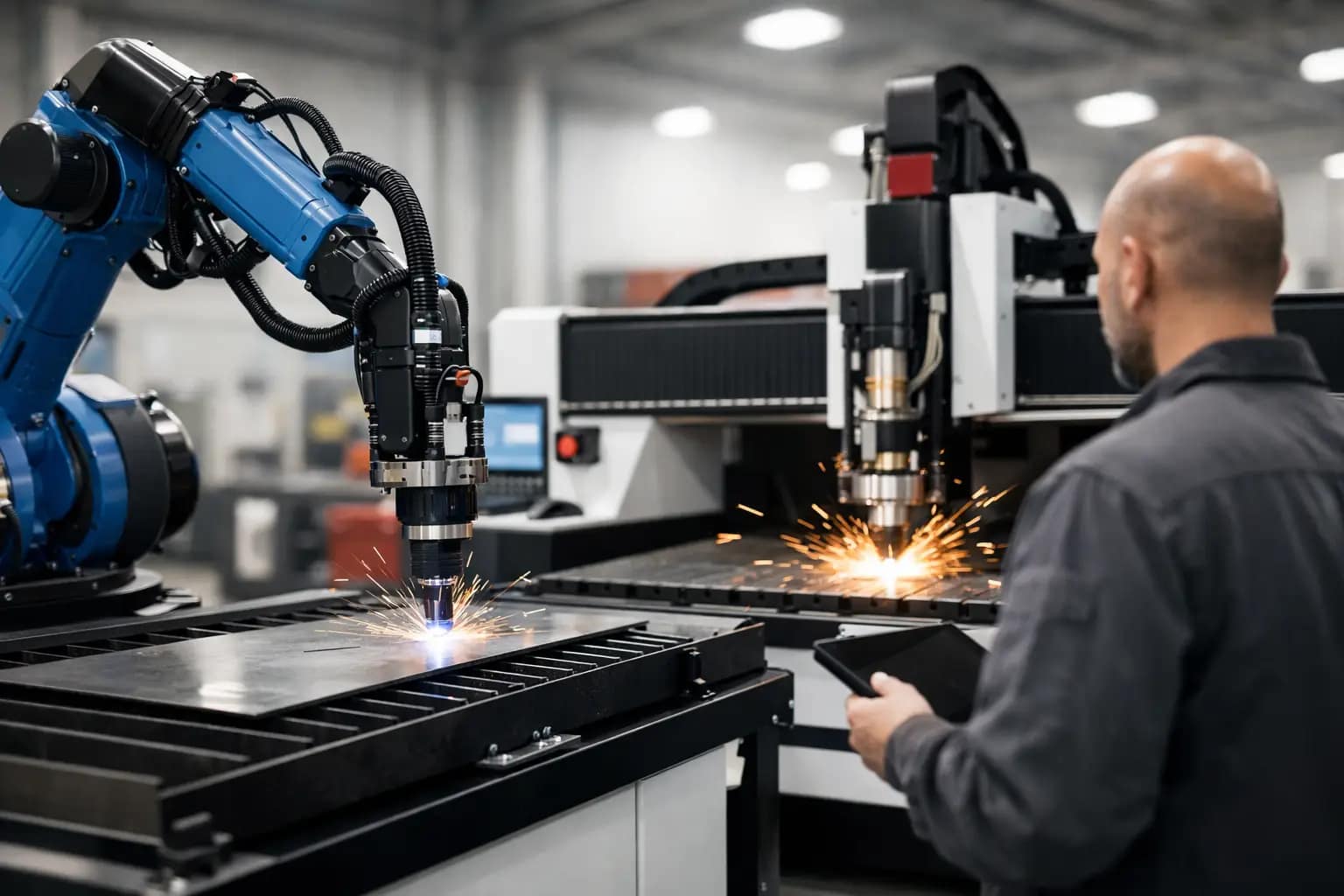
A machine sitting idle at 10:15 on a Tuesday does more damage than most workshops care to admit. The lost cutting time is obvious, but the real cost shows up later – missed delivery dates, overtime, rework, frustrated operators and jobs backing up across the floor. If you need to reduce fabrication downtime fast, the answer is rarely one magic fix. It usually comes down to removing the handful of repeat issues that keep stopping production.
For Australian fabrication businesses, that means looking past the immediate fault and being honest about the system around it. Downtime is often blamed on the machine, but the real cause can sit in setup, consumables, training, software, material handling or service response. The workshops that stay productive are not the ones that never have problems. They are the ones that solve the right problems early.
Reduce fabrication downtime fast by fixing the real bottlenecks
When production stalls, it helps to separate planned stoppages from unplanned ones. Planned downtime includes scheduled servicing, software updates, calibration checks and operator training. Unplanned downtime is the expensive part – faults, crashes, poor cut quality, consumable failures, missed settings, material mix-ups or waiting days for technical support.
Too many businesses attack the symptom instead of the cause. If cut quality drops, they change consumables. If nesting is slow, they push operators harder. If a table stops, they rush in a technician. Sometimes that works. Often it just repeats the same disruption next week.
A better approach is to ask three direct questions. What is stopping the machine most often? What takes longest to recover from? What keeps causing jobs to be delayed even when the machine is technically running? Those answers usually point to the areas where the fastest gains can be made.
Start with machine-process fit
A surprising amount of downtime begins before the machine is even installed. If the cutting technology does not match your workload, the workshop ends up fighting limitations every day. Plasma, fibre laser, routing and robotic beamline systems each have strengths, but none of them suits every job mix.
If you are cutting heavy plate in a demanding environment, a machine built for lighter gauge production may create ongoing reliability and throughput issues. If you are processing detailed thin material at volume, using the wrong process can mean slower cycle times, more secondary finishing and extra handling. That is not always recorded as downtime, but it still drags production backwards.
The quickest long-term win is making sure the machine configuration matches the materials, thickness range, throughput targets and operator skill level in your business. That includes extraction, table size, power source, software capability and loading workflow. A machine that is technically capable is not always a machine that is production-ready.
Maintenance matters, but only if it is disciplined
Most workshops say they do preventative maintenance. Fewer do it consistently under production pressure. There is a big difference between having a maintenance checklist and having a routine that actually protects uptime.
The basics still matter. Dirty rails, worn consumables, neglected filters, poor air quality, coolant issues, loose connections and ignored alignment drift can all lead to breakdowns or poor cut performance. None of these problems are dramatic when they start. Left alone, they become expensive.
The practical fix is simple. Schedule maintenance around production, assign responsibility clearly and keep records that tell you what is repeating. If one part keeps failing or one system keeps drifting out, that pattern is valuable. It may point to a deeper issue in setup, environment or machine specification.
There is also a trade-off here. Some businesses push maintenance too far apart to protect output, then lose far more time in emergency stoppages. Others over-service equipment and create unnecessary interruptions. The right balance depends on utilisation, materials, environment and machine type, but disciplined servicing nearly always beats reactive repairs.
Operator capability has a direct impact on uptime
A well-built CNC system can still underperform if operators are guessing their way through jobs. Training is one of the fastest ways to reduce fabrication downtime fast because it cuts out avoidable mistakes before they hit the floor.
In many workshops, downtime is not caused by a major mechanical fault. It is caused by incorrect parameter selection, poor job setup, avoidable torch collisions, wrong material entries, inefficient nesting or uncertainty when alarms appear. The machine stops, everyone gathers around it, and valuable time disappears while the team works out what should have happened in the first place.
Good training should cover more than basic operation. Operators need to understand why settings matter, how to identify early signs of trouble and when to stop before a minor issue becomes a crash or scrap event. Supervisors also need enough technical understanding to diagnose workflow problems, not just machine faults.
This is where local support makes a real difference. If help is available quickly and in plain language, operators gain confidence faster and bad habits are less likely to become normal practice.
Software and workflow often hide the biggest delays
Not all downtime happens with the machine off. A workshop can lose hours every week to programming delays, drawing issues, poor nesting, revision confusion and jobs waiting for approval. On paper, the machine may show strong utilisation. In reality, it is starved of good work.
That is why software needs to be treated as part of the production system, not an afterthought. Reliable CAD/CAM workflow, sensible nesting, accurate post-processing and clear file control can remove a surprising amount of wasted time. If operators are constantly editing jobs at the control because programming upstream is inconsistent, the problem is not on the shop floor alone.
The same applies to material flow. If sheets, sections or profiles are not ready when the machine is, you have a handling problem disguised as equipment downtime. For some shops, the fastest improvement comes from reorganising staging areas, standardising job packets or tightening communication between office and production.
Consumables, spare parts and service response are uptime issues
Workshops often accept delays that should never be normal. Waiting too long for a replacement part, running the wrong consumable to get through a shift, or spending half a day chasing technical support all add up.
If uptime matters, support planning matters. That means keeping critical consumables on hand, identifying essential spare parts in advance and knowing who will respond when something goes wrong. It also means buying equipment from a supplier that can support the machine properly after installation, not just sell it.
For Australian manufacturers, local backup is not a marketing extra. It is part of risk control. A machine can be excellent on paper, but if support is slow, offshore-only or disconnected from real workshop conditions, downtime stretches out fast. Businesses that rely on production every day need technical support that is practical, responsive and accountable.
This is one reason many industrial customers prefer working with a provider that designs, builds, installs and supports the system as a complete package. When the machine, software, training and service all come from one capable partner, fault-finding tends to be faster and handballing tends to disappear.
Measure the right things if you want downtime to drop
You cannot improve what nobody tracks properly. Many workshops know they are losing time, but they do not have clean data on where it is going. Without that, every interruption feels urgent and every fix feels temporary.
Start with a few practical measures. Track unplanned stoppages by cause, average recovery time, recurring faults, consumable life, scrap linked to machine issues and jobs delayed by programming or setup. You do not need a complex system to begin. Even a disciplined spreadsheet can reveal patterns quickly.
What matters is honesty. If poor scheduling is causing the machine to sit idle, call it out. If operator turnover is creating repeat errors, address it. If one machine is being used outside its sweet spot because there is no better process in place, that is a capacity planning issue, not just an operations problem.
The fastest wins usually come from a combined approach
When a workshop wants immediate improvement, the most effective path is usually a combination of small, high-impact changes. Tighten preventative maintenance. Refresh operator training. Clean up programming flow. Check whether the machine and process really suit the work. Review support readiness, including parts and service access.
None of that sounds dramatic, but it works because downtime is rarely dramatic at the start. It is usually ordinary, repetitive and tolerated for too long. The businesses that protect output are the ones willing to remove friction at every stage, from quoting and programming through to cutting, servicing and backup support.
If your workshop is losing production time week after week, the fix may not be a bigger machine or a rushed replacement. It may be a more honest look at where your process is vulnerable and a better support structure around the equipment you rely on. ART CNC works with Australian manufacturers on exactly that basis – not just supplying machinery, but helping businesses build a cutting operation that keeps moving when production pressure is on.
The useful question is not whether downtime can be eliminated completely. It cannot. The better question is how quickly your business can spot problems, respond properly and get back into production without the same issue returning next month.
A Practical Guide to Fibre Laser Cutting.
If you are weighing up a fibre laser for your workshop, the real question is not whether the technology works. It does. The question is whether this guide to fibre laser cutting lines up with your materials, throughput, labour, floor space and support needs. That is where good buying decisions are made, and where expensive mistakes are usually avoided.
Fibre laser cutting has become a serious production tool for Australian fabrication, engineering and manufacturing businesses that need speed, repeatability and a cleaner finished edge than many other cutting processes can deliver. But it is not the right answer for every job, every material thickness or every workshop. The value comes from matching the machine to the work, not forcing the work to suit the machine.
What fibre laser cutting is really good at
A fibre laser uses a solid-state laser source to direct concentrated energy through an optical system and cutting head onto the sheet metal surface. In practical terms, that means high cutting speeds, strong positional accuracy and a narrow kerf, particularly on thin to medium gauge materials.
For many businesses, the biggest gain is not just raw speed. It is the combination of speed, edge quality and reduced secondary handling. If parts are coming off the bed with minimal burr, consistent hole quality and less need for grinding or cleanup, the benefit shows up across the whole workflow.
This is why fibre laser systems are commonly used for mild steel, stainless steel, aluminium, brass and copper. The exact result depends on material grade, thickness, assist gas, nozzle condition, nesting strategy and operator setup, but the process is well suited to production environments where consistency matters.
A guide to fibre laser cutting applications
The strongest applications for fibre laser cutting are jobs with repeatable production runs, nested sheet utilisation targets, fine features and customer expectations around presentation quality. Sign components, brackets, enclosures, stainless parts, architectural pieces, switchboard elements and general fabrication parts all fit that profile.
Where shops often see the fastest return is in replacing slower manual processes or reducing the bottleneck between design and finished component. If your team is losing time on rework, waiting on outsourced profiles or tying up labour on cleanup, a fibre laser can change more than one part of the business at once.
That said, material thickness matters. A fibre laser is exceptionally efficient on thin material and still highly capable through a broader range depending on machine power and configuration. Once sections become very heavy, the decision becomes more nuanced. Some workshops will still prefer another cutting process for certain plate work because the economics, edge condition or capital cost stack up better for that mix.
How it compares with other cutting processes
Most buyers are not choosing fibre laser cutting in a vacuum. They are comparing it against an existing process, usually plasma, outsourced profiling or a mixed workshop setup.
Compared with plasma, fibre laser cutting generally delivers finer detail, a smaller heat affected zone and better edge quality on thinner materials. Hole quality is usually stronger, and parts often need less finishing. Plasma can still be a very capable and cost-effective option, especially for thicker material ranges and applications where fine cosmetic finish is less critical.
Compared with outsourcing, bringing fibre laser capability in-house gives you control. You can respond faster to urgent jobs, reduce lead time pressure and make design changes without waiting on external suppliers. But that control also comes with responsibility. You need trained operators, service support, process discipline and enough production volume to justify ownership.
This is why a straight comparison based only on cut speed can be misleading. The right machine decision depends on the full production picture, including quoting, scheduling, material handling, labour allocation and maintenance capacity.
What affects cut quality and productivity
A good fibre laser does not run well by accident. Machine quality matters, but so do setup and operating habits.
Laser source power is one factor, but it is not the whole story. Buyers often focus on kilowatts because it is easy to compare, yet overall performance also depends on motion control, bed design, cutting head quality, extraction, software, gas delivery and calibration. A poorly matched machine can look good on paper and still underperform in production.
Assist gas selection has a major impact as well. Nitrogen is often used where a clean, oxide-free edge is required, especially on stainless and aluminium. Oxygen can support mild steel cutting in certain applications. Gas quality, pressure stability and operating cost all need to be considered, because they affect both finish and running expenses.
Then there is nesting and programming. Efficient software can improve sheet utilisation, reduce cut time and simplify part flow. If your business runs varied jobs, short lead times and frequent design changes, software capability is not a side issue. It is part of productivity.
Operator training also plays a bigger role than some buyers expect. Nozzle alignment, lens care, focus settings, material libraries and piercing strategy all influence output. The best results come when the machine, software and training package are treated as one system.
Costs that matter beyond the purchase price
Capital cost matters, but serious buyers know it is only one part of the equation. Running cost, support access and downtime risk matter just as much.
Power consumption is one advantage fibre laser systems can offer over older cutting technologies, but overall operating cost also includes assist petrol, consumables, maintenance, extraction, software, servicing and labour. If a machine is faster but harder to support, the gain can disappear quickly.
This is where local technical backup becomes a commercial issue, not just a service issue. A workshop that loses production for days while waiting on diagnosis, parts or remote advice is paying a much higher price than the original machine quote suggested. For Australian businesses, local support and parts access should be part of the buying criteria from the start.
It is also worth being realistic about utilisation. If the machine will sit idle for long stretches, ownership may not deliver the return you expect. If it will replace outsourced work, remove bottlenecks and support new quoting opportunities, the numbers often look very different.
Choosing the right fibre laser system
The right system starts with your job mix. What materials do you cut every week, not just occasionally? What thickness range drives most of your revenue? How many sheets move through the workshop each day? Do you need a single shift machine, or something that can support heavier production loads?
Bed size should suit the materials you actually process and the way your workshop handles stock. Bigger is not automatically better if it increases footprint, cost and handling complexity without improving throughput.
Automation is another area where buyers need honest advice. Load and unload systems, tower storage and material handling integration can transform output in the right environment. They can also be unnecessary overhead in a lower-volume workshop. It depends on labour availability, shift structure and whether your bottleneck is cutting time or handling time.
Software compatibility should also be checked early. Your programmers and operators need a workflow that supports quoting, nesting, job release and repeat production without unnecessary manual intervention. If the control system fights your team, productivity suffers regardless of machine specification.
A practical supplier should ask tough questions about your applications, not just present a brochure. That is usually a good sign you are talking to a partner who understands production reality.
Common mistakes buyers make
The first mistake is buying on headline specification alone. More power and a lower sticker price can look attractive, but if service, software and machine design are weak, the long-term result is rarely positive.
The second is underestimating training. Fibre laser technology is highly capable, but it still relies on proper setup, maintenance discipline and operator understanding. Good commissioning and practical training save money.
The third is choosing a machine without thinking through workflow around it. Sheet loading, unload space, extraction, petrol supply, material storage and part sorting all affect whether the laser becomes a production asset or just another choke point.
And finally, some businesses assume a fibre laser should replace every other cutting process in the workshop. Sometimes it will take over most of the work. Sometimes the smarter model is a complementary setup where each process handles the jobs it is best at.
Is fibre laser cutting right for your business?
If your business depends on accurate sheet metal processing, repeatable quality, shorter lead times and lower handling effort, fibre laser cutting deserves serious consideration. If your work is dominated by heavier plate, inconsistent material flow or very low utilisation, the answer may be less straightforward.
The best decisions come from looking at real production data, not marketing claims. Review your material range, labour cost, finishing time, current bottlenecks and support expectations. Then assess the machine as part of a full operating system that includes software, installation, training and after-sales backup.
That is the approach serious manufacturers take, and it is usually the reason they get better long-term value. A fibre laser should not just cut fast on day one. It should keep delivering reliable output, predictable quality and dependable support long after the sale is done.
If you are considering the move, start with the work on your floor now. The right machine choice usually becomes clearer when you measure it against the jobs your business needs to run every day.
CNC Machine Finance Australia Explained.
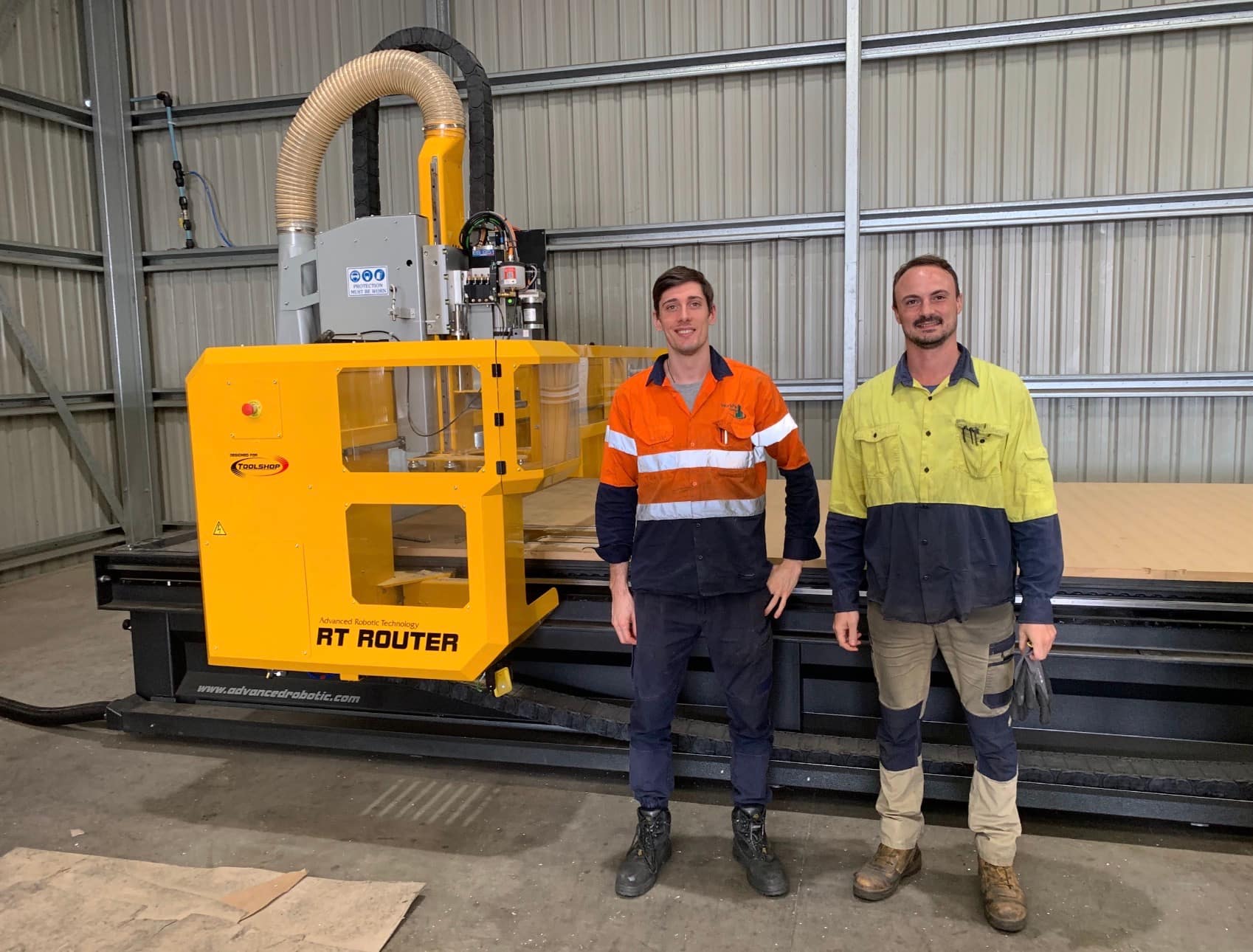
A new CNC machine should make your workshop more productive, not put pressure on cash flow before it has even started earning its keep. That is why CNC machine finance Australia is not just about finding monthly repayments that look manageable on paper. It is about matching the finance structure to the machine, the workload, and the way your business actually runs.
For many Australian fabrication shops, engineering businesses, cabinetmakers and industrial manufacturers, the finance decision sits right alongside the equipment decision. Get either one wrong and you can end up with a machine that is underutilised, overcommitted, or difficult to support when production is on the line. Get it right and the machine becomes a practical asset that improves output, reduces bottlenecks and supports growth without draining working capital.
What CNC machine finance Australia really needs to cover
Finance is often discussed as if it starts and ends with the machine purchase price. In real production environments, that is too narrow. A CNC investment can include installation, commissioning, software, operator training, extraction or gas setup, consumables, spare parts strategy and service planning. If those items are treated as afterthoughts, the quoted repayment may look attractive while the total project cost catches the business off guard.
That matters because different CNC technologies create different financial profiles. A CNC plasma cutter may be the right fit for a fabrication business processing mild steel plate at volume. A CNC router may suit signmaking, joinery or plastics work where material handling, edge finish and nesting efficiency matter more. A fibre laser cutter may justify a higher upfront investment where speed, precision and material range can materially improve throughput and margin. Robotic beamline systems bring another level of automation and production capability, but they also demand careful planning around workflow, integration and support.
The finance conversation should reflect those differences. A machine that directly replaces labour-intensive manual processing or outsourced cutting may produce a faster return than one being purchased for future capacity. That does not mean the second option is wrong. It means the repayment structure, deposit level and term should reflect the expected ramp-up period.
Choosing finance around production, not just price
The most common mistake buyers make is focusing on the cheapest monthly figure. Low repayments can look sensible until you factor in a long term, a large final payment, or a machine specification that is too limited for the job. In a workshop, underbuying can be just as expensive as overspending.
A better approach is to start with production questions. What materials are you cutting? What volumes are realistic over the next one to three years? Is the machine replacing subcontract work, speeding up an existing bottleneck, or opening a new revenue stream? How many shifts will it run, and who will operate it? Once those answers are clear, finance can be shaped around expected utilisation rather than guesswork.
This is where practical supplier input matters. A seller that only talks numbers may help arrange equipment funding, but that is not the same as helping you make a sound capital decision. Businesses are better served when the machine supplier understands process, software, training and service requirements as part of the same conversation.
Common finance structures and where they fit
There is no single best funding model for every business. The right option depends on your tax position, cash reserves, replacement cycle and how hard the machine will be worked.
A chattel mortgage often suits established businesses that want ownership from the outset and prefer to preserve day-to-day liquidity. It can be a practical choice when the equipment is expected to stay in service for years and the business wants clear control over the asset.
A finance lease may suit businesses that prefer structured payments and want flexibility around upgrade timing, although the details matter. You need to understand end-of-term obligations, residuals and whether the lease aligns with how long the equipment will remain fit for purpose.
Hire purchase style arrangements can also work in some circumstances, particularly where staged ownership and fixed budgeting are preferred. The point is not to pick a product first and force the machine into it. The point is to understand how the finance structure supports the operating plan.
Why support matters in CNC machine finance Australia
If a machine is financed over several years, support becomes part of the investment logic whether it appears on the agreement or not. A lower repayment on a poorly supported machine is not necessarily cheaper if downtime costs you jobs, rework and delivery delays.
That is especially true for production businesses where machine availability affects the entire workshop. A plasma cutter waiting on parts, a router that operators were never properly trained to use, or a fibre laser left idle because no one can resolve a setup issue can quickly turn a finance commitment into dead weight.
This is why serious buyers look beyond the repayment figure and ask harder questions. Who installs the machine? Who trains the operators? Who answers the phone when the system stops? Are spare parts and consumables readily available in Australia? Can the supplier help refine the cutting process after commissioning, not just on day one?
Those questions protect the return on investment. They also help determine whether finance is being used to fund a productive asset or simply to acquire equipment.
Assessing return without kidding yourself
Most businesses can justify a machine purchase if they use optimistic numbers. The better test is whether the decision still stacks up under normal operating conditions. That means building your return estimate around conservative throughput, realistic labour savings and actual material mix.
For example, if a new cutting system is expected to reduce processing time, improve cut consistency and bring outsourced work in-house, the value is real. But the timing matters. If operator training takes a few weeks and production scheduling takes time to settle, the first quarter may not reflect full performance. Your finance arrangement should leave room for that bedding-in period.
It is also worth looking at the less obvious gains. Better cut quality can reduce secondary processing. More reliable nesting can improve material yield. Faster job turnaround can improve customer retention and quoting confidence. These are not abstract benefits. In many businesses, they are where the margin improvement actually shows up.
Red flags to watch before you sign
If the machine specification is vague, the finance proposal is incomplete, or service expectations are brushed aside, stop there. Good suppliers and finance partners should be able to explain exactly what is included, what is excluded and what the implementation process looks like.
Be careful with deals that look attractive only because key costs are missing. Software licences, freight, installation, extraction, consumables, training and service response all affect the true cost of ownership. So does the suitability of the machine itself. Buying too small can mean replacing the machine early. Buying the wrong process can leave you fighting the equipment every day.
It is also worth being wary of financing a machine before the application has been properly assessed. A CNC purchase should reflect real production needs, not a speculative hope that extra capacity will somehow create demand on its own.
A practical way to approach the decision
Start with the workload, then the process, then the machine configuration, then the finance. That order keeps the decision grounded. Once the equipment is properly specified, work out what level of deposit preserves healthy cash flow without making repayments unnecessarily high. Then compare terms based on total cost, flexibility and business impact, not just the monthly number.
For Australian buyers, local technical support should sit near the top of the list. That is one reason many businesses prefer dealing with a partner that can assess requirements, configure the right system, install it properly and stay involved after the sale. ART CNC works in that space because industrial customers do not just need a machine delivered. They need a machine that performs in production and stays productive over time.
Good finance should make the right machine achievable without creating strain elsewhere in the business. It should support capacity, not complicate it. If the proposal is clear, the equipment is properly matched to the work, and the support is there when you need it, finance becomes a practical tool rather than a risk.
The best place to start is with an honest conversation about what your workshop needs to cut, how fast it needs to run, and what kind of support will keep it earning long after the paperwork is signed.
How to Choose a CNC Cutting System.
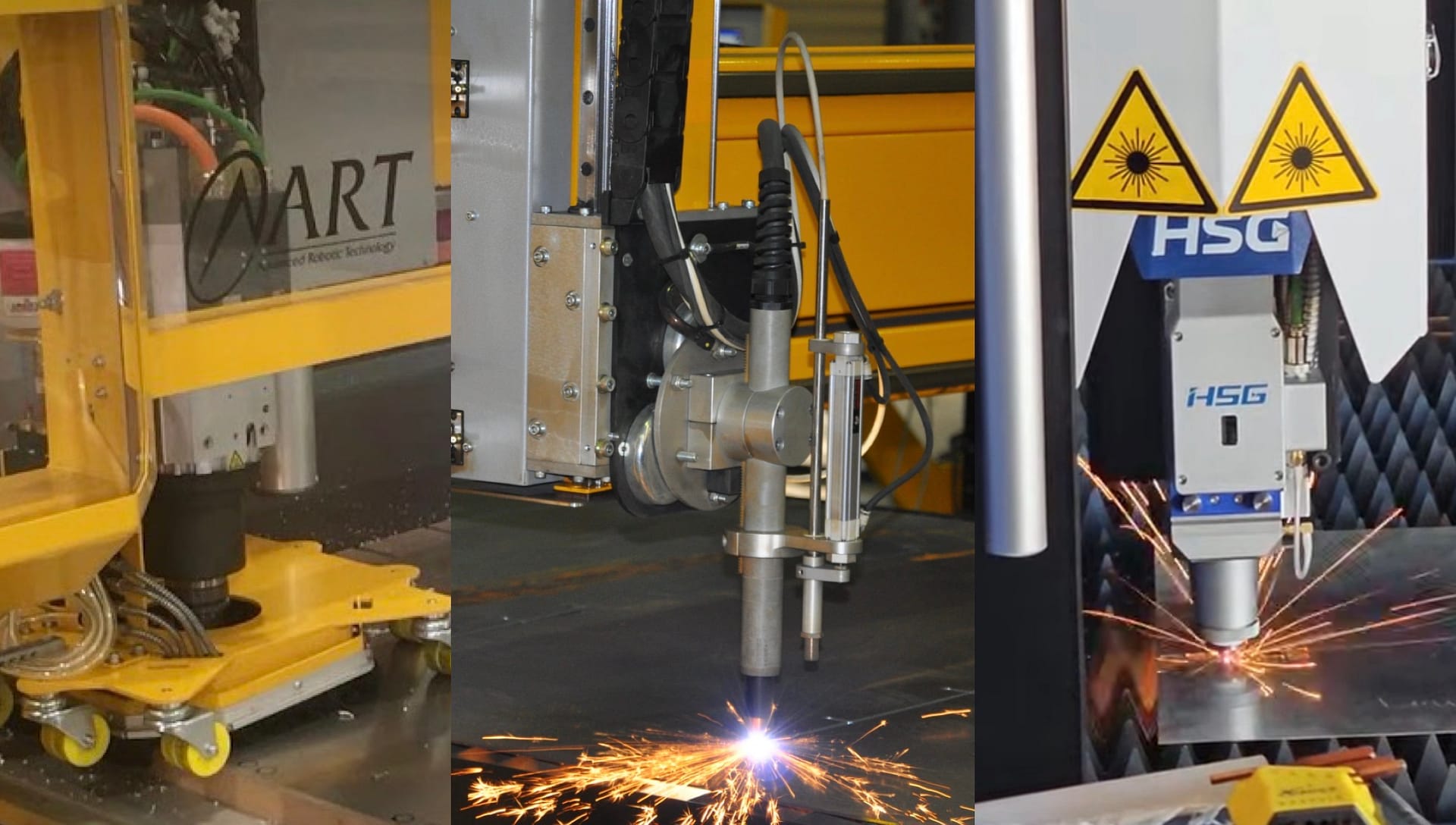
A CNC cutting system can either remove a production bottleneck or create a new one. That is why knowing how to choose a CNC cutting system starts with the work you need it to do every day, not with a brochure, a price tag, or a single machine spec that looks good on paper.
Plenty of businesses start the buying process by asking which machine is best. The better question is which cutting process is best for your materials, throughput, tolerances, labour profile, and future workload. If that part is rushed, it is very easy to end up with a machine that is technically capable but commercially wrong.
How to choose a CNC cutting system without guessing
The first step is to get clear on your actual production mix. Material type, material thickness, sheet size, part complexity, edge quality requirements, and batch volume all matter. A sign manufacturer cutting composite panels has a very different requirement to a steel fabricator processing plate for structural work, even if both are asking for a CNC table.
This is where buyers can get caught out. They compare machine dimensions, cutting speeds, or advertised accuracy before confirming whether plasma, fibre laser, router, or a more specialised beamline setup suits the job. The right answer depends on what you cut most often, what margins you need to protect, and where delays are hurting the business now.
If your work is mainly conductive metals and you need fast, productive cutting across a broad thickness range, plasma often makes sense. If your priority is fine detail, cleaner edges, and high-speed production in thinner metals, fibre laser may be the stronger fit. If you are cutting timber, plastics, aluminium composite, or non-ferrous sheet materials for cabinetry or signage, a router is usually the logical direction. Beamline systems belong in a different conversation again, particularly where structural steel processing and automation are central to output.
No process is universally better. There are trade-offs in capital cost, running cost, cut finish, operator skill, floor space, extraction requirements, and material suitability. Good buying decisions come from matching the process to the workload, not from trying to make one machine solve every problem.
Start with the material, not the machine
Material is usually the clearest filter. If the bulk of your work is mild steel plate, stainless, or aluminium, the next question is thickness range and finish expectation. A shop cutting heavy plate for fabrication may place more value on throughput and cost per part than on a laser-quality edge. Another business producing precision components may see cut quality and reduced secondary processing as the real savings.
Thickness variation matters more than many buyers expect. A system that performs brilliantly on thin sheet may not be the right choice once thicker plate becomes a regular part of the schedule. The reverse is also true. Buying around occasional heavy work can leave you overcapitalised for the work that actually pays the bills every week.
You also need to think about material handling. Full sheets, long stock, nested components, offcuts, and load-unload time all affect output. A cutting head is only one part of the system. If operators spend too much time moving material or waiting between jobs, the machine’s rated speed will not translate into real production gains.
Cut quality and tolerance should be judged honestly
Many workshops over-specify tolerance because it sounds safer. In practice, the right level of precision depends on what happens after cutting. If parts are welded, folded, drilled, or machined later, your required tolerance may be different to a component that needs to come off the table ready for dispatch.
The same applies to edge finish. A cleaner edge can reduce downstream labour, but only if your workflow actually benefits from it. Paying for a process that exceeds your quality requirement may not improve profitability. On the other hand, underestimating finish requirements can lead to grinding, rework, and slow jobs that quietly erode margins.
Think beyond purchase price
Capital cost always matters, but it should never be the only measure. A lower entry price can look attractive until consumables, downtime, poor nesting efficiency, or support delays start costing you production hours. A more capable system may carry a higher upfront investment while delivering stronger output, less rework, and better long-term value.
When weighing cost, look at the full operating picture. That includes power consumption, petrol requirements where relevant, consumable life, software capability, maintenance access, extraction, floor space, and training. It also includes how quickly your team can become productive on the machine.
For many Australian workshops, downtime risk is a bigger financial issue than purchase price. If a machine stops and support is slow, the cost is not just a repair invoice. It is missed deadlines, overtime, frustrated staff, and customers looking elsewhere. That is why local technical support, parts availability, and practical commissioning matter just as much as the machine specification.
Software can make or break the result
A CNC cutting system is not just steel, drives, and a gantry. The control software, nesting software, and operator interface have a direct impact on throughput and waste. Strong software can simplify job setup, reduce operator error, improve sheet yield, and make repeat work more consistent.
This is especially important if you are trying to reduce dependency on one experienced operator. A system that is difficult to program or awkward to use can turn a good machine into a constant interruption. Better software will not replace training, but it will shorten the path from installation to reliable production.
How to choose a CNC cutting system for your workflow
Workflow is often where the real answer sits. Ask how the machine will fit into the broader operation. Will it feed welding, folding, assembly, or dispatch? Will it run one shift or multiple shifts? Do you need manual loading, or are you moving towards automation because labour is tight and uptime matters more?
A machine that suits a small batch environment may not suit a business pushing repeat production every day. Likewise, a heavily automated setup can be hard to justify if your work is highly variable and the bottleneck sits somewhere else in the factory. The best system is the one that improves the whole process, not just the cutting stage.
Future growth should be part of the conversation, but it needs to be realistic. Buying with no headroom can box you in quickly. Buying too far ahead can tie up capital in capacity you may not use for years. The right balance usually comes from looking at your current work, confirmed pipeline, and the type of jobs you want to win next.
Service, training, and after-sales support are part of the machine
This is the area many buyers leave too late. Installation quality, operator training, service response, and access to parts all shape the machine’s performance after it arrives. A CNC cutting system is not a once-off purchase that ends at delivery. It is an operational asset that needs support over its life.
Ask practical questions. Who installs the machine? Who trains the operators? Who answers the phone when there is a fault? Are spare parts held locally? Can the supplier help with process setup, consumables, and software issues, or do they disappear once the invoice is paid?
A serious supplier should be able to talk openly about fit-for-purpose machine selection, not just what they want to sell. That means discussing material range, production targets, workshop constraints, and trade-offs with no nonsense. Businesses that need dependable output are far better served by a partner who gives straight advice than by one who simply pushes the highest-ticket option.
For Australian manufacturers, local support has real weight. Time zones, freight delays, and generic remote advice can be a problem when production is on hold. A company such as ART CNC that designs, builds, programs, installs, and supports the equipment can usually provide a more practical path from enquiry through to long-term operation.
What good buying decisions usually have in common
The best buyers do not chase the broadest spec sheet. They define the job clearly, understand where their costs really sit, and choose a process that matches the work. They also look hard at support, software, and commissioning, because that is where a machine proves its value after the sale.
If you are working out how to choose a CNC cutting system, keep the focus on production outcomes. What needs to be cut, how fast, to what standard, with what level of labour input, and with what support behind it? Once those answers are clear, the right machine becomes much easier to identify.
A good CNC system should not just cut material. It should give your business more control over lead times, output, quality, and confidence in the next job that comes through the door.
Steel Beam Cutting Machine Guide.
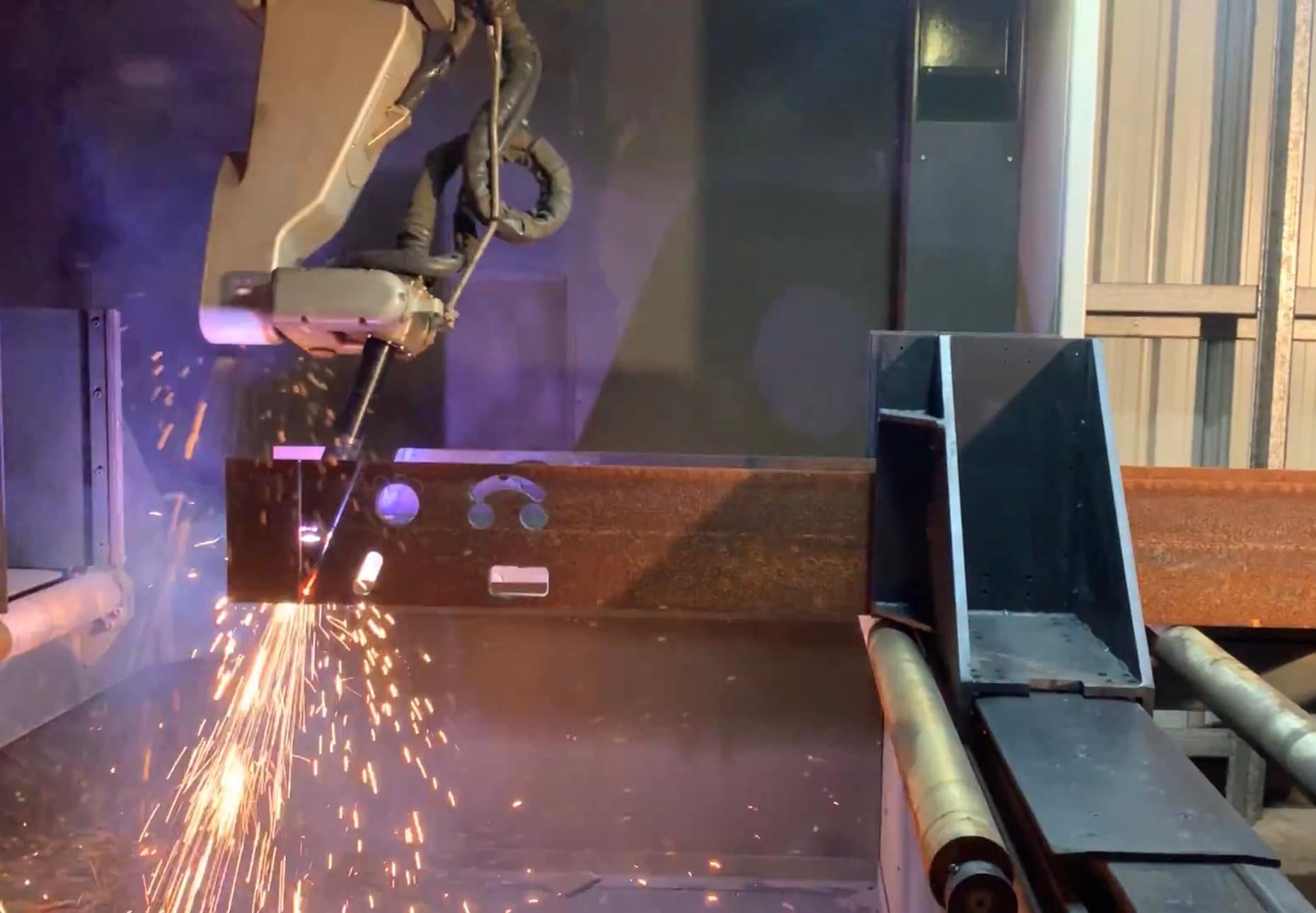
A missed hole position in structural steel does not stay a small problem for long. It becomes rework, delayed fit-up, site frustration and margin erosion. That is why a steel beam drilling and cutting machine matters – not as a showroom feature, but as a production tool that directly affects throughput, accuracy and labour efficiency.
For workshops processing UB, UC, PFC, RHS and other structural sections, the real question is not whether automation looks impressive. It is whether the machine suits your beam sizes, part mix, output targets and staffing. Get that part right and you remove a major bottleneck. Get it wrong and you simply move the bottleneck somewhere else.
What a steel beam cutting machine actually does
At its core, this type of system is built to process structural members with repeatable accuracy. Depending on configuration, it can cut holes, mark part locations, cut beams to length, create coping or profile features, and integrate with material handling to reduce manual intervention between operations.
That sounds straightforward, but there is a big difference between a machine that can perform those tasks and one that can perform them reliably in a live production environment. Beam processing is about how the whole system handles section variation, stock movement, datum control, swarf management, programming workflow and operator input.
For many fabricators, the gain is not just faster cycle times. It is consistency. When parts come off the machine correctly drilled and cut the first time, downstream assembly runs smoother and site installation becomes more predictable.
Where the biggest gains usually come from
Most buyers start by looking at raw cutting speed. That is fair enough, but speed on paper is only one part of the picture. In practice, beamline productivity usually improves because several small delays are removed at once.
Manual marking drops away. Measuring and repositioning between operations is reduced. Hole placement becomes repeatable across batches. Operators spend less time handling individual pieces and more time keeping material flowing. Programming is cleaner when jobs are imported directly from detailing software or generated through purpose-built machine software.
That combination tends to have a bigger effect on output than one headline specification. A workshop that is currently drilling, marking and cutting across separate stations can often save substantial labour hours simply by consolidating those processes into one coordinated system.
There is another benefit that does not always get enough attention: less dependence on individual operator judgement for every part. Skilled people are still essential, but the process becomes less vulnerable to inconsistency from shift to shift.
Choosing the right steel beam cutting machine
This is where honesty matters. Not every workshop needs a high-output beamline with every available option. Some need flexibility across mixed work. Others need pure volume. Some need to process long lengths efficiently with minimal labour. Others are dealing with frequent short-run jobs and changing section types.
The right steel beam cutting machine depends on four practical factors: the material you run, the volume you need to hit, the level of integration you want, and the support available once the machine is on your floor.
Material range and section size
Start with what you actually process, not what you might process once in a blue moon. Beam size capacity, flange and web access, section type compatibility and maximum stock length all need to align with your normal workload. Overspecifying capacity can add cost without adding useful output. Underspecifying creates production headaches from day one.
If your work includes a mix of universal beams, channels, rectangular sections and custom profiles, the machine needs to accommodate that variation without turning setup into a daily fight.
Hole quality and spindle performance
Hole quality matters just as much as speed. Poor hole finish, inaccurate positioning or tool instability can cause fit-up issues that wipe out any cycle-time advantage. A solid setup, proper clamping and dependable tool management make a real difference, especially when you are processing heavy structural material all day.
The conversation should also cover tool life and consumables. A machine that runs quickly but burns through tooling or demands frequent intervention may not be the cheapest machine to own.
Cutting method and part complexity
Some applications are mainly straight cuts to length with holes. Others need more complex profile cuts, notches or coping. The more varied your beam processing, the more important software capability and motion control become.
If your output is dominated by repetitive structural parts, a simpler setup may be the smarter investment. If your work changes weekly and includes detail-heavy fabrication, flexibility becomes worth paying for.
Software and data flow
Good hardware can be undermined by poor programming workflow. If it takes too long to prepare jobs, clean up imported files or manage revisions, the machine will sit idle more often than it should.
The software should support practical production, not just look good in a demo. Can your team create and edit jobs efficiently? Can operators recover quickly from interrupted runs? Can part data move cleanly from office to workshop? Those questions have a direct effect on utilisation.
Support is not an extra – it is part of the machine
For Australian fabricators, support should be part of the buying decision from the start. A beam processing system is not a disposable piece of equipment. It is a production asset that needs commissioning, training, maintenance and the occasional fast response when something goes wrong.
This is where many buyers have learned the hard way that machine price is only part of total value. If technical backup is slow, if spare parts are difficult to source, or if the supplier cannot properly diagnose software and mechanical issues, downtime gets expensive very quickly.
That is why local engineering knowledge matters. A supplier that designs, builds, programs and supports its own systems brings a very different level of accountability. Problems get solved faster because the support team understands the machine beyond the sales brochure. ART CNC has built its reputation around exactly that kind of practical, direct support.
Common mistakes buyers make
One of the most common mistakes is buying for maximum theoretical capacity instead of realistic production needs. Bigger is not always better. If your workshop does not have the material flow, staffing or job volume to keep a large system productive, you are paying for capability you will not use.
Another mistake is underestimating handling and layout. A beam machine can only perform well if material can enter and leave the system efficiently. Infeed, outfeed, cross transfer, stock storage and forklift access all need to be considered early. Too many businesses focus on the machine footprint and forget the working footprint.
There is also the issue of training. Even a well-designed system needs proper operator onboarding and clear process discipline. If operators are left to work things out under pressure, you increase the chance of errors, tool damage and avoidable downtime.
Finally, some buyers chase specification sheets and ignore service response. That usually looks fine until the first unplanned stoppage.
When a beamline makes financial sense
A steel beam cutting machine generally makes sense when beam processing is already a bottleneck or is about to become one. If your team is spending too much time measuring, marking, moving and manually drilling, the labour cost adds up quickly. So does the cost of rework.
The return is strongest where there is steady structural throughput, recurring part types, or pressure to increase output without continually adding labour. That does not mean every operation needs the same level of automation. A smaller fabricator may benefit from a carefully scoped system that removes the worst inefficiencies without overcommitting capital.
Larger operations usually look harder at integration, unattended running potential and software connectivity, because gains compound across more shifts and more tonnage.
Either way, the sensible approach is to evaluate real jobs, real cycle times and real handling requirements. Not generic assumptions.
What to ask before you buy
A serious supplier should be able to talk plainly about your material range, production targets, likely bottlenecks and support expectations. They should also be willing to tell you when a certain configuration is more machine than you need.
Ask how the machine is configured for your beam sizes. Ask what training is included. Ask how service is delivered in Australia, how quickly parts can be supplied, and what remote and on-site support looks like. Ask what the software requires from your office team and your operators.
Most importantly, ask how the system will fit your workflow from stock arrival to finished part dispatch. That answer will tell you more than any headline feed rate.
The best machine for your business is not the one with the longest option list. It is the one that keeps your workshop moving, your parts accurate and your downtime under control year after year. That is the standard worth buying to.
What Is a Plasma Beamline?.
If your workshop is still moving long steel sections from saw to drill to marking station to manual coping, you already know where the time goes. When people ask what is a plasma beamline, they are usually really asking a more practical question – how do we process beams, channels and sections faster, with less handling and fewer bottlenecks?
A plasma beamline is a CNC machine built to process structural steel sections in one automated flow. Rather than cutting only flat sheet, it is designed for beams, channels, angles, RHS, SHS and similar profiles. Depending on the configuration, a plasma beamline can measure the section, position it automatically, cut to length, cope ends, slot, drill, mark and scribe, all under CNC control.
For fabrication businesses handling structural work, that matters because the job is rarely just one cut. The real cost often sits in repeated handling, setup time, operator dependency and the risk of small errors compounding across a project. A beamline is aimed at removing those pain points.
What is a plasma beamline used for?
In practical terms, a plasma beamline is used to process long metal sections accurately and consistently for downstream fabrication or assembly. That can include structural frames, sheds, transport components, trailers, mining infrastructure, construction steel and general engineered fabrication.
The machine feeds the section through a controlled axis system while the cutting head and tooling perform programmed operations at the required positions. Instead of manually measuring and marking every feature, the operator loads the material, calls up the job and supervises the process.
This is why beamlines appeal to workshops that need repeatability. If you are producing one-off structural members every now and then, manual methods may still be workable. If you are producing sections all day, every day, the labour and time savings become much harder to ignore.
How a plasma beamline works
At its core, a plasma beamline combines material handling, CNC positioning and profile processing in a single machine platform. The section is loaded onto the infeed area and advanced through driven rollers or conveyors. The control system identifies where the material is, then moves it to each programmed position for cutting, drilling or marking.
The plasma torch does the cutting work on profiles and contours. Plasma is well suited to structural steel because it can cut quickly and handle a wide range of thicknesses. On many machines, additional tools can be integrated for drilling, centre marking, layout marking or scribing. That means the beam exits the machine closer to assembly-ready, rather than needing more manual work before fabrication can continue.
Software is a big part of the equation. A beamline is only as effective as the programming behind it. The right software allows jobs to be imported, nested into production schedules and converted into machine-ready instructions with minimal rework on the shop floor. Good software also reduces operator guesswork, which is often where delays and avoidable mistakes creep in.
What is a plasma beamline compared with a standard plasma table?
This is where some confusion comes in. A standard CNC plasma table is designed for flat plate. It excels at profiling sheet and plate components, but it is not intended to process long structural sections efficiently.
A plasma beamline is different because the machine architecture is built around profiles rather than flat material. It supports the section, advances it accurately and gives access to multiple faces of the workpiece. That is what allows it to perform operations on beams and hollow sections that would be awkward, slow or inconsistent using plate-focused equipment.
So if your work is mostly brackets, gussets and plate parts, a plasma table may be the right fit. If your workflow revolves around UB, UC, PFC, angle, RHS or SHS and you are trying to reduce manual handling, a beamline is usually the more appropriate solution.
The main advantages of a plasma beamline
The biggest gain is productivity, but that needs to be unpacked properly. Faster cutting is only one part of it. The more valuable improvement is often the reduction in touch points across the job.
When one machine can feed, position, cut and mark a beam in sequence, you cut down on forklift movements, manual measurements and waiting time between stations. That improves throughput and also helps with workshop flow. Staff spend less time shifting material around and more time on work that actually adds value.
Accuracy is another major advantage. CNC-controlled positioning improves consistency across batches, which helps when parts need to fit first time during fabrication or site assembly. Marking and scribing functions can also make downstream welding and assembly quicker because the layout information is already on the section.
There is also a labour benefit. Skilled labour is expensive and hard to replace. A beamline does not remove the need for good operators, but it reduces the amount of repetitive manual processing that relies on individual experience. That can make production more predictable and less vulnerable when key staff are unavailable.
Where a plasma beamline may or may not suit your business
A plasma beamline is not automatically the right answer for every workshop. If your section processing volume is low, or your work changes constantly in ways that do not justify automation, the investment may be harder to support.
It also depends on the type of work you do. Some businesses need heavy drilling capacity, some need advanced coping, and some are focused on throughput of standard structural members. The right machine specification depends on the mix of materials, section sizes, part complexity and the role the machine needs to play in your broader production line.
That is why honest machine selection matters. A beamline should fit your workflow, not the other way around. If a simpler setup will do the job, that is worth saying. If your current bottleneck is section processing and your team is spending too much time on manual handling and secondary operations, then a beamline becomes a far more compelling option.
What to look for when choosing a plasma beamline
The starting point is material range. You need a machine that can reliably handle the sections you process most often, not just the occasional outlier. Beam size capacity, section type compatibility and feed length all need to line up with your real workload.
After that, look closely at process capability. Some beamlines are primarily set up for plasma cutting, while others incorporate drilling and marking features that make a significant difference to overall efficiency. The right choice depends on whether you want the machine to perform one task quickly or replace several manual steps in a single pass.
Support should be part of the buying decision, not an afterthought. Beamlines are production machines. If they stop, work backs up quickly. Local technical support, spare parts access, commissioning and operator training all matter more than they do on a brochure. For Australian workshops, local knowledge and fast response times can be the difference between a manageable issue and a costly week of downtime.
Software usability also deserves proper attention. A machine with strong mechanical design can still become frustrating if programming is clunky or difficult for operators to learn. In most workshops, the best result comes from software that is powerful enough for complex jobs but practical enough for everyday production.
Why beamlines matter in modern steel fabrication
Margins in fabrication are under pressure from every angle – labour, lead times, rework, freight and customer expectations. Businesses cannot afford too many manual bottlenecks in the middle of production, especially on repetitive structural work.
That is where a plasma beamline earns its place. It gives workshops a more controlled, repeatable way to process sections at speed, while reducing handling and helping jobs move through fabrication with fewer delays. It is not just about replacing a manual process. It is about tightening the whole operation so estimating, scheduling and delivery become more reliable.
For businesses planning growth, beamlines can also create capacity without simply throwing more labour at the problem. That matters in a market where experienced people are hard to find and harder to keep.
If you are assessing equipment and trying to work out what will actually improve output, start with the bottleneck, not the brochure. If long section processing is slowing the shop down, a plasma beamline is often the machine that changes the pace of the whole workshop. The right one should not just cut steel well – it should make the rest of your operation easier to run.
Plasma or Laser Cutting: Which Fits?.
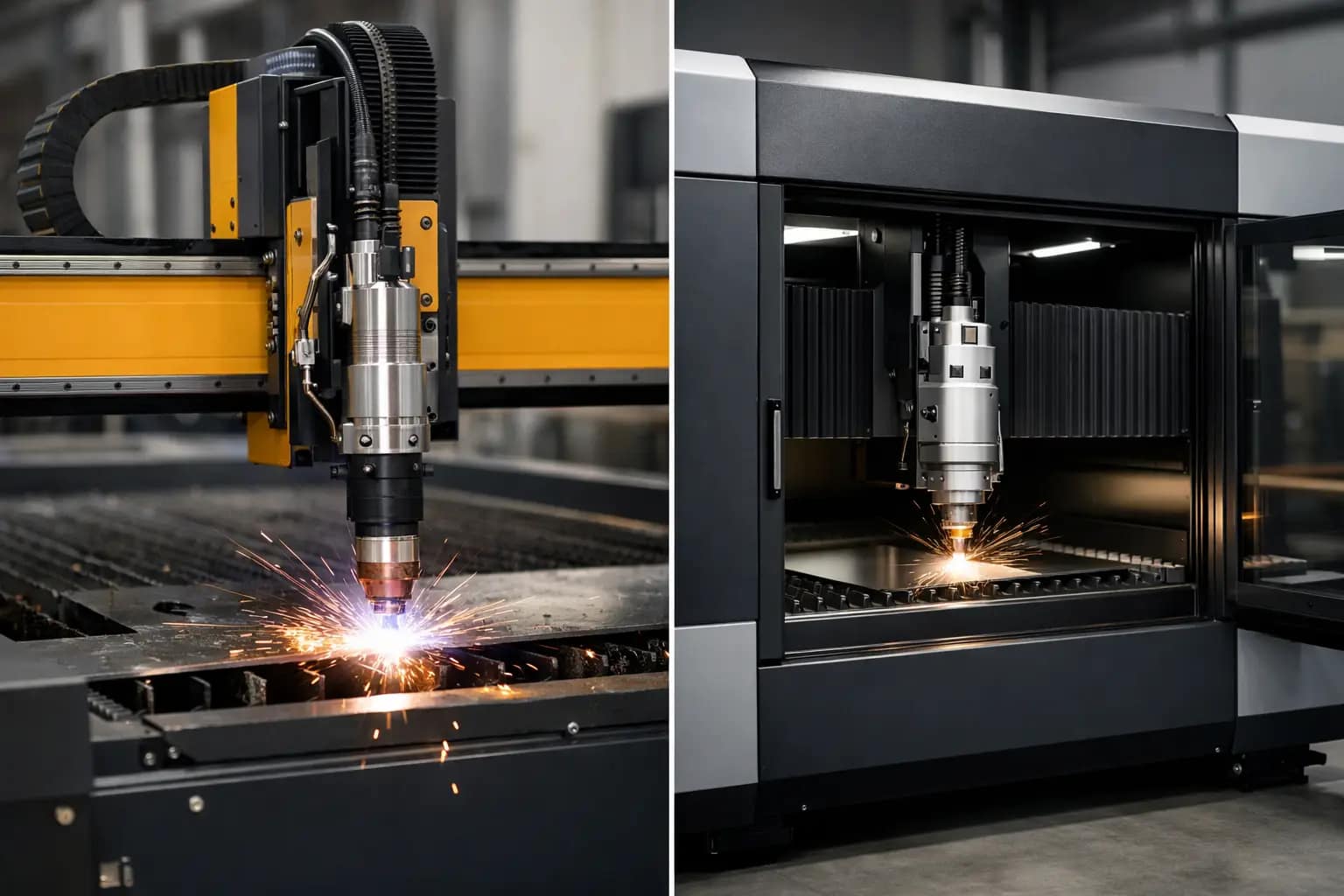
A lot of buying mistakes start with the wrong question. Instead of asking whether plasma or laser cutting is better, the real question is “Which process is right for my business?”
For Australian fabrication and manufacturing businesses, that distinction matters. A machine that looks impressive on paper can become a poor fit once you factor in plate thickness, edge quality requirements, operator skill, floor space, service access and the cost of downtime. Choosing between plasma or laser cutting is less about chasing the newest technology and more about matching the process to your workload.
Plasma or laser cutting – start with the work, not the brochure
The cleanest way to compare these two processes is to look at what each one is built to do.
Plasma cutting uses an electrically conductive gas to create a high-temperature arc that melts metal and blows the molten material out of the cut. It is a proven process for conductive metals and has long been a strong option for fabrication shops that need reliable throughput on mild steel, stainless and aluminium.
Laser cutting, particularly fibre laser technology, uses a concentrated beam of light to cut material with very high precision. It is usually chosen where cut quality, fine detail, repeatability and speed on thinner materials are high priorities.
That sounds simple enough, but the trade-off sits in the detail. Plasma is often the practical workhorse for heavier plate and general fabrication. Laser is often the stronger choice for fine-feature work, cleaner edges and higher precision production. If your job mix includes both, the answer may not be either-or forever. It may be which process should come first.
Where plasma cutting makes the most sense
If your workshop processes structural components, brackets, base plates, gussets or heavier steel parts, plasma often earns its place quickly. It is especially effective when you need solid cutting performance across a broad range of conductive materials and thicknesses without stepping into the higher capital cost that usually comes with laser systems.
Modern CNC plasma systems are not the rough-and-ready machines some buyers still picture. With the right machine build, motion control, height control and programming, plasma can deliver strong cut quality and dependable output for serious production work. For many fabrication businesses, it hits the sweet spot between speed, capability and operating cost.
Plasma also tends to be more forgiving in environments where material condition is not always perfect. If you are regularly processing plate with mill scale, surface variation or the kind of real-world inconsistencies common in busy workshops, plasma can be a very practical choice.
That said, honesty matters here. Plasma does produce a wider kerf than laser, and edge finish is generally not as clean on thinner material or highly detailed profiles. If your parts need minimal post-processing and very sharp feature definition, those limitations can start to matter.
Where laser cutting pulls ahead
Laser cutting becomes very compelling when precision is a production requirement, not just a preference. If your work involves thin sheet, intricate profiles, tight tolerances or parts that go straight to folding, welding or assembly, a fibre laser can significantly improve efficiency downstream.
The biggest advantage is not simply that the cut looks cleaner. It is that cleaner, more accurate parts can reduce handling, grinding, fitting time and rework. Those hidden labour costs often decide whether laser stacks up commercially.
Laser systems also offer excellent speed on thinner materials. In the right application, that translates into faster throughput and more consistent part quality across repeated jobs. For businesses servicing industries where presentation, fit-up and repeatability are non-negotiable, laser can be the stronger long-term investment.
But laser is not automatically the better financial decision for every operation. If most of your work is heavier plate, straightforward geometry and fabrication where absolute edge refinement is not critical, paying for laser capability you rarely use may not improve profitability.
Thickness, tolerance and edge finish
This is where many buying decisions should really be made.
If your work is mostly thin to medium sheet and the finish of the cut edge affects the next stage of production, laser usually has the edge. Holes are cleaner, detail is sharper and parts often need less secondary work. That benefit compounds over time in workshops where labour is expensive and schedules are tight.
If your work moves into heavier plate and the priority is productive cutting rather than cosmetic finish, plasma can be the smarter choice. It handles heavier material well and gives many fabrication businesses the output they need without overcapitalising.
Tolerance expectations matter too. Not every workshop needs laser-level precision. Some do. Some only need it on a handful of jobs each month. That is why an honest assessment of your typical work is more useful than focusing on the best possible cut a machine can produce under ideal conditions.
Running costs are not just about consumables
Too many comparisons stop at purchase price and consumable cost. In reality, the full cost of ownership includes programming time, operator training, extraction requirements, maintenance, service response and the revenue impact when a machine is down.
Plasma systems can offer very attractive economics, particularly for businesses that need capability and throughput without the higher upfront cost of a laser. Consumables and wear items still need to be managed properly, but for many operations the numbers work well.
Laser systems can deliver strong production value, especially where high-speed thin sheet cutting and reduced secondary finishing save labour. However, buyers should assess the total package, not just the machine headline. Installation, support, service access and operator capability all affect return on investment.
This is where local technical support becomes more than a selling point. If a machine stops and you are waiting days for answers, the cheapest option on quote day can become the most expensive machine on your floor.
Software, automation and the real production picture
Cutting performance is only part of the story. The right software, nesting strategy and machine configuration often make the difference between a machine that looks good in a demo and one that consistently delivers in production.
For plasma, good height control, stable motion and smart programming are essential if you want reliable quality and consumable life. For laser, material handling, nesting efficiency and process control play a major role in actual throughput.
That means your decision on plasma or laser cutting should include how parts enter and leave the machine, who programs it, what your operators can realistically manage, and whether the machine can be configured to suit your workflow. A technically sound machine with poor implementation is still a poor result.
How to decide what fits your business
The most practical buyers usually look at five things: the material types they cut most, the common thickness range, the finish their customers expect, the labour involved after cutting, and how costly downtime is to the business.
If your workshop mostly cuts heavier conductive metals for fabrication, plasma may be the right answer. If you need cleaner edges, finer detail and more precision on thinner materials, laser may justify the investment. If your workload is mixed, the right answer depends on which jobs drive your margin and where your production bottlenecks sit today.
This is also the point where straight advice matters. A supplier should be able to tell you when plasma is enough, when laser is warranted, and when your expectations do not align with the process. If every conversation leads to the most expensive machine, you are not getting advice. You are getting a sales pitch.
For that reason, many Australian businesses prefer to deal with a company that actually designs, builds, programs and supports the systems it supplies. ART CNC works with customers this way because machine selection is rarely just about the machine. Because ART CNC offer both CNC plasma AND CNC laser, they will give you unbiased advice on what is best for your business, not give you the hard sell on what they want to sell. It is about making sure the process, software, configuration and support model all fit your operation.
The best choice is the one that keeps production moving
There is no trophy for buying the most advanced process if it does not suit your work. There is also no benefit in underspecifying a machine and paying for that decision every day in rework, delays and lost capacity.
A good plasma system can be exactly what one fabrication shop needs. A fibre laser can be the right move for another. The difference comes down to your materials, your tolerances, your workflow and how much value you place on cut quality versus cutting cost.
If you are weighing up plasma or laser cutting, start with the jobs you quote every week, not the occasional one that looks impressive. The right machine should earn its keep on your normal work, support your operators and keep production moving when the workshop is under pressure.
Fibre Laser Cutting Machine Australia Guide.
Choosing a CNC Router for Cabinet Making.
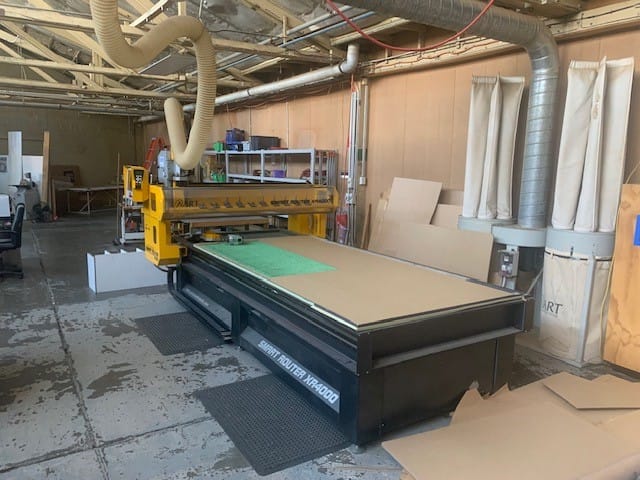
A cabinet shop usually feels the pressure before it sees the paperwork. Jobs are stacking up, labour is tight, rework is chewing hours, and the nesting saw or manual process that once kept pace is now the bottleneck. That is usually the point where a cnc router for cabinet making stops being a nice idea and starts becoming a serious production decision.
The right machine can lift output, improve consistency and reduce handling across the whole workshop. The wrong one can create a new set of problems – poor board hold-down, software headaches, unreliable parts supply or downtime that leaves the factory floor waiting. For cabinetmakers, this is not just a machine purchase. It is a workflow decision.
What a cnc router for cabinet making needs to do
Cabinet manufacturing is repetitive in the best and worst sense. The work is ideal for automation because panel sizes, drilling patterns, cut-outs and joinery can be repeated accurately all day. At the same time, any weakness in the machine or programming process shows up fast when you are cutting full sheets back to back.
A cnc router for cabinet making needs to handle nested sheet processing efficiently. That means clean cutting in melamine, MDF, plywood and particleboard, reliable drilling, accurate pocketing and dependable label-to-part flow if your operation is integrated with design software. It also needs to keep parts stable during cutting so small components do not shift, chip or get damaged before they even reach assembly.
Speed matters, but not in isolation. A fast spindle is no use if your operator loses time managing vacuum leaks, correcting poor toolpaths or sorting unfinished edges. Good cabinet production comes from a machine that works as part of a system – machine frame, spindle, drive package, vacuum table, tooling, software and operator workflow all pulling in the same direction.
Why machine selection is rarely just about table size
Buyers often start with bed dimensions and spindle power, which makes sense, but that is only part of the picture. For cabinet work, the first question should be how the machine fits your production model.
If you are processing a steady volume of standard cabinetry, a nested-based router with efficient loading and unloading may be the best fit. If your work is more varied – custom joinery, detailed components, mixed material jobs – flexibility in tooling, drilling configuration and software integration becomes more important. A machine built for one style of work can feel slow and awkward in another.
Vacuum performance is another point that gets underestimated. Cabinetmakers cut a lot of sheet product into smaller parts. Once sheets are broken down, hold-down becomes harder. If the vacuum system is undersized or the zoning is poorly matched to your job mix, parts can move, which affects accuracy and edge quality. Shops often blame tooling first, but hold-down is just as often the issue.
Then there is construction quality. In cabinet production, the machine does not get judged by how it runs on day one. It gets judged after months of dust, long shifts and repeated use. A rigid frame, quality drive components and a control system that operators can work with confidently will do more for long-term value than headline specifications on a brochure.
Software is where productivity is won or lost
Many businesses focus heavily on the hardware and leave software discussions until late in the process. That is backwards. In cabinetmaking, software affects quoting, programming, nesting, labelling, drilling logic and operator error rates. If the software chain is clunky, the machine can spend far too much time waiting for the next job.
The best setup depends on how your shop currently works. Some businesses need direct integration from design to machine code. Others need straightforward nesting software that an operator can manage quickly without a full engineering department. Neither approach is wrong. What matters is whether the software matches the skill level of your team and the variety of jobs you run.
This is also where honest advice matters. Extra software features sound good in a sales conversation, but if they add complexity without solving a production problem, they become expensive clutter. A well-configured system should reduce admin, reduce programming time and make repeat work easy to reproduce accurately.
Tooling, drilling and edge quality in cabinet production
A cabinet router is only as good as the cut quality it can produce consistently. That comes back to spindle selection, tool changing, drilling capability and the way the machine is programmed for the material.
For standard cabinetry, the ability to route, groove, drill and cut-to-size in one cycle is where major efficiency gains are found. If the machine requires too many manual interventions or awkward setup changes, productivity drops quickly. Automatic tool changing is often essential once job variety and throughput start to rise.
Drilling configuration also matters more than many buyers expect. A machine that can process common cabinet drilling patterns efficiently will save significant time over the course of a week. If your jobs involve repeated shelf pin drilling, hinge boring or hardware preparation, the drilling package should be assessed just as carefully as the spindle.
Edge quality depends on more than spindle speed. Tool geometry, feed rates, vacuum hold-down and machine rigidity all play a role. If board surfaces are prone to chipping or breakout, the answer is not always to slow the machine down. Sometimes it is a tooling issue, sometimes it is programming, and sometimes the machine simply is not configured correctly for the production task.
The real cost question is downtime, not just purchase price
Any business comparing machines will look at purchase cost first. Fair enough. But for a production workshop, the more useful figure is what happens when the machine needs service, a part fails or an operator needs help fast.
A cabinet shop with installation deadlines does not have much use for delayed responses, vague technical support or parts that take too long to arrive. Local backup matters because every idle hour has a cost. It affects labour, dispatch dates, installation schedules and customer confidence.
That is why support should be part of the buying decision from the start. Who installs the machine? Who trains the operators? Who answers the phone when the software throws a problem or the machine stops mid-job? And are they the same people who understand how the system was built in the first place?
For Australian manufacturers, local design, build knowledge and after-sales support can make a major difference over the life of the machine. ART CNC works in that space because businesses need more than a sales transaction – they need direct technical backup and service that keeps production moving.
When a cnc router for cabinet making is the right investment
Not every workshop needs the same level of automation at the same time. Some are ready because labour costs are rising and manual methods are holding back output. Others need better accuracy because rework is cutting into margins. Some want to bring more production in-house and reduce reliance on outsourced processing.
The strongest case for investment usually appears when three things are happening at once. Volume is growing, repeatability matters, and existing processes are too dependent on individual labour. That is when a CNC system starts paying its way through consistency and throughput rather than simply replacing one cutting method with another.
Still, bigger is not always better. An oversized machine with unnecessary features can add cost without improving production. A well-matched machine, properly configured for your materials, software flow and throughput, will usually outperform a more complex option that does not suit the way your shop actually works.
What to ask before you buy
The best buying conversations are practical. Ask how the machine will process your typical cabinet jobs, not just how fast it can move. Ask what vacuum setup suits your board sizes and part mix. Ask how programming is handled from design through to cut files. Ask what operator training looks like and how support works after installation.
You should also ask what trade-offs come with each configuration. A higher-output setup may demand more from dust extraction, power supply or operator skill. A simpler system may be easier to run, but slower on more complex work. Good advice should make those trade-offs clear, not hide them behind sales language.
A cabinet router should fit the business you are running now and the one you expect to be running in a few years. If the recommendation is right, the machine becomes part of your production backbone rather than another problem to manage.
The best place to start is with your actual workflow, because the right machine is the one that makes your next job easier to deliver and your workshop easier to run.
Best CNC Router for Aluminium in Australia.
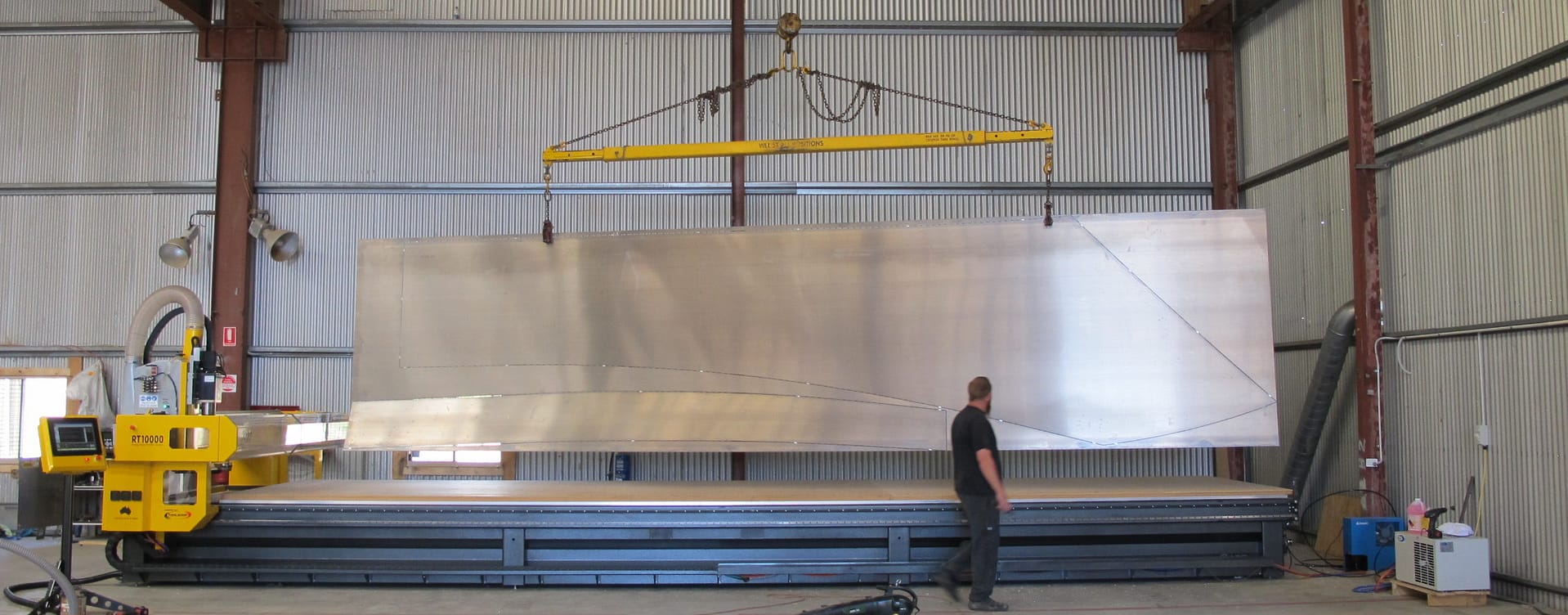
Aluminium quickly exposes the difference between a machine that looks capable on paper and one that actually performs in production. If you are trying to choose the best cnc router for aluminium, the real question is not which model has the flashiest brochure. It is which machine can hold tolerance, evacuate chips properly, protect tool life and keep your workshop moving without constant fiddling.
That matters because aluminium is less forgiving than timber, ACM or many plastics. It cuts cleanly when the machine is rigid, the spindle is matched to the job, and the software is tuned properly. Get any of those wrong and you will see chatter, poor edge finish, heat build-up, welded chips and wasted sheets. For a fabrication or manufacturing business, that is not a minor annoyance. It is lost time, scrap and margin disappearing straight off the floor.
What makes the best CNC router for aluminium?
The best machine for aluminium is usually not the fastest machine in a headline spec sheet. It is the machine with the right balance of frame rigidity, spindle performance, drive quality, workholding and control. Aluminium demands stability. If the gantry flexes, the bearings are undersized or the drive system has too much backlash, the tool will tell you straight away.
A rigid frame is the starting point. Heavier construction generally gives you a better chance of controlling vibration, particularly when cutting thicker plate or running longer production shifts. Gantry design matters as well. A router that performs nicely in soft materials can struggle once the cutting forces increase. That is why aluminium-capable routing systems are typically engineered with more substantial construction, quality linear motion components and drive systems that maintain accuracy under load.
Spindle selection is another area where buyers can get caught out. More power is not automatically better, but an underpowered spindle forces compromises in feed rate and toolpath strategy. For aluminium, you need a spindle that can maintain stable cutting conditions, not just spin at high RPM. Depending on your workload, that might mean a different spindle configuration than what suits timber or signage work.
Aluminium routing is as much about process as machine
The machine matters, but the process around it matters just as much. Aluminium needs clean chip evacuation. If chips stay in the cut, they recut, generate heat and begin to weld onto the tool. That is where edge finish deteriorates and tool life drops.
This is why lubrication, misting or other suitable cooling strategies often come into the conversation. Not every workshop wants or needs the same setup, and the right answer depends on material grade, thickness, tooling and production volume. The point is simple – if a supplier talks only about machine size and speed but not about chip control, they are leaving out a critical part of the job.
Tooling also plays a major role. Aluminium-specific cutters, correct flute geometry and sensible step-over and depth settings will make a noticeable difference. A strong machine can still produce poor results if the tooling and programming are wrong. That is one reason experienced buyers look beyond the initial machine quote and ask who will help configure the process properly.
Best CNC router for aluminium buyers should look past top speed
Plenty of machines advertise high rapid rates. That sounds impressive, but rapid speed is not the same as productive aluminium cutting. In a real workshop, consistency is worth more than a headline number. You want reliable interpolation, stable feed control and repeatable results across a full sheet or repeated batch runs.
Servo systems are often preferred in heavier-duty applications because they offer better control and feedback, especially when the machine is expected to run harder materials regularly. The right motion system will depend on machine size, throughput targets and the level of precision required, but this is not the place to cut corners. Aluminium exposes weakness in drive systems quickly.
The table and hold-down setup deserve the same scrutiny. Vacuum hold-down can work very well for thinner sheet and nested parts, but it needs to be properly designed for the material and cut strategy. In some cases, especially with smaller parts or heavier cuts, a combination of vacuum zoning, fixtures or mechanical clamping may be more reliable. There is no universal answer. The best setup is the one that suits your actual production mix, not a showroom demonstration.
Where businesses often choose the wrong machine
A common mistake is buying a router based on occasional aluminium work without considering how often that work will grow. If aluminium is becoming a regular part of your production, you need a machine designed around that reality, not one that can manage it only with conservative settings and extra operator attention.
Another mistake is treating software as an afterthought. Good toolpaths are critical in aluminium. Entry moves, chip load, cutter engagement and tab strategies all affect finish and reliability. If your software and post-processing are not well matched to the machine, the operator ends up compensating manually. That usually means slower cycle times and more variation between jobs.
Support is the other issue buyers tend to underestimate. Aluminium jobs often require more process tuning than softer materials, especially during commissioning or when introducing new parts. If a machine supplier cannot help with programming, parameters and troubleshooting, your team carries the learning curve alone. That gets expensive very quickly.
How to judge whether a router is right for your aluminium workload
Start with the parts you actually make. Sheet size, thickness range, tolerance expectations, edge finish requirements and production volume will determine what kind of machine makes sense. A business cutting thin folded components from aluminium sheet has different needs from a workshop machining heavier plate, engraved panels or repeat production parts with tight fit-up requirements.
Then look at duty cycle. Is the router expected to cut aluminium occasionally between other materials, or will it be doing this day in, day out? There is a big difference between occasional capability and genuine production suitability. The best cnc router for aluminium in one workshop may be overkill in another, while a lighter machine may become a bottleneck if demand increases.
Ask practical questions. What spindle is recommended for your material range? What tooling package is typically used? How is chip extraction or coolant handled? What hold-down method works best for your parts? How is the machine serviced in Australia, and who do you call if it starts marking parts on a Friday afternoon? Those questions usually tell you more than a product brochure.
Why local engineering and support matter
For Australian manufacturers, local support is not a nice extra. It is part of the machine. Downtime costs money, especially when jobs are scheduled tightly and operators are standing by. A router that cuts aluminium well but takes too long to diagnose or repair is not a strong investment.
That is where dealing with a company that actually designs, builds, programs and supports its systems makes a difference. The advice tends to be more direct, and the solution is more likely to fit the application rather than a generic sales category. ART CNC works with businesses that need this level of practical support because machine performance is only half the equation. The other half is what happens after installation, when the machine is in real production and the workshop needs answers quickly.
Local support also helps with machine configuration before the order is placed. That includes table size, spindle choice, vacuum design, software setup and process advice around aluminium cutting. Getting those decisions right early usually saves a lot of frustration later.
Router or another cutting process?
This is the part some suppliers avoid, but it matters. A router is not automatically the right answer for every aluminium job. Depending on thickness, finish requirements, part geometry and throughput, another process may be more suitable. Honest advice means looking at the full production picture, not forcing every application into one machine category.
If your work involves a mix of non-ferrous sheet, composite panels, plastics and routing operations, a CNC router can be an excellent fit. If your aluminium work demands a certain edge condition, cut speed or downstream process outcome, the best solution may involve a different approach. The right supplier should be prepared to say that.
What a good aluminium-capable router setup looks like
In practical terms, you are looking for a machine with a rigid frame, quality motion components, an appropriate spindle, reliable hold-down and control software that supports proper aluminium toolpaths. You also want commissioning and training that go beyond basic operation. Operators need to understand feeds, speeds, tooling and material behaviour if the machine is going to perform properly over time.
There should also be a clear service path. Spare parts availability, software support and access to technicians all affect the real cost of ownership. A lower upfront price means very little if the machine becomes difficult to support once production pressure builds.
Choosing the best cnc router for aluminium is really about choosing a system, not just a table with a spindle on it. The businesses that get the best result are usually the ones that match machine design, process setup and after-sales support to the work they actually do – and the work they expect to win next.
Choosing a CNC Router for Plastic Sheets.
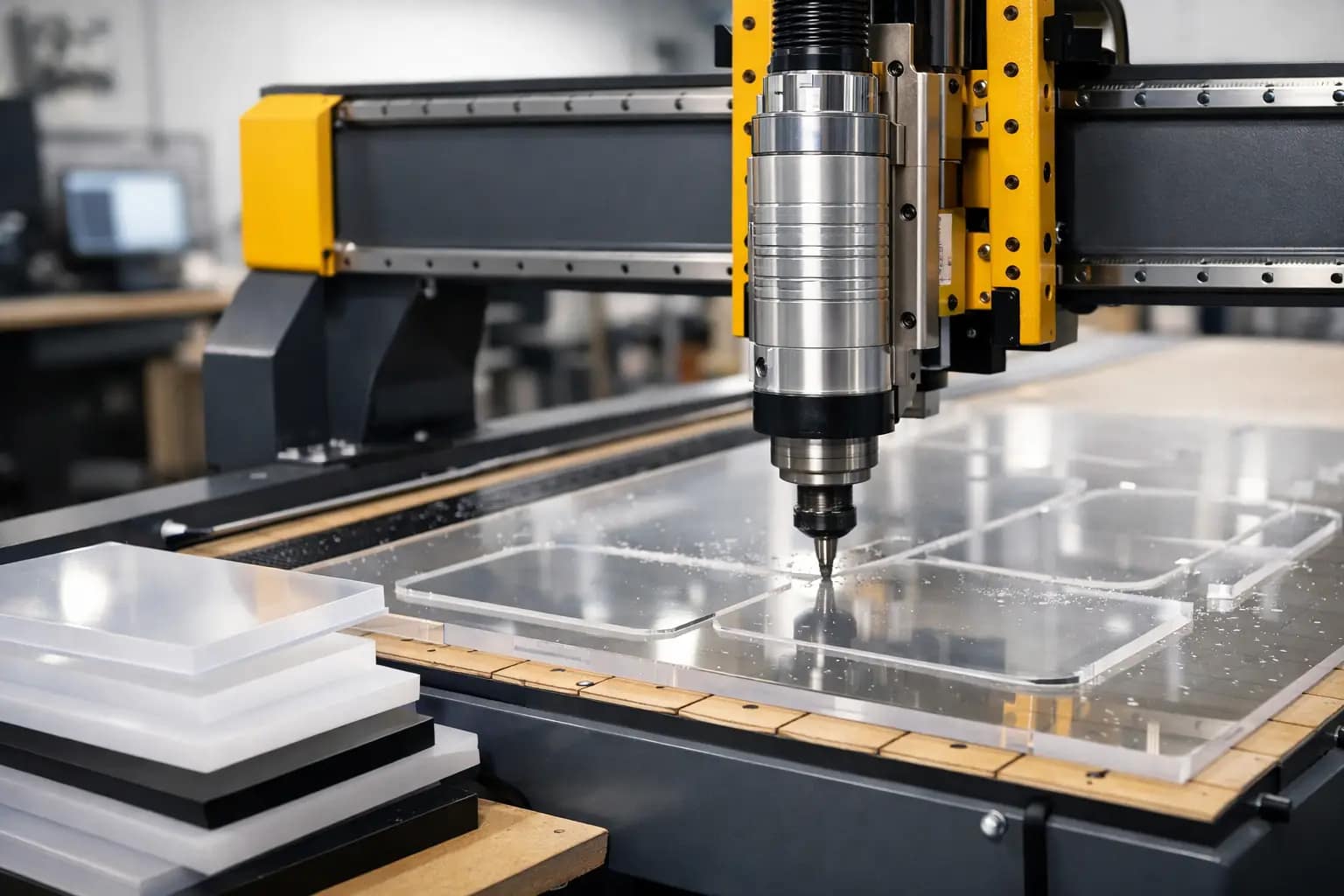
If you are cutting acrylic one day, PVC the next and HDPE after that, the wrong machine setup will show up fast – melted edges, sheet movement, chipped corners and wasted time. Choosing the right cnc router for plastic sheets is less about headline spindle power and more about how the full system handles heat, chip load, hold-down and repeatability in a real production environment.
Plastic is often treated like an easy material. In practice, it can be one of the more unforgiving jobs on the floor. Unlike timber, many plastics soften quickly if the toolpath, cutter geometry or feed rate is off. Unlike metal, they can flex, lift or mark easily if the vacuum table is not configured properly. That is why machine selection needs to start with the material mix you cut now, the throughput you need, and how much variation your operators are dealing with across each shift.
What matters most in a cnc router for plastic sheets
A good CNC router for plastics is not simply a standard router with a different brochure. It needs the right balance of spindle performance, table design, motion control and software so the machine can cut cleanly without building heat into the sheet.
For most production shops, consistency matters more than theoretical top speed. A rigid frame and stable gantry help maintain edge quality over long runs. Accurate motion control keeps detail clean on letters, pockets and drilled holes. Reliable vacuum hold-down is equally critical, especially when processing full sheets that may have protective film, minor bow, or nested parts with small tabs.
The spindle also needs to suit the work. More power is not always the answer, but stable power delivery across the working range is important. Plastics often require sharp tooling, clean evacuation of chips and feed rates that keep the cutter working rather than rubbing. If the machine cannot maintain those conditions, the finish suffers and tool life drops.
Software deserves more attention than it usually gets. Nesting, lead-ins, ramping, cutter compensation and workholding strategy all affect cut quality. A machine with strong software integration and support will usually outperform a more impressive-looking machine that leaves your team to sort out the process on their own.
Different plastics, different machining behaviour
Grouping all plastic sheets together is where many buying decisions go wrong. Acrylic, polycarbonate, ACM, PVC, UHMWPE and HDPE all behave differently under the tool.
Acrylic can produce an excellent finish, but it is sensitive to heat. Too little feed or a dull cutter will quickly create melting or cloudy edges. Polycarbonate is tougher and less brittle, but it can burr if tooling and speeds are not right. HDPE and UHMWPE machine well in many cases, yet they can move if the sheet is not held securely, particularly on thinner stock or when smaller parts are nested close together.
Expanded PVC is common in sign and display work, but it marks more easily than some operators expect. Aluminium composite material introduces another variable because you are cutting a layered sheet, not a single homogeneous material. If your workshop runs more than one plastic type, the machine and control strategy need to cope with that variation without turning every material change into a trial-and-error exercise.
This is where honest advice matters. There is no single perfect specification for every shop. The best choice depends on what you cut most often, how critical the finish is, whether you are finishing by hand afterwards, and how much downtime your schedule can tolerate.
Table design and hold-down are not side issues
When buyers compare machines, they often focus on spindle size, travel and price first. For plastic sheet processing, table design should be much higher on the list.
A properly designed vacuum table can be the difference between smooth throughput and constant operator intervention. Full-sheet processing, nested small parts and thin flexible materials all place different demands on hold-down. If zoning is poor or airflow is not managed well, parts can shift, chatter or lift during the cut. That affects accuracy, edge finish and safety.
Spoilboard management also matters. Vacuum performance is only as good as the condition of the board and the way it is surfaced and maintained. Shops that process a high mix of sheet sizes benefit from a table layout that allows practical zoning rather than forcing operators into awkward workarounds. If your jobs include small components, it is also worth considering how the machine handles onion skinning, tabbing or alternative hold-down methods where vacuum alone is not enough.
Tooling, feeds and heat control
A cnc router for plastic sheets lives or dies on process control. The machine is only one part of the result.
Single-flute and O-flute cutters are commonly used because they evacuate chips well and help reduce heat build-up, but the correct choice still depends on the material and the finish required. The real objective is simple: cut chips, do not rub the plastic. Once the cutter starts rubbing, heat rises quickly and the quality falls away.
That is why feed rate, spindle speed and depth of cut need to be treated as a matched set. Slowing the machine down is not always safer. In plastics, running too slowly can create more heat than running faster with the right chip load. Good machine control helps, but operator confidence and support are just as important. Your team needs proven cutting data and local backup when a new material or part design changes the job.
Mist cooling or air blast may also be worth considering depending on the application. Not every plastic job needs extra cooling, but in some production settings it can improve chip evacuation and surface finish. The right answer depends on material type, thickness, finish expectations and downstream cleaning requirements.
Buying for production, not just for the quote
A machine that looks competitive on paper can become expensive if it creates bottlenecks, rejects or support delays. For Australian manufacturers, one of the biggest practical questions is what happens after installation.
If a drive fault appears, if your vacuum performance drops, or if a new plastic grade behaves differently from the last one, you need support that understands the machine and the process. That is very different from dealing with a seller who can provide a brochure but not much else. Local engineering knowledge, installation experience and direct technical backup reduce downtime and shorten the learning curve for your operators.
It is also worth looking at the machine as part of a broader workflow. Are sheets loaded manually or with assist systems? Does the router need to integrate with existing CAD or production software? Are you batch processing repeat jobs or handling one-off custom work? The right answer for a signmaker can be different from the right answer for an industrial plastics processor or a fabrication shop producing machine guards and components.
At ART CNC, that practical fit is the conversation worth having. The right machine is the one that matches your material, throughput and support expectations – not the one with the most inflated claim sheet.
When a standard configuration is not enough
Some workshops can run efficiently on a straightforward flatbed router configuration. Others need more tailored options. Larger sheet sizes, heavier stock, frequent tool changes, dust extraction requirements and tighter tolerance work can all justify a more application-specific setup.
Automatic tool changing is a good example. If your work shifts between cutting, drilling, chamfering and engraving, it can save significant time and reduce operator handling. If your jobs are repetitive and use one tool most of the day, it may be less critical. The same applies to bed size. A larger bed offers flexibility, but only if it suits your material flow and floor space.
That is why the buying process should be consultative. A proper discussion looks at your current jobs, future growth, operator capability and service expectations. It should also include trade-offs. A faster machine may need stronger extraction and better workholding discipline. A more advanced configuration may improve output but require training and process standardisation to get the full benefit.
The real test of a CNC router for plastic sheets
The real test is not whether a machine can cut plastic in a demonstration. It is whether it can cut your plastic sheets all week, at the quality your customers expect, without constant adjustment and unplanned downtime.
That means asking better questions before you buy. What plastics are you processing most often? What thickness range matters? How many sheets move through the workshop in a shift? Are you chasing edge finish, throughput, flexibility or all three? And when something needs attention, who actually answers the phone and understands the machine well enough to help?
If those questions are answered properly, the machine decision becomes clearer. You are not just buying a router. You are investing in a process that needs to stay productive, predictable and supportable over the long term. Get that part right, and the machine becomes a profit centre rather than another source of workshop friction.
The smartest buying decision is usually the one that looks past the sales pitch and focuses on how the machine will behave on your floor, with your materials, under your production pressure.
How Does CNC Plasma Cutting Work?.

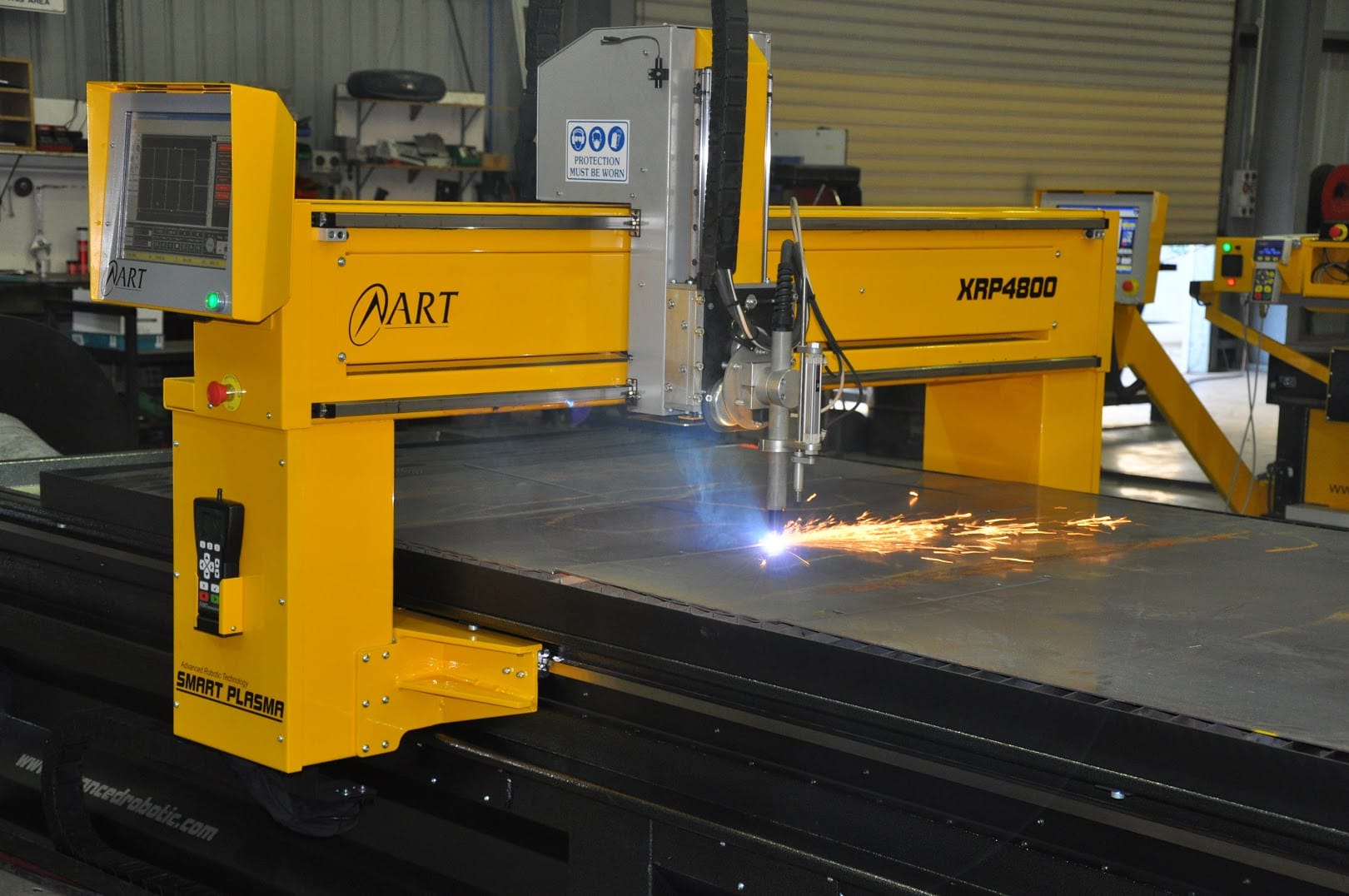
Choosing a CNC Plasma Cutter for Fabrication.

If your workshop is still losing time to manual marking, repeated handling and inconsistent cut quality, a cnc plasma cutter for fabrication is not a luxury purchase – it is often the point where production starts to move properly. The real question is not whether CNC plasma can cut steel quickly. It can. The question is whether the machine, software and support behind it are right for the way your business actually works.
That matters because fabrication businesses do not buy machinery for theory. They buy it to get plates processed faster, reduce rework, keep labour focused on value-adding tasks and stop bottlenecks from building up between quoting, cutting and assembly. A well-matched CNC plasma system can do all of that. A poorly matched one can create a different set of problems.
What a CNC plasma cutter for fabrication should actually solve
In most fabrication shops, the pressure points are predictable. Jobs need to move faster, material costs need tighter control and skilled staff should not be tied up doing repetitive work that software and automation can handle better. A CNC plasma cutter steps into that gap by combining programmed motion, nesting software and high-speed thermal cutting into a process that is far more repeatable than manual methods.
For many Australian workshops, the biggest gain is not just speed. It is consistency. Parts fit the first time more often, prep time drops and quoting becomes more reliable because you have a better grip on cycle time and material usage. If you are cutting brackets, base plates, gussets, structural components or production runs of repeated parts, that consistency flows through the whole job.
Still, not every fabrication business needs the same machine. A shop cutting mild steel plate all day has very different requirements from one doing mixed work across aluminium, stainless and heavier sections. That is why machine selection should start with your workload, not the brochure.
The main factors that shape the right machine
Table size is usually one of the first decisions, and it affects more than floor space. It shapes how efficiently you can process standard sheet and plate sizes, how often you need to reposition material and whether the machine can keep pace with your incoming work. Buying too small can limit output from day one. Buying too large without a clear need can tie up capital and workshop space unnecessarily.
Power source choice is just as important. It influences cut thickness, edge quality, piercing performance and running cost. Higher output systems open the door to heavier plate and faster production, but that does not automatically make them the best fit. If most of your work sits in lighter material ranges, overspecifying the power source may not improve your margins.
Drive system, gantry design and overall machine build also matter more than many buyers expect. In fabrication, the machine has to cope with real workshop conditions – dust, heat, long shifts and constant loading. Rigidity, motion accuracy and electrical reliability are not glamorous selling points, but they affect cut quality and downtime every week.
Then there is extraction and fume control. This tends to be treated as a secondary issue until installation starts. It should be part of the initial planning because it affects operator safety, compliance and workshop cleanliness. Water tables and downdraught extraction each have their place, and the better option depends on your material mix, facility layout and production volumes.
Software is where productivity is won or lost
A CNC plasma cutter for fabrication is only as useful as the software feeding it. If programming is clunky, nesting is inefficient or operators have to work around the system, the machine will never deliver its full value.
Good software shortens the path from drawing to cut part. It should make part import, nesting, lead-in setup, material libraries and job management straightforward. In a busy workshop, ease of use matters because programming often sits alongside quoting, scheduling and production pressure. Complex software may look capable on paper, but if it slows down the team, it becomes a hidden cost.
Integration also deserves a close look. Some businesses need simple standalone programming. Others need software that supports repeat jobs, stock tracking or smoother handover between office and workshop. There is no single best setup for every fabricator, but there is a best setup for your process.
Training matters here too. Even strong operators need proper onboarding if you want consistent results. Machines do not create efficiency by themselves. Clear software workflows, sensible post-installation support and practical training are what turn equipment into output.
Cut quality, speed and cost – the trade-off is real
Every buyer wants fast cutting, clean edges and low running cost. In practice, those outcomes need to be balanced. The right configuration depends on what you make, what tolerances you need and how much secondary finishing your jobs can absorb.
For many fabrication applications, plasma offers an excellent mix of speed and cost-effectiveness, especially in mild steel and general plate processing. It is often the practical choice where throughput matters and where parts do not require the finer edge detail of other cutting processes. That is why plasma remains a strong production tool across structural, general engineering and industrial fabrication work.
But this is where honest advice matters. If your workload demands extremely fine detail, very thin material performance or minimal heat-affected edge on certain jobs, another process may suit part of your operation better. The right supplier should tell you that. Pushing one machine at every application is not technical guidance. It is just sales.
Support matters more than buyers think
Most machine problems are manageable. What hurts businesses is waiting. Waiting for a diagnosis, waiting for parts, waiting for someone who understands the machine and waiting while work piles up around a production bottleneck.
That is why after-sales support should be part of the buying decision, not an afterthought. When you invest in a CNC plasma system, you are also investing in the quality of installation, operator training, troubleshooting, servicing and spare parts access that comes with it. If support is slow or indirect, downtime becomes more expensive than the original purchase price ever suggested.
Australian fabrication businesses generally understand this well. Local support, direct technical access and fast response are not marketing extras. They are operational safeguards. ART CNC is built around that model – designing, building, programming and supporting the systems it supplies – and that matters because accountability stays with the people who know the machine properly.
Questions worth asking before you buy
A supplier should be able to talk clearly about your material range, daily throughput, future growth and the kind of cut quality your customers expect. If those conversations stay vague, the recommendation probably is too.
Ask how the machine is configured for your work, what software is included, how training is delivered and what local service support looks like after commissioning. Ask about consumable management, common wear items and realistic running costs. Ask what happens if the machine stops on a busy week. Straight answers to those questions usually tell you more than polished sales material.
It also helps to think beyond current jobs. Many fabricators buy based on today’s workload, then outgrow the machine sooner than expected. Growth does not always mean buying the biggest system available, but it does mean considering whether the machine can support longer shifts, larger sheets, more demanding nesting or broader material capability as the business expands.
Making the investment pay off
A CNC plasma cutter earns its place when it reduces friction across the workshop. That might mean faster turnaround on urgent jobs, less scrap from poor layout, cleaner part fit-up in fabrication or less dependence on manual cutting skills that are hard to replace. The strongest returns usually come from a combination of gains rather than one dramatic improvement.
Implementation plays a big part. Shops that plan material flow, operator training, job programming and maintenance routines from the start usually see better results than those that treat the machine as a standalone purchase. The equipment should fit into your quoting, scheduling and production process, not sit beside it.
For fabrication businesses weighing up the next step, the smartest move is usually not chasing the most features. It is choosing a machine that matches your workload, your standards and your support expectations, then backing it with people who will still answer the phone when the job is urgent and the table needs to keep cutting.
Who Makes CNC Machines in Australia?.
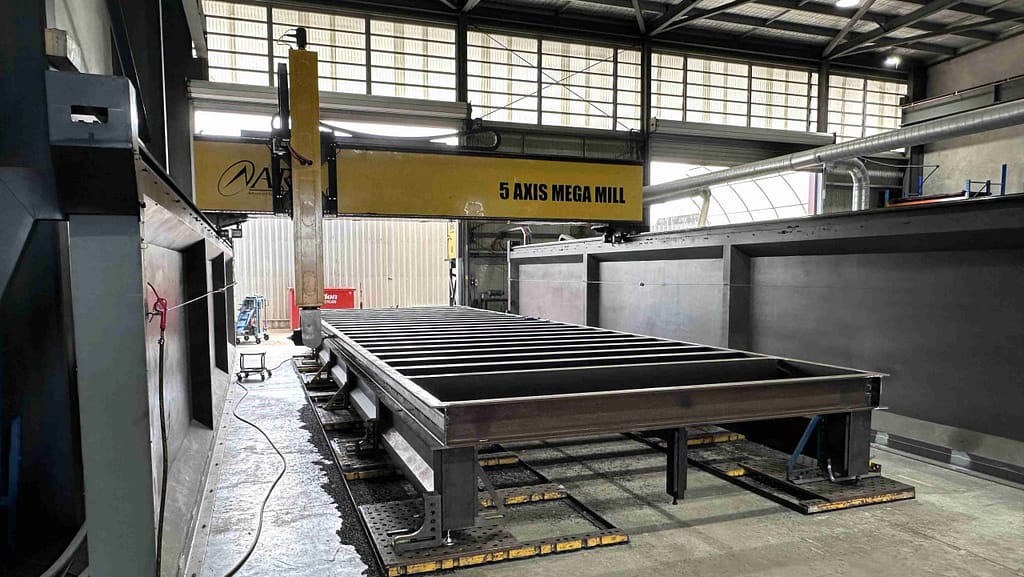
What Is the Best CNC Machine Brand?.
If you are asking what is the best CNC machine brand, you are probably not looking for a logo to put on the workshop wall. You are trying to avoid downtime, missed delivery dates, wasted material and the sort of support delays that leave a machine sitting idle while jobs pile up.
That is why the honest answer is this – the best CNC machine brand is the one that fits your process, handles your workload reliably and backs you up properly after installation. Brand matters, but only when it shows up where it counts: cut quality, machine stability, software usability, parts availability and real technical support when production is under pressure.
What is the best CNC machine brand really asking?
Most buyers frame the question around reputation. In practice, they are asking a different set of questions. Will this machine do the work we need today and still suit us in three to five years? If something goes wrong, who answers the phone? How quickly can parts, service and software help be provided? Can the system be configured to our material range, throughput targets and operator skill level?
For a fabrication shop, cabinetmaker, plastics processor or engineering business, the wrong machine is rarely wrong because of one dramatic flaw. It is usually wrong because the overall fit was off from the start. The cutting process was not suited to the material mix. The table size did not match sheet handling. The control software slowed training. The support model relied on third parties. Small mismatches become expensive once the machine is on the floor.
That is why comparing brands on headline specifications alone is risky. A brochure can make almost any machine look impressive. What matters is how the machine performs in your actual production environment.
The best CNC brand depends on the process
A good brand in one category may not be the best choice in another. CNC plasma, CNC router and CNC fibre laser systems solve different production problems, and each needs to be assessed on its own merits.
If you are cutting mild steel plate in a fabrication environment, plasma may give you the best balance of speed, operating cost and versatility. If you are processing timber, composites, plastics or aluminium sheet, a router setup needs to be judged on spindle performance, hold-down, bed design and software flow. If your priority is high-speed precision cutting in thin to medium metals with minimal secondary processing, a fibre laser may be the stronger fit.
So when someone asks what is the best CNC machine brand, the first technical question should be: best for which material, thickness range, production volume and finish requirement? Without that, any answer is guesswork.
What separates a strong CNC machine brand from an average one
The first separator is engineering quality. A machine needs a solid frame, dependable motion components, consistent torch or head control, stable electronics and well-integrated software. That sounds obvious, but the real test is repeatability over time. A machine that cuts well in a demo but drifts in accuracy or becomes difficult to maintain under workshop conditions will cost more than it saves.
The second separator is application knowledge. Good brands do not just sell a machine. They understand cutting processes, nesting, consumable performance, material behaviour and production flow. They can tell you where plasma is the right answer, where routering makes more sense, and where a fibre laser will deliver a better result. If every conversation ends with the same machine recommendation regardless of your work, that is a warning sign.
The third separator is support. This is where many buying decisions are won or lost after the invoice is paid. Local service access, parts availability, software assistance, commissioning, operator training and troubleshooting matter far more than marketing claims. A machine with strong support often outperforms a technically similar machine with weak backup, simply because downtime gets resolved faster.
For Australian buyers, local support is not a side issue
Australian manufacturers and workshops operate differently from large overseas plants with in-house engineering teams on every shift. Many local businesses need equipment that is reliable, straightforward to run and backed by people who can respond quickly when production is at risk.
That is why the best CNC machine brand for an Australian buyer is often the one with direct local knowledge and support capability, not just international name recognition. Time zones matter. Spare parts access matters. So does dealing with people who understand Australian operating conditions, compliance expectations and the practical realities of local manufacturing.
There is also a big difference between buying from a reseller and buying from a company that actually designs, builds, programs and supports the equipment it supplies. Direct technical ownership usually means clearer advice, faster fault finding and less finger-pointing when something needs attention.
How to judge a CNC brand before you buy
Start with your own work, not the brand story. Look at the materials you cut most often, your thickness range, required edge quality, daily throughput and whether your bottleneck is speed, labour, accuracy or secondary finishing. The right brand should be able to discuss these factors in detail and explain the trade-offs clearly.
Ask how the machine will be configured for your operation. That includes table size, extraction or fume control, power requirements, software workflow, nesting, consumables, automation options and future upgrade paths. If the machine is presented as a one-size-fits-all answer, you are probably not getting proper advice.
Then test the support model. Who installs the machine? Who trains operators? Who provides software help? Who carries parts? How are service calls handled? What is the expected response time? These are not awkward questions. They are central to the buying decision.
It is also worth asking what the brand does after commissioning. The reality is that many production gains happen once operators are using the machine daily and start refining settings, nesting and job flow. Ongoing support turns a good machine into a profitable one.
Price matters, but whole-of-life value matters more
A lower upfront price can look attractive until downtime, inconsistent cut quality or poor support starts affecting the workshop. Lost production time, scrap, extra labour and delayed deliveries quickly wipe out any initial saving.
The better question is not simply what the machine costs to buy. It is what the machine costs to own and run over time. Consumables, serviceability, software efficiency, maintenance access, training and uptime all shape real return on investment.
This is where experienced buyers look past headline numbers. A machine that is correctly specified, properly installed and backed by responsive support will usually deliver stronger long-term value than a machine that looked cheaper on day one.
So, what is the best CNC machine brand?
The straight answer is that there is no single best brand for every workshop. There is only the best-fit brand for your application, workload and support requirements.
If a brand offers well-engineered machines, understands your process, configures the system around your production goals and stands behind it with direct support, it deserves serious consideration. If it relies on generic sales claims, vague service promises or pushes a machine that does not match your work, it does not matter how well known the name is.
For Australian businesses, the strongest choice is often a supplier that combines machine design knowledge, process advice, installation, software integration and after-sales support in one place. That usually leads to fewer surprises and better productivity once the machine is earning its keep. ART CNC has built its reputation around exactly that approach – practical guidance, tailored systems and direct local support that keeps production moving.
A good CNC machine should do more than cut material. It should remove bottlenecks, improve consistency and give your team confidence that the machine will perform when deadlines are tight. That is the standard worth buying to.
Are Chinese CNC Machines Any Good?.
A cheap machine looks very different at 4 pm on a Friday when production has stopped and nobody can tell you why. That is usually the real context behind the question, are Chinese CNC machines any good? For an Australian workshop, the answer is not a simple yes or no. Some are good, some are poor, and plenty sit in the messy middle where the purchase price looks attractive but the long-term cost tells a different story.
The first thing to get clear is that “Chinese CNC machines” is not one category. China produces everything from low-cost entry-level machines built to hit a price point through to well-specified equipment made in serious factories with decent controls, components and assembly standards. Treating all of it as rubbish is lazy. Treating all of it as a bargain is just as risky.
Are Chinese CNC Machines Any Good for Australian Workshops?
They can be, if the machine suits the job, the supplier is credible, and the support structure is real. That last point matters more than many buyers expect. A CNC machine is not just steel, motors and a control cabinet. It is also software setup, installation quality, post-sale training, spare parts access, troubleshooting and how quickly you can get back into production when something goes wrong.
A shop cutting occasional low-volume jobs may tolerate a few quirks if the machine was bought cheaply enough. A fabrication business running tight lead times and booked-out capacity usually cannot. If a breakdown leaves your operator standing around, your jobs late and your customers chasing updates, the purchase price stops being the main number that matters.
This is where buyers often get caught. They compare quoted machine prices line by line, but they do not compare response time, commissioning quality, control familiarity, parts availability or whether anyone local actually answers the phone.
Where Chinese CNC Machines Often Stack Up Well
The obvious advantage is price. Many imported machines come in significantly below Australian-built or European alternatives, and for some businesses that opens the door to automation sooner than would otherwise be possible. If the machine is being used for lighter-duty work, less complex production or lower utilisation, that can be enough to make the numbers work.
There are also Chinese manufacturers producing capable machines with known control systems, respectable linear motion components and acceptable cut quality. In router, plasma and laser categories, the gap between the cheapest end of the market and the better import offerings is huge. A well-specified machine from a serious manufacturer is not the same thing as a container-load special sold by someone with little technical depth.
Another reason some buyers do well with imported equipment is internal capability. If you have experienced maintenance staff, a strong electrician, control knowledge in-house and the patience to work through setup issues, you can absorb some of the rough edges. A workshop with its own technical bench strength has more room to take on risk than one relying entirely on outside support.
Where the Problems Usually Start
The weak point is rarely the brochure. It is everything around the machine.
Build consistency can vary. Two machines that look identical on paper may arrive with different wiring quality, fit-out standards, calibration accuracy or documentation. Components may be substituted between production runs. Software can be poorly translated, awkward to use or difficult to integrate into an existing workflow. None of these issues are always present, but they show up often enough to deserve serious attention.
Then there is after-sales support. Some importers are little more than sales desks. They can get a machine landed and invoiced, but installation, training and fault diagnosis become your problem the moment things get technical. Time zones, language barriers and spare parts delays turn a routine issue into days or weeks of downtime.
Consumables and replacement parts also matter more than many buyers expect. A machine can be mechanically sound, but if a failed drive, torch height control board or laser component takes too long to replace, production suffers just the same. Support is not a marketing extra. It is part of the machine.
The Better Question Is About Risk, Not Origin
Country of origin matters less than engineering standard, supplier capability and lifecycle support. There are poor machines built everywhere. There are also excellent machines built in countries that buyers dismiss too quickly.
What Australian businesses need to assess is risk across the full ownership period. How likely is the machine to hold tolerance, maintain cut quality and run consistently under your workload? How fast can faults be diagnosed? Who installs it? Who trains your staff? Who carries parts? Who can log in remotely, and who can physically get to site if remote support does not solve it?
If those answers are vague, the machine is higher risk no matter how attractive the quote looks.
How to Judge Whether a Chinese CNC Machine Is Any Good
Start with the supplier, not just the machine. Ask who engineered the package, who commissioned it locally and who supports the control, software and mechanics after handover. If the seller cannot explain the machine in practical workshop terms, that is a warning sign.
Look closely at the component stack. What control system is fitted? What drives, motors, linear rails, rack, spindle, source or torch package are being used? Are they recognised components with local availability, or obscure parts that could become a headache later? A machine is only as serviceable as the ecosystem around it.
Then ask how the machine performs in conditions similar to yours. Material type, thickness range, production volume, shift pattern and dust or heat exposure all affect suitability. A machine that works acceptably in light use may struggle in a busy fabrication environment.
Finally, get specific about support. Not “yes, we support it”, but how. Is there phone support in Australian hours? Remote access? On-site technicians? Spare parts in Australia? Preventive servicing? Operator training beyond basic handover? Good suppliers answer these questions clearly and without spin.
Price Matters – But Cost of Ownership Matters More
A low entry price can still be the right move if the machine genuinely fits the workload and the support model is sound. But buyers should calculate more than finance repayments.
Factor in commissioning, software compatibility, operator learning time, maintenance burden, expected uptime and the cost of delayed jobs. One major breakdown during a busy month can wipe out a lot of the initial saving. On the other hand, paying more for a machine with proper local support can be cheaper over five years if it protects throughput and reduces downtime.
This is especially true for businesses that do not have spare capacity. If your machine stops and there is no backup process, every hour counts. Workshops often focus on what the machine costs to buy and underestimate what it costs when it cannot earn.
When an Imported Machine Can Be the Right Choice
If your workload is lighter, your budget is tight, and you have realistic expectations, an imported Chinese CNC machine may be a sensible starting point. It can also make sense for secondary operations, overflow work or less demanding applications where absolute top-end performance is not essential.
It may also suit businesses that have strong technical capability in-house and are comfortable taking a more active role in maintenance and problem-solving. In that setting, the lower purchase price can outweigh the added management burden.
The key is buying with your eyes open. If you are accepting more risk to hit a lower price point, that should be a conscious decision rather than an unpleasant surprise six months later.
When Local Engineering and Support Become Worth It
For many Australian manufacturers, the real requirement is not simply a machine that can cut. It is a machine that keeps cutting, backed by people who understand the process, know the software and can respond quickly when production is under pressure.
That is where locally engineered and supported equipment starts to separate itself. You are not only buying hardware. You are buying machine configuration that suits your work, better installation standards, direct access to technical help and a shorter path to a solution when something goes wrong. For high-use workshops, that often carries more value than the saving on day one.
This is also why businesses often choose to talk with companies like ART CNC. Not because every imported machine is bad, but because honest advice, tailored configuration and direct support reduce the chance of buying the wrong thing.
A good CNC machine is the one that fits your production, your staff and your tolerance for risk. If you are comparing options, stop asking where it was built as your first question. Ask who will stand behind it when your workshop needs answers quickly.
CNC Machine Manufacturers in Australia.
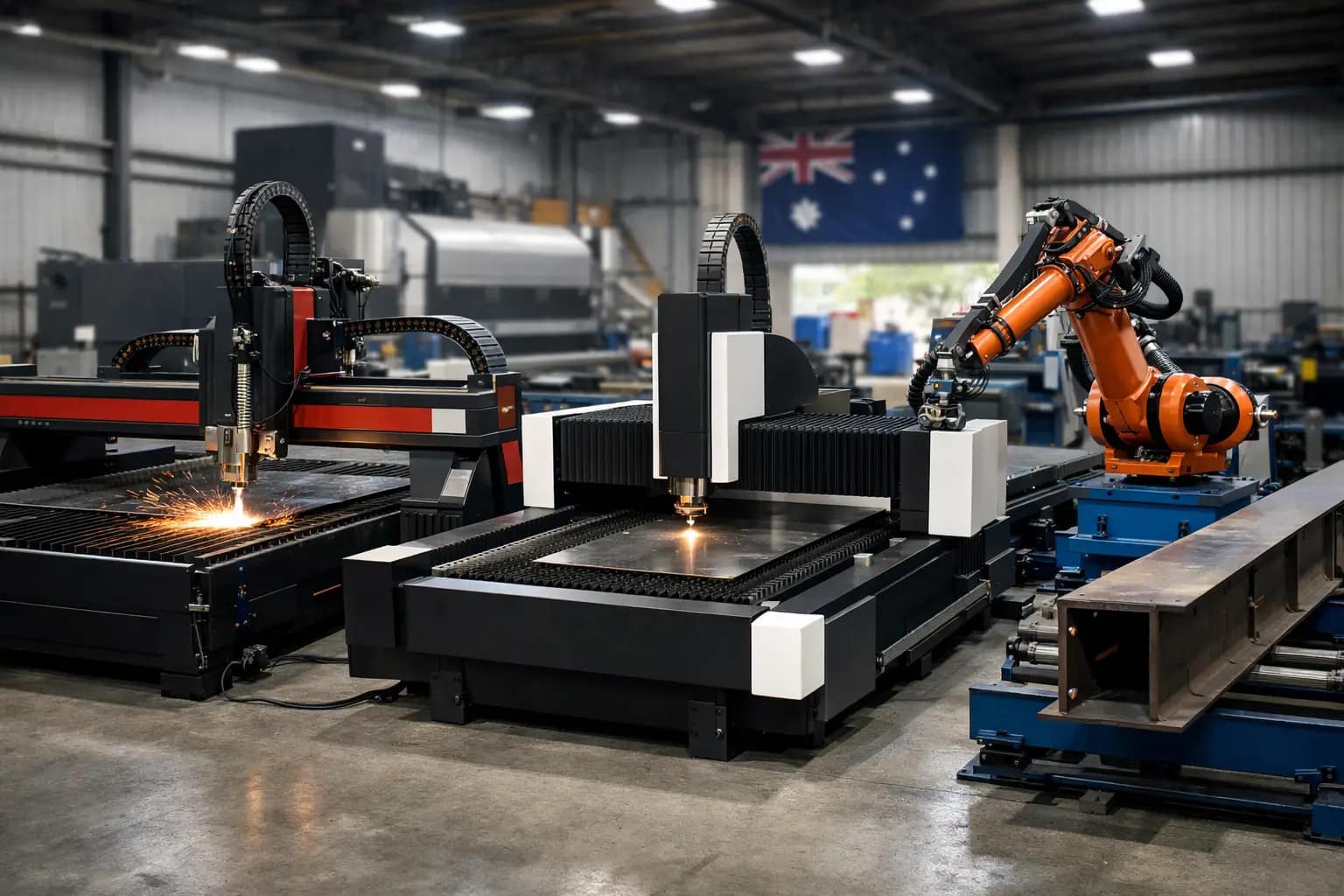
If you are comparing CNC machine manufacturers in Australia, the real question is not who has the biggest catalogue or the flashiest brochure. It is who can supply the right machine for your production, stand behind it when something goes wrong, and help you keep the workshop moving when downtime starts costing real money.
That matters because CNC buying decisions are rarely just about capital cost. A plasma cutter, router or fibre laser can improve throughput, reduce labour pressure and tighten quality control, but only if the machine suits your material, your workload and your operators. If it is overspecified, you pay for capability you will never use. If it is underspecified, you end up fighting bottlenecks, poor cut quality and service issues from day one.
What separates CNC machine manufacturers in Australia
Not every supplier in the market is actually a manufacturer. Some businesses design and build equipment locally. Some import complete systems. Others resell machines from overseas brands and add installation or limited support. None of those models is automatically wrong, but they are not equal when you need advice, parts or technical backup.
A genuine Australian manufacturer usually has a stronger handle on machine design, software integration and application fit. They are closer to the engineering decisions that affect performance. That tends to matter when your job is not standard, your material mix changes, or your production flow needs a tailored setup rather than an off-the-shelf package.
Local manufacturing also changes the support equation. When the team selling the machine is the same team involved in designing, building, programming or commissioning it, problems are usually diagnosed faster and resolved with fewer handballs. You are not stuck between a reseller, a freight delay and an overseas factory timetable.
For many Australian workshops, that is the real dividing line. It is not simply where the frame is welded or where the control system originated. It is whether the business you buy from can take responsibility for the full machine lifecycle.
The questions serious buyers should ask
Before comparing brands, be clear on your own process. A machine that suits a structural steel fabricator may be the wrong fit for a sign shop or cabinetmaker. Even within metal fabrication, plate thickness, duty cycle, nesting requirements and production targets can push you towards very different solutions.
Start with material type and volume. Mild steel, stainless, aluminium, composites, timber and plastics all place different demands on cutting technology. Then look at throughput. Are you cutting occasional one-offs, or are you running repeat jobs where speed, software automation and handling efficiency make a major difference to margin?
Support should be part of the buying criteria, not an afterthought. Ask who installs the machine, who trains the operators, who carries the parts, and who answers the phone when the machine stops on a Thursday afternoon. A sharp purchase price can lose its appeal quickly if every service issue turns into a wait.
It is also worth asking how honest the supplier is about process fit. A good manufacturer or technical partner should be prepared to tell you when plasma is more sensible than laser, when a router is the better option than forcing another process to do the job, or when a used machine may suit your business stage better than buying new.
Choosing the right process, not just the right brand
The market often treats CNC as one category, but the process matters just as much as the manufacturer. If you are cutting conductive metals at speed and want a practical balance between capability and investment, CNC plasma can be the right answer. If you need finer detail, cleaner edges and stronger performance on thin sheet, fibre laser may be a better fit. If you are working with timber, plastics, ACM or non-ferrous sheet in a cabinetmaking or signmaking environment, a CNC router makes far more sense.
That sounds straightforward, but many buying mistakes happen in the grey areas. Some businesses buy for the jobs they hope to win rather than the jobs they do every week. Others focus on cut quality without considering operating cost, consumables, extraction, software workflow or operator skill level.
A capable manufacturer should walk you through those trade-offs plainly. Faster is not always better if your bottleneck is loading and unloading. Higher precision is not always worth the extra capital if your downstream process does not require it. The right machine is the one that improves the full production chain, not just one metric on a spec sheet.
Why local support often outweighs sticker price
Australian workshops do not make money from machine ownership. They make money from output. That is why after-sales support deserves more weight than many buyers give it.
When a CNC system goes down, the cost is not limited to a repair invoice. It can mean missed delivery dates, idle staff, interrupted installation schedules and pressure on every other part of the workshop. If replacement parts are hard to source or technical support is filtered through multiple parties, downtime stretches out.
This is where local manufacturers and true technical suppliers usually stand apart. They can often provide quicker fault finding, better application support and more direct access to the people who understand the machine architecture. That can be the difference between a short interruption and a week of production headaches.
For that reason, ask practical questions. How quickly are service calls handled? Are spare parts stocked locally? Is training included? Can software support be provided remotely? Will the same business that sold the machine still be supporting it years later?
Customisation matters more than many buyers expect
A lot of workshops do not need a fully bespoke machine, but very few need a completely generic one either. Table size, bed configuration, power source, extraction setup, drilling or marking options, automation level and software workflow all affect how well the machine fits the job.
That is another reason to look closely at CNC machine manufacturers in Australia rather than only comparing imported stock models. A manufacturer with in-house engineering capability can usually adapt configuration more effectively to suit your floor space, production style and material profile. The result is often a machine that performs better in the real world, not just on paper.
Customisation does not have to mean complexity. Sometimes it is as simple as matching the right software package to your operator experience, integrating with existing workflow, or setting up the machine so loading and unloading is safer and faster. The point is that machine selection should reflect how your business actually works.
What a strong manufacturer relationship looks like
The best supplier relationships are practical and long term. They start with clear advice, realistic lead times and proper commissioning. They continue with operator training, software help, servicing, consumables access and technical support that does not disappear after handover.
That is the standard many buyers are now looking for. They do not just want a machine dropped on the floor and switched on. They want a supplier who understands that production environments change, staff change, job mix changes and machine support needs to keep up.
This is where a company such as ART CNC fits a different category from a basic reseller model. When the business designs, builds, programs, installs and supports the equipment it sells, the conversation stays grounded in production outcomes. That gives buyers a clearer path from initial enquiry to long-term operation.
How to compare suppliers without wasting time
A sensible shortlist is usually built on four things: process fit, support capability, machine quality and commercial reality. If one supplier cannot clearly explain why a machine suits your work, move on. If another has no local service structure, treat that as a serious risk. If the cheapest option comes with vague answers around parts, training or software, it may not be the cheapest for long.
It also helps to judge how the supplier communicates. Straight answers are a good sign. So is a willingness to discuss limitations, duty cycle, operating cost and maintenance honestly. Buyers in fabrication and manufacturing usually do not need a sales pitch. They need someone who understands production pressure and can recommend equipment accordingly.
There is no single best choice for every workshop. A smaller business may benefit from a simpler system with strong local backup. A high-volume operation may need a more advanced setup with automation and deeper software integration. The right manufacturer is the one that can match those needs properly and support the machine once it is earning its keep.
If you are weighing up CNC options, look past the headline price and ask who will still be useful to your business after installation day. That answer usually tells you more than the brochure ever will.
Why Australian Made CNC Machines Matter.

A machine looks good on the showroom floor when everything is clean, quiet and running to script. The real test starts when production is stacked up, a deadline is tight, and you need answers fast. That is where Australian-made CNC machines stand apart. For many Australian workshops, the value is not only in the machine itself – it is in the engineering behind it, the support after installation, and the speed of getting the right help when something needs attention.
For fabrication shops, cabinetmakers, sign businesses, metal processors and general manufacturers, buying CNC equipment is not a simple box-ticking exercise. The machine has to suit your material, your job mix, your operators and your production targets. It also needs to keep earning long after the invoice is paid. That is why the conversation around local manufacturing matters.
What Australian-made CNC machines really give you
The strongest argument for buying local is not patriotism. It is practicality. If a machine is designed and built here, there is usually a much better chance the people selling it understand local operating conditions, local compliance expectations and the day-to-day pressures Australian businesses are working under.
That changes the buying process in a meaningful way. Instead of being sold a standard machine that more or less fits, you are more likely to get a configuration built around your workload. That might mean the right table size, more suitable extraction, software that matches operator skill level, or a cutting process chosen for actual production efficiency rather than brochure claims.
It also changes what happens after installation. When support is local, downtime is easier to manage. Phone support is in your time zone. Spare parts are easier to source. Service technicians are not trying to troubleshoot from the other side of the world. For a workshop running to schedule, that is not a small detail. It can be the difference between a short delay and a week of lost output.
Support is part of the machine
A CNC system is never just steel, motors and software. It is a production asset that relies on setup, training, maintenance and sensible technical advice over time. This is where many buyers get caught. They compare machines on headline specs, then find out later that support is fragmented or slow.
If one business sells the machine, another installs it, a third handles software and someone else supplies parts, accountability gets murky very quickly. When something stops, every hour matters. You do not want a chain of emails explaining why the issue belongs to somebody else.
Australian-made CNC machines often appeal to serious buyers for this reason alone. When the same business designs, builds, programs and supports the equipment, there is a clear line of responsibility. Problems are easier to diagnose because the people helping you understand the machine at a deeper level. Advice tends to be more direct as well. You are more likely to hear what will actually work in your shop, not what helps move stock.
Local design usually means a better fit
Not every workshop needs the biggest machine or the highest advertised speed. In fact, chasing spec sheet numbers can be an expensive mistake. A machine that is oversized, overly complex or poorly matched to your material flow can slow production instead of improving it.
That is one reason local design matters. Australian manufacturers working directly with fabricators and production businesses tend to see the same operational issues again and again – labour constraints, inconsistent throughput, rework, bottlenecks at cutting, and uncertainty about which process suits the work. That feedback loop helps shape better machine design and better recommendations.
A metal fabricator cutting plate all day has different needs from a sign shop processing aluminium composite panel, and both are different again from a cabinetmaking business routing sheet materials. The right CNC solution depends on cut quality, edge finish, material thickness, nesting efficiency, operator capability and expected output. There is no honest one-size-fits-all answer.
The trade-off: local does not automatically mean perfect
It is worth being clear about this. Australian-made does not mean every local machine is better than every imported one. Build quality, engineering standards, control systems, software integration and support capability still vary from supplier to supplier.
Price can vary too. A locally built machine may have a higher upfront cost than a low-cost imported alternative. For some buyers, that will be the first thing they notice. The better question is what that price difference buys you over the life of the machine.
If it buys stronger uptime, faster service response, better training, easier access to parts and more suitable machine configuration, the numbers can shift quickly in your favour. If local support is weak or the machine is poorly matched to your workload, then the badge alone means very little. Buyers still need to assess the supplier, not just the country of manufacture.
How to assess Australian-made CNC machines properly
A sensible buying process starts with your production reality, not the machine catalogue. Look at the materials you cut most often, the thickness range, the volume you run, the level of automation you need and the skills available in your workshop. Be honest about where the bottleneck is. Sometimes the issue is speed. Sometimes it is accuracy. Sometimes it is setup time, software inefficiency or unreliable servicing on older equipment.
From there, ask direct questions. Who engineered the machine? Who installs it? Who provides training? Who handles software issues? Where do spare parts come from? How quickly can technical support respond? If a breakdown happens, what does that support process actually look like?
These are not side questions. They are central to whether the purchase works.
It also helps to ask what can be tailored. A good supplier should be comfortable talking through process selection, extraction, power requirements, software workflow, consumables, maintenance planning and future capacity. If the sales conversation is only about closing quickly, that is a warning sign.
Why downtime risk changes the buying decision
For most workshops, downtime is more expensive than they first estimate. It is not only lost machine hours. It is delayed jobs, idle labour, disrupted scheduling and customer frustration. If your CNC is a key part of production, support capability has a direct bearing on profit.
That is why many buyers now place after-sales support alongside machine performance when comparing options. A fast, accurate cutter is valuable. A fast, accurate cutter backed by direct local technical support is far more valuable.
This is especially true for businesses adopting a new process for the first time. If you are moving into CNC routing, upgrading to fibre laser, or replacing manual cutting with plasma automation, the learning curve matters. Training quality, software setup and operator confidence all affect how quickly the machine starts paying for itself.
Choosing a partner, not just a supplier
The best machine purchases usually come from straightforward technical conversations. What are you cutting? What finish do you need? What volume are you trying to reach? How much floor space is available? What is the realistic budget, and what level of automation will actually deliver a return?
That approach is not flashy, but it works. It gives you a machine that fits the business instead of forcing the business to fit the machine. It also builds a better support relationship over the long term.
That is where companies like ART CNC have a clear advantage when they stay true to that model – designing, building, programming and supporting the systems they sell, while giving practical advice about what will and will not suit the job. For Australian manufacturers, that level of direct accountability is often worth more than a lower sticker price.
Australian-made CNC machines make sense when they are backed by genuine engineering capability, honest process advice and support that shows up when it matters. If you are investing in equipment that your business will rely on every day, that is the standard to measure against.
Industrial CNC Router/Mill Types & Uses..
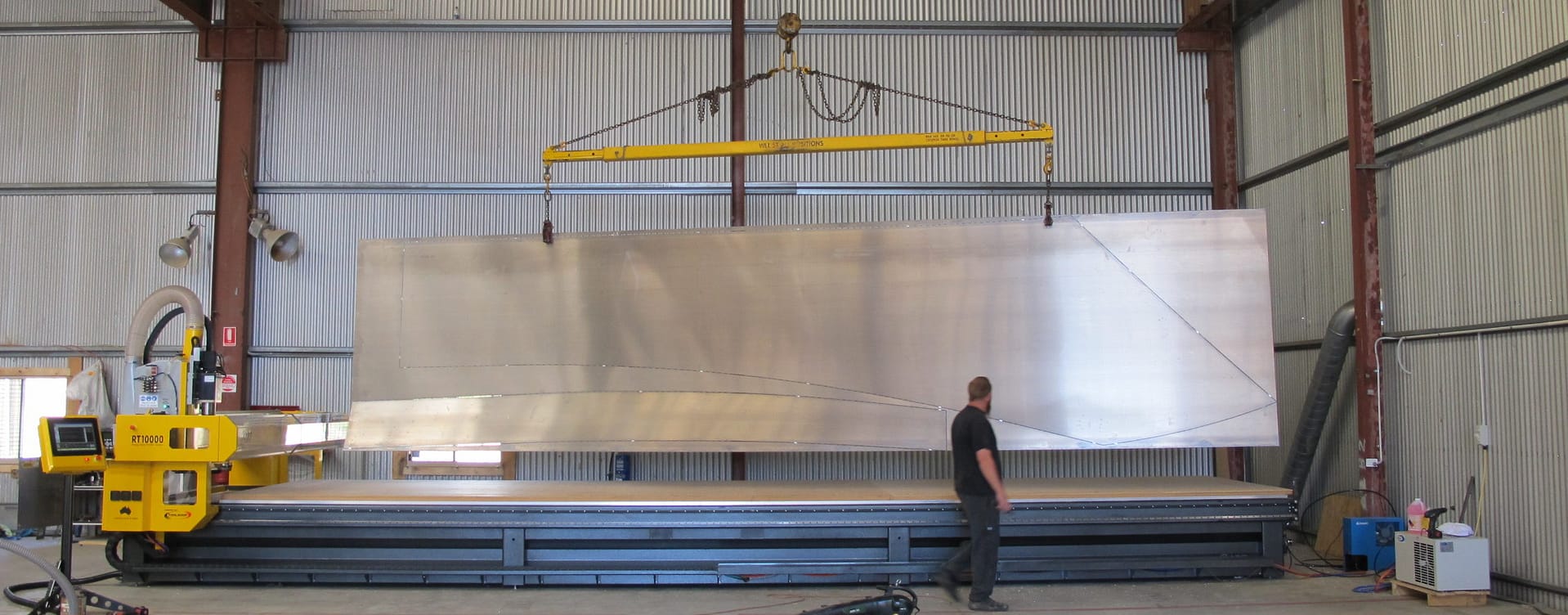
Industrial CNC routers are computer-controlled cutting machines used to cut, shape, and engrave a wide variety of materials. These machines are essential for many industries, including woodworking, plastics, and metal fabrication. They are known for their precision, speed, and versatility, making them valuable assets in any manufacturing facility.
CNC routers use a cutting tool, such as a router bit, to remove material from a workpiece. The tool is mounted on a spindle and is controlled by a computer, which sends instructions to the machine to move the tool in a specific pattern. This allows for highly precise cuts and engravings, as well as the ability to create complex shapes and designs.
Several different types of industrial CNC routers are available, each with unique features and capabilities. Some common types include:
- 3-axis routers: These machines have three axes of motion, allowing them to move in the x, y, and z directions. They are commonly used to cut flat materials like wood or plastic sheets.
- 4-axis routers: These machines have an additional axis of motion, allowing them to rotate the workpiece in addition to the x, y, and z axes. This is useful for cutting and engraving cylindrical objects like pipes or furniture legs.
- 5-axis routers: These machines have two additional axes of motion, allowing them to move in a full range of directions. They are commonly used for cutting and engraving complex shapes, such as aerospace parts or sculptures.
- Flatbed routers: These machines have a flatbed, typically made of aluminium, where the workpiece is secured. They are commonly used for cutting sheet materials.
- Gantry routers: These machines have a gantry structure that holds the cutting tool. They are commonly used for cutting large materials, such as plywood or MDF sheets.
Industrial CNC routers are typically more expensive than hobbyists or entry-level machines, but they offer many advantages for businesses. They are built to handle heavy use and can operate for long periods without needing maintenance. They also come with advanced CNC nesting software that allows for more precise cuts and engravings and the ability to create complex designs.
In conclusion, CNC routers are the backbone of many manufacturing facilities, providing precision and speed in cutting and engraving various materials. They are versatile, durable, and can be adapted to various applications. With the right machine and the right software, you can create anything from simple signs to complex aerospace parts, making CNC routers an essential tool in any industrial setting.
What is a cnc router.
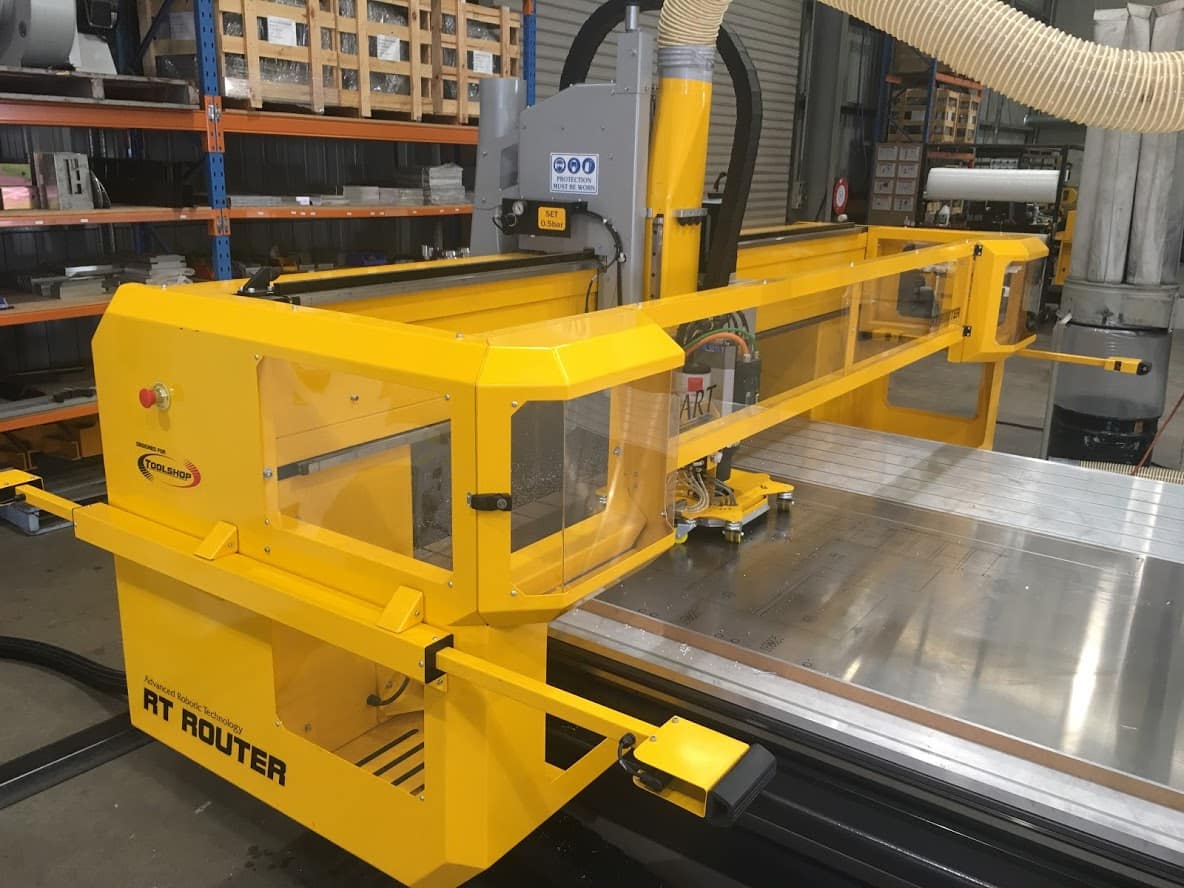
A heavy-duty CNC router is a computer numerically controlled (CNC) machine designed to handle the high demands of cutting and shaping large, dense materials such as wood, non-ferrous metals, and plastic. These industrial-grade machines are commonly used in various manufacturing, construction, and fabrication industries to create architectural models, prototype, and produce custom parts and components.
One of the main benefits of a heavy-duty CNC router is its ability to handle large workpieces and materials efficiently. These machines typically have a large table size and a powerful spindle that can handle cutting and shaping dense materials. They also often have a heavy-duty frame and gantry to provide the necessary stability and support for these operations.
In addition to their strength and durability, heavy-duty CNC routers also offer high precision and accuracy. These machines can produce precise cuts and shapes within a few thousandths of an inch tolerance. This level of accuracy is crucial for many manufacturing and fabrication applications where even the slightest deviation from the desired dimensions can result in faulty products or wasted materials.
Another critical feature of heavy-duty CNC routers is their versatility. Many of these machines come with various tooling options, including different cutting bits, drills, and other specialized attachments. This allows them to tackle various tasks and materials, from cutting and shaping wood and plastic to drilling and milling metal.
Overall, a heavy-duty CNC router is a powerful and essential tool for any business that needs to cut and shape large, dense materials with precision and accuracy. Whether in the manufacturing, construction, or fabrication industry, these machines can help you produce high-quality products and components faster and more efficiently.
CNC Plasma Cutters.
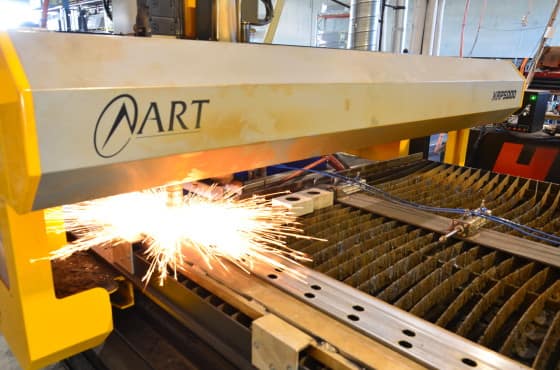
CNC plasma cutters are an essential tool for modern manufacturing and fabrication. Using a combination of high-pressure gas and an electric arc, these machines are able to cut through metal with precision and accuracy.
One of the biggest advantages of using a CNC plasma cutter is the speed and efficiency with which it can cut through metal. The use of computer numerical control (CNC) technology allows for the creation of detailed and complex designs with a high degree of precision. This makes CNC plasma cutters ideal for a wide range of applications, from cutting metal sheets for automotive parts to creating intricate designs for art and sculpture.
Another advantage of CNC plasma cutters is their versatility. Unlike traditional cutting methods, which are limited to cutting through certain types of metal, CNC plasma cutters can be used on a wide range of materials, including steel, aluminum, copper, and more. This makes them a valuable tool for any metalworking shop.
One of the key factors to consider when choosing a CNC plasma cutter is the size of the cutting area. Most CNC plasma cutters are available in a range of sizes, from small units that are ideal for hobbyists and small workshops, to larger units that can handle larger-scale projects.
In terms of power, CNC plasma cutters typically use a combination of compressed air and electricity to generate the plasma arc. The amount of power required will depend on the thickness of the material being cut, with more powerful units able to cut through thicker materials with ease.
Safety is another important factor to consider when using a CNC plasma cutter. These machines produce intense heat and powerful sparks, so it’s important to follow all safety guidelines and use proper protective equipment.
Overall, CNC plasma cutters are an essential tool for modern metalworking and fabrication. With their precision, versatility, and speed, these machines can help businesses and individuals alike to create high-quality, detailed designs with ease.
CNC Machinery.
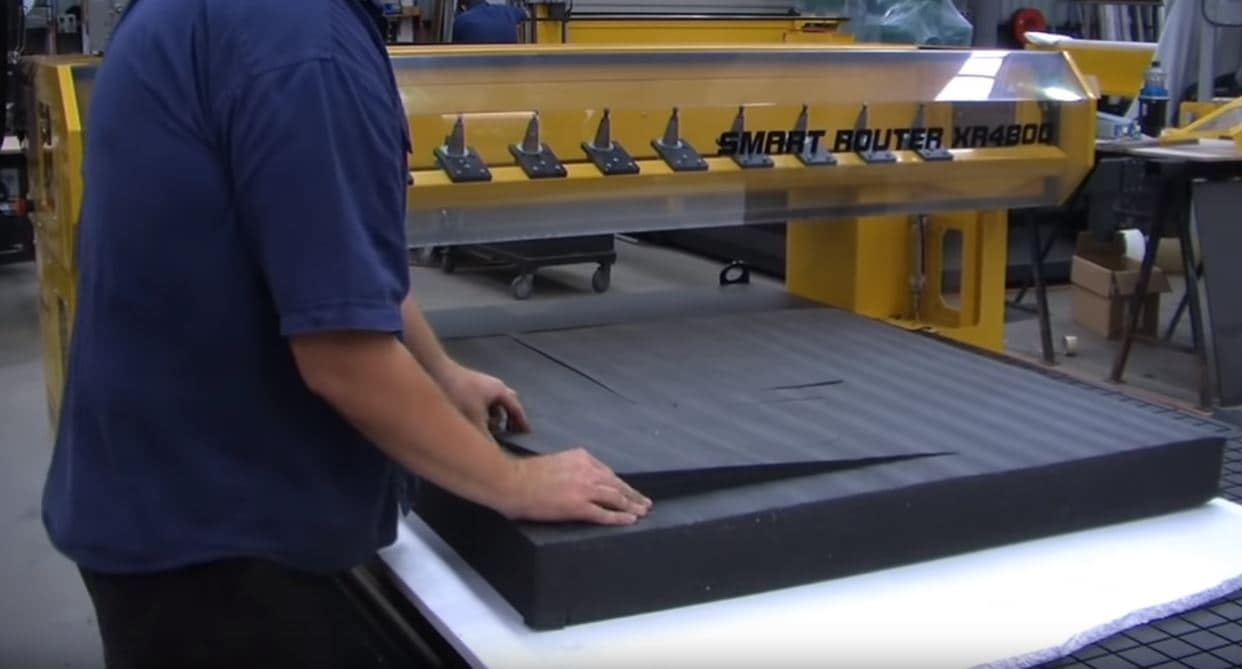
CNC machines, or Computer Numerical Control machines, are advanced tools that allow manufacturers to automate the production process and create high-precision parts and components. With CNC technology, manufacturers can create complex shapes, designs, and patterns with incredible accuracy and repeatability, making it the perfect solution for a wide range of industries, from automotive and aerospace to medical and consumer products.
CNC machines work by using computer-aided design (CAD) and computer-aided manufacturing (CAM) software to create virtual models of the parts and components to be produced. The CNC machine then uses this information to guide its cutting tools, drilling, and other operations to create the final product. This allows for precise control over the manufacturing process, ensuring that each part is made to the exact specifications required.
There are many different types of CNC machines, each designed for specific applications and materials. For example, CNC mills are used for cutting and shaping metal, while CNC lathes are used for creating precise rotational parts. CNC plasma cutters are another popular option, offering high-speed, high-precision cutting of metal and other materials.
CNC technology offers many benefits over traditional manufacturing methods. For one, it allows manufacturers to create parts and components with greater accuracy and repeatability, reducing waste and increasing efficiency. CNC machines can also be operated 24/7, allowing for faster production times and higher output. Additionally, CNC technology can be used to create complex designs and shapes that would be impossible or impractical to produce using manual methods.
Overall, CNC machines are an essential tool for any modern manufacturer, offering increased efficiency, accuracy, and flexibility in the production process. With CNC technology, manufacturers can produce high-quality parts and components at a faster rate, allowing them to stay competitive in an increasingly demanding market.
CNC machines are used in a wide range of industries, including automotive, aerospace, medical, and consumer products. In the automotive industry, for example, CNC machines are used to create precise, complex parts for vehicles, such as engine components, body panels, and suspension systems. In the aerospace industry, CNC machines are used to create high-precision parts for aircraft and spacecraft, such as fuselages, wings, and landing gear.
In the medical industry, CNC machines are used to create implantable devices, such as artificial joints and dental implants, as well as surgical instruments and other medical equipment. In the consumer products industry, CNC machines are used to create everything from smartphones and laptops to appliances and furniture.
CNC technology has also enabled the creation of new, innovative products that were not previously possible. For example, CNC machines are used to create customized, one-of-a-kind products, such as jewelry and other personal items. They are also used to create complex, organic shapes and designs, such as those found in modern architecture and art.
Overall, the applications of CNC technology are vast and constantly evolving. As the technology continues to advance, CNC machines will continue to play a vital role in the manufacturing industry, helping manufacturers create high-quality, precise products faster and more efficiently than ever before.